Redis Data Modeling for High-Throughput Systems
Choosing the right Redis data structures, memory optimization techniques, key naming conventions, and pipeline patterns for high-throughput production systems.

Akhil Sharma
February 19, 2026
Redis Data Modeling for High-Throughput Systems
Redis gives you five core data structures and the freedom to model data however you want. That freedom is a trap — it's easy to build something that works at low scale and falls apart at high scale because of poor data structure choices or memory-inefficient key design.
Choosing the Right Data Structure
The decision tree is simpler than it looks:
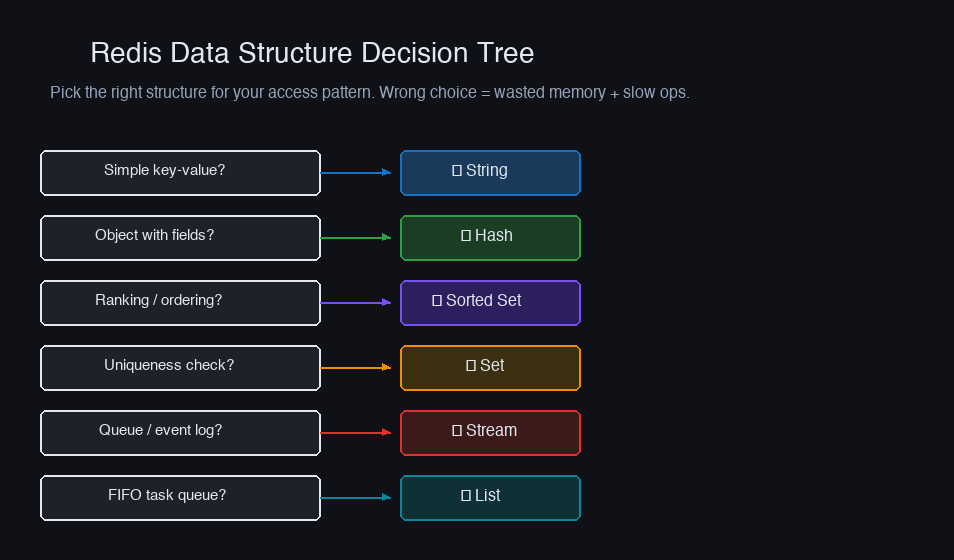
But each structure has memory characteristics that matter at scale.
Strings vs Hashes: The Memory Trade-off
Storing a user profile as individual string keys:
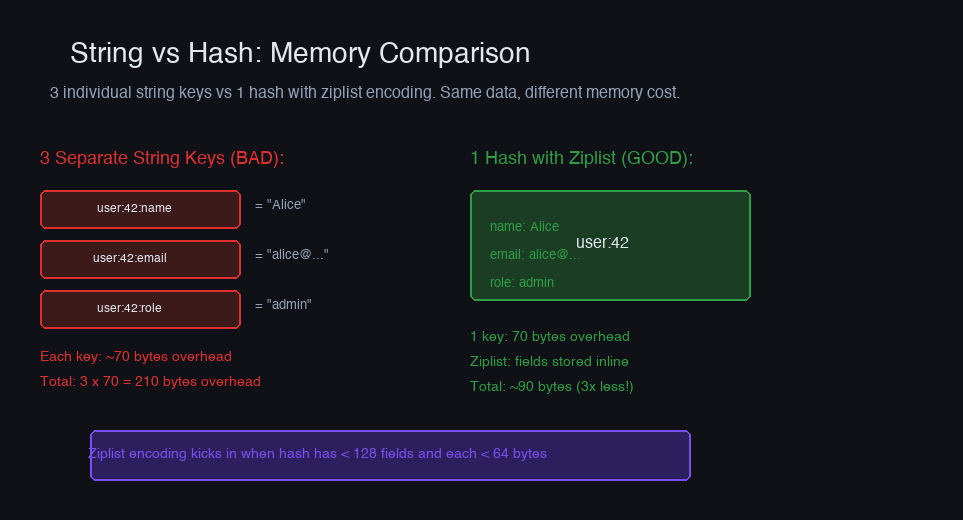
Each key in Redis has ~70 bytes of overhead (dict entry, SDS header, expiry pointer). Three keys = ~210 bytes of overhead for ~30 bytes of actual data.
Storing as a hash:
One key = ~70 bytes overhead. Plus, small hashes (fewer than hash-max-ziplist-entries, default 128) use a ziplist encoding that's significantly more compact.
Benchmark on 1M user profiles (3 fields each):
| Approach | Keys | Memory Usage |
|---|---|---|
| Individual strings | 3M | 280 MB |
| Hash per user | 1M | 85 MB |
| Hash (ziplist) | 1M | 45 MB |
The ziplist threshold matters. Keep hashes under 128 fields and individual values under 64 bytes to stay in ziplist encoding:
Sorted Sets for Leaderboards and Time-Series
Sorted sets are Redis's most versatile structure. Each member has a score, enabling range queries, ranking, and windowed aggregations.
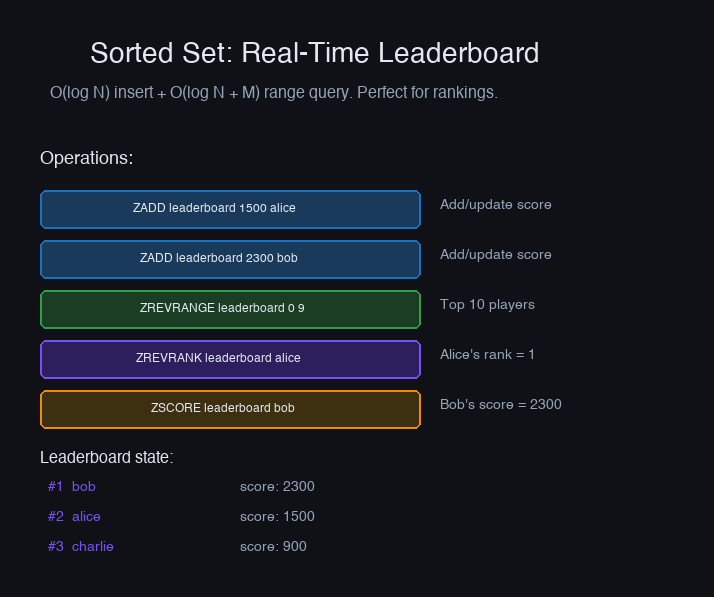
Memory consideration: Each sorted set member costs ~80 bytes (member pointer, score, skip list node). A sorted set with 1M members uses ~80MB. If you're storing timestamps as scores, consider bucketing into smaller sets (per-hour, per-day) rather than one massive set.
Streams for Event Processing
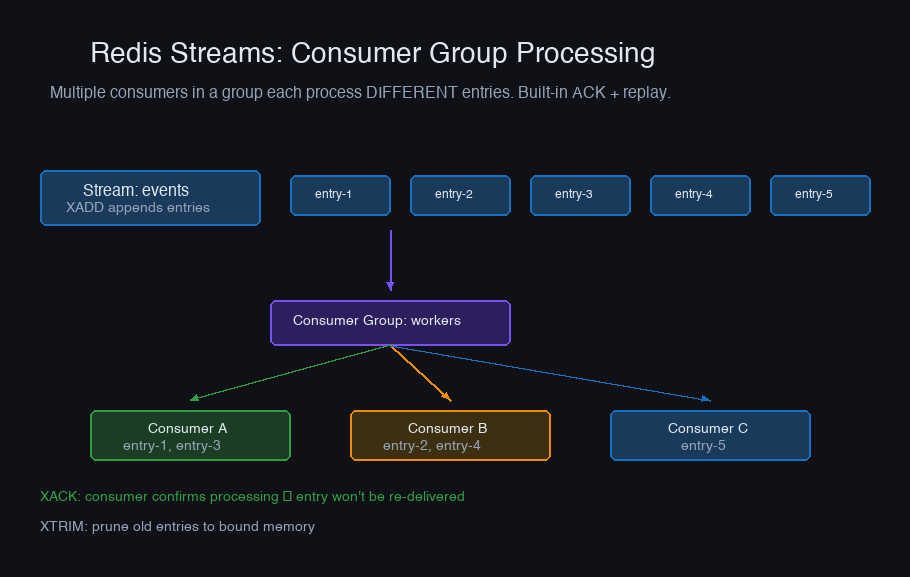
Redis Streams are an append-only log with consumer group support — Kafka-like semantics without Kafka's operational overhead. Good for moderate-throughput event processing (10K-100K events/sec).
Advanced System Design Cohort
We build this end-to-end in the cohort.
Live sessions, real systems, your questions answered in real time. Runs only once every few months — join the waitlist for the next cohort.
Consumer group setup
await redis.xgroup_create("events:clicks", "analytics-group", id="0", mkstream=True)
Consumer
while True: events = await redis.xreadgroup( "analytics-group", "consumer-1", {"events:clicks": ">"}, count=100, block=5000, ) for stream, messages in events: for msg_id, fields in messages: await process_click(fields) await redis.xack("events:clicks", "analytics-group", msg_id)
Key Naming Conventions
A consistent naming convention prevents collisions and makes debugging easier. The pattern: object-type:id:field with colons as separators.
Namespace isolation for multi-tenant systems: prefix keys with a tenant identifier:
This lets you use SCAN tenant:acme:* for tenant-specific operations and track per-tenant memory usage.*
Pipeline and Transaction Patterns
Individual Redis commands have ~0.1ms round-trip latency. At 100 commands per request, that's 10ms of network overhead alone. Pipelines batch commands into a single round trip.
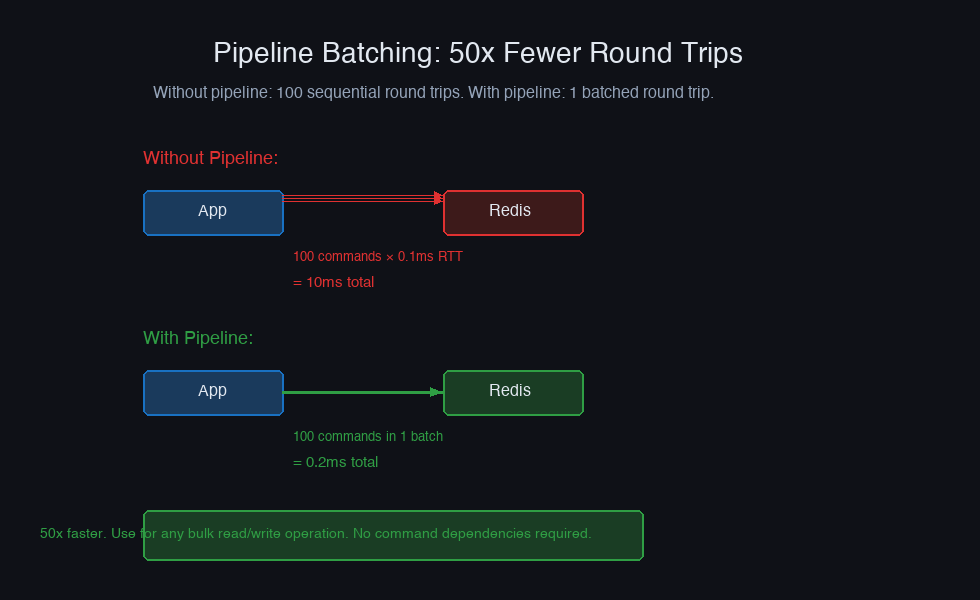
Pipeline vs Transaction: Pipelines batch commands for performance but don't guarantee atomicity. Transactions (MULTI/EXEC) guarantee atomicity but still execute sequentially on the server. Use transactions when you need read-then-write consistency:
TTL Strategies
Not every key needs the same TTL. Design TTLs based on data volatility and the cost of a cache miss:
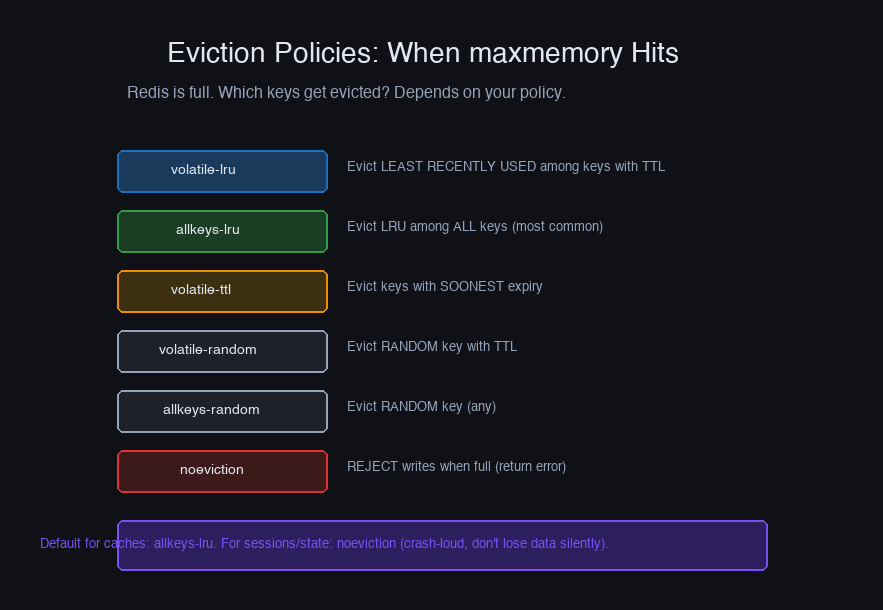
Key eviction policy matters when Redis approaches its memory limit. Configure maxmemory-policy based on your use case:
volatile-lru: Evict keys with TTL, least recently used first. Best for caching with a mix of persistent and cached keys.allkeys-lru: Evict any key, LRU order. Best when Redis is purely a cache.volatile-ttl: Evict keys closest to expiry. Best when short-TTL keys are less important.noeviction: Return errors on write when memory is full. Best for data that must not be lost.
Memory Optimization Checklist
- Use hashes instead of individual string keys for objects. Keep under ziplist thresholds.
- Use short key names in production.
u:1001instead ofuser-profile:1001saves ~15 bytes per key. At 10M keys, that's 150MB. - Compress large values. If values exceed 1KB, compress with zstd or lz4 before storing. Redis doesn't compress internally.
- Set appropriate maxmemory. Leave 20-30% headroom for fragmentation and fork overhead (RDB saves, AOF rewrites).
- Monitor fragmentation ratio.
INFO memory→mem_fragmentation_ratio. Values above 1.5 indicate significant memory waste. Restart Redis or useMEMORY PURGE(Redis 4.0+). - Use OBJECT ENCODING to verify your data structures are using compact encodings (ziplist, intset) rather than full structures (hashtable, skiplist).
Redis data modeling is an exercise in understanding memory layout. The right data structure at the wrong encoding wastes 3-5x memory. Measure with MEMORY USAGE key early and often, especially as your dataset grows.
More in System Design
Building a Distributed Job Scheduler
Why single-node job schedulers silently fail in production, and how to build a distributed scheduler with leader election, task deduplication, and failure recovery.
Consistent Hashing in Practice
Why modulo hashing silently nukes your cache every time you scale, and how consistent hashing solves the rebalancing problem that takes down databases.
