Client Server Architecture

Client Server Architecture
The foundational architecture pattern of the web — clients request, servers respond, and the separation of concerns enables everything from mobile apps to microservices.
👥 Client-Server Architecture: The Restaurant Revisited
Remember our restaurant analogy from the REST API section? Let's dive deeper into the fundamental architecture pattern that powers the entire internet.
The Historical Context
Let’s look at history to understand why client-server architecture exists.
Before Client-Server (1970s): Mainframe Era
The Old Way:
━━━━━━━━━━━━━━━━━━━━━━━━━━━━━━━━

Terminals: Just keyboards and screens
-
No processing power
-
No storage
-
Just display what mainframe sends
Problem:
❌ Expensive mainframe does EVERYTHING
❌ Terminals are "dumb" (can't do anything alone)
❌ No mainframe = no work for anyone
Client-Server Revolution (1980s-Present)
The New Way:
━━━━━━━━━━━━━━━━━━━━━━━━━━━━━━━━
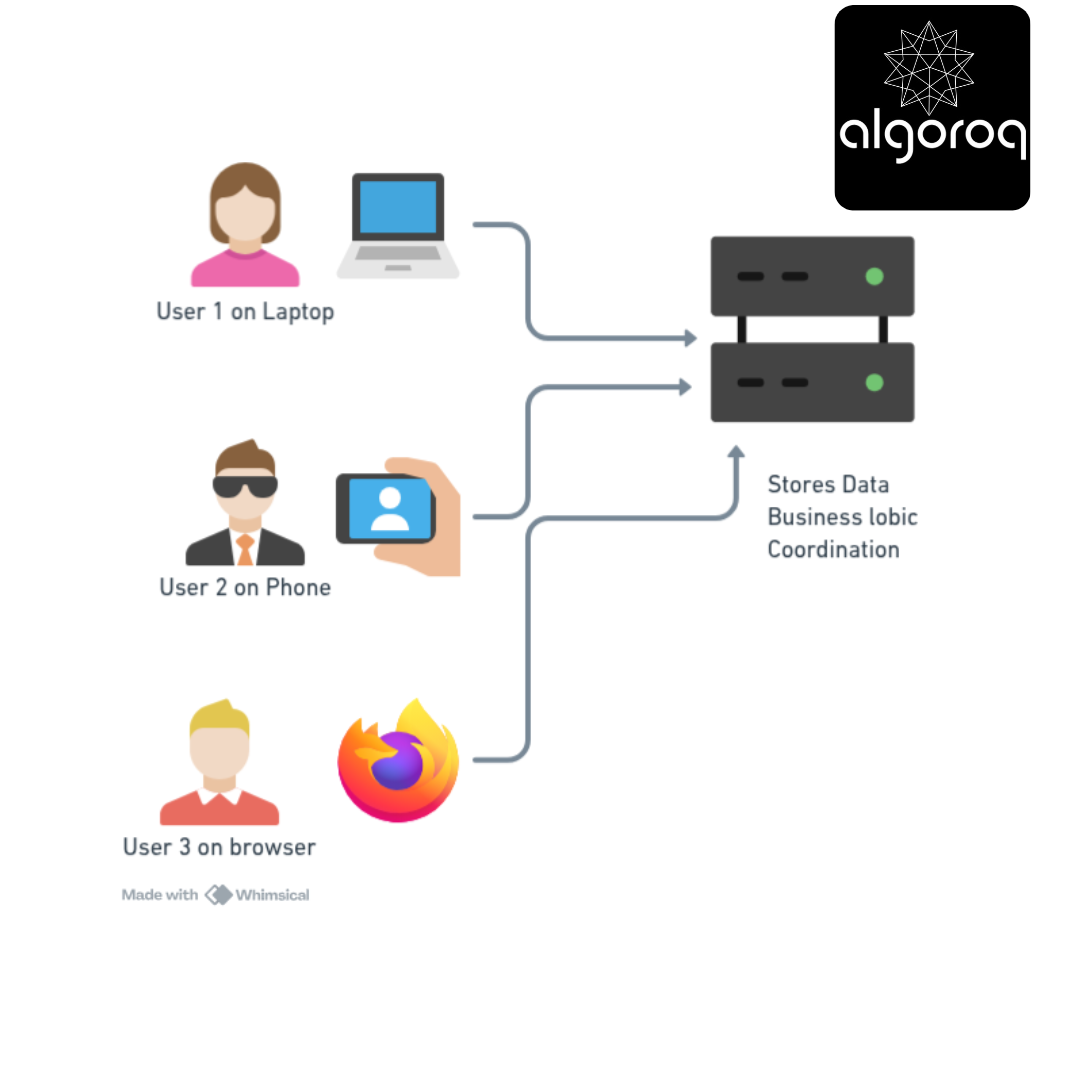
Clients: Smart devices
✓ Can process data locally
✓ Have their own storage
✓ Work independently (sometimes)
Server: Centralized resource
✓ Manages shared data
✓ Coordinates between clients
✓ Enforces business rules
Understanding the Roles
The Client's Job:
What Clients Do:
━━━━━━━━━━━━━━━━━━━━━━━━━━━━━━━━
-
User Interface
-
Display information
-
Accept user input
-
Validate forms
-
-
Request Making
-
Send requests to server
-
Handle responses
-
Manage errors
-
-
Local Processing
-
Format data for display
-
Client-side validation
-
Caching for speed
-
-
State Management
-
Remember user preferences
-
Track session
-
Store temporary data
-
Example: Your Web Browser
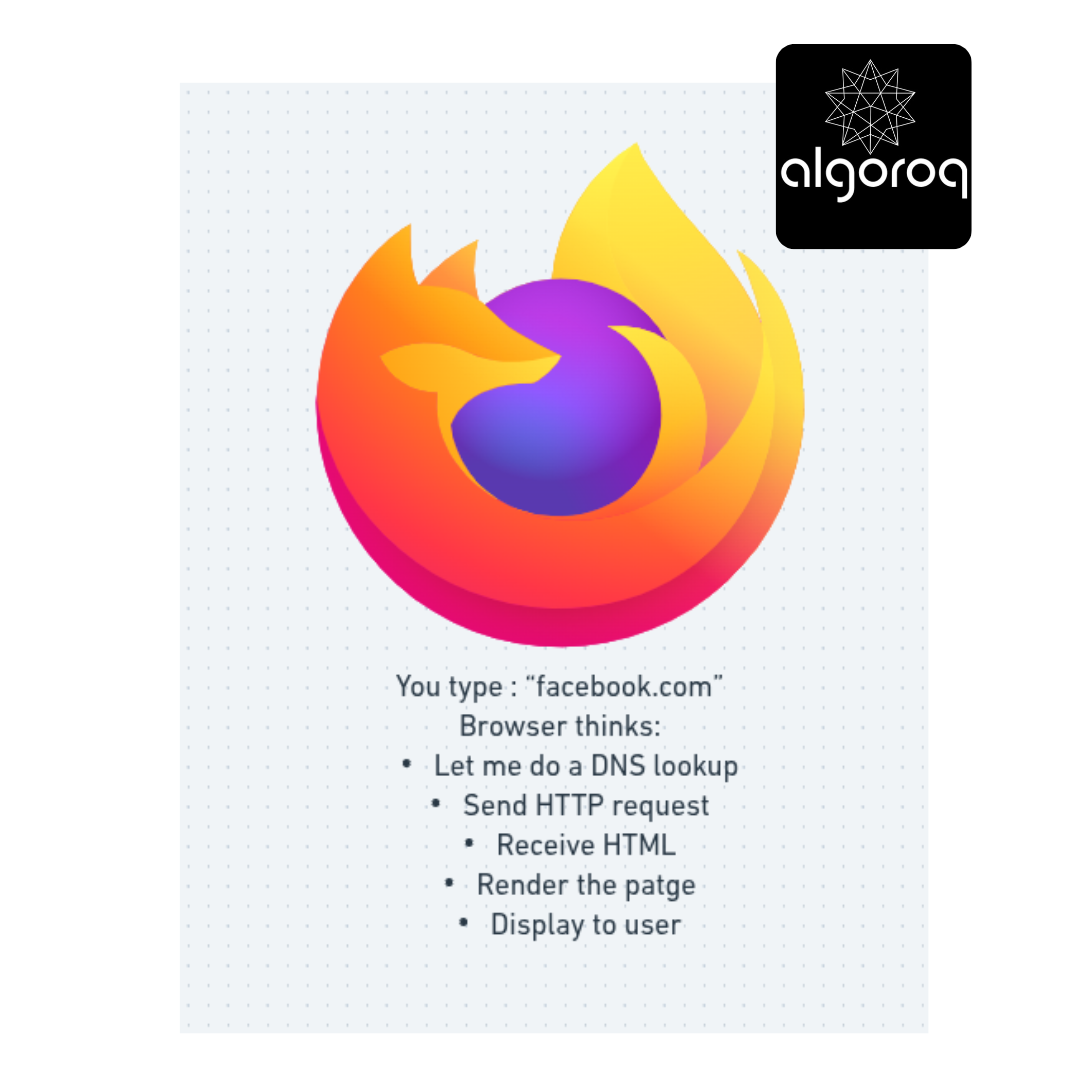
Connection to TCP and HTTP: When your browser (client) makes a request, it uses HTTP over TCP. The TCP 3-way handshake establishes the connection, then HTTP request/response flows over that reliable TCP connection. The browser is the client, the web server is the server (we have already discussed these concepts in detail before)
The Server's Job:
What Servers Do:
━━━━━━━━━━━━━━━━━━━━━━━━━━━━━━━━
-
Data Management
-
Store in database
-
Retrieve data
-
Update records
-
-
Business Logic
-
Process payments
-
Validate rules
-
Calculate results
-
-
Security
-
Authentication
-
Authorization
-
Encryption
-
-
Coordination
-
Handle multiple clients
-
Manage concurrency
-
Ensure consistency
-
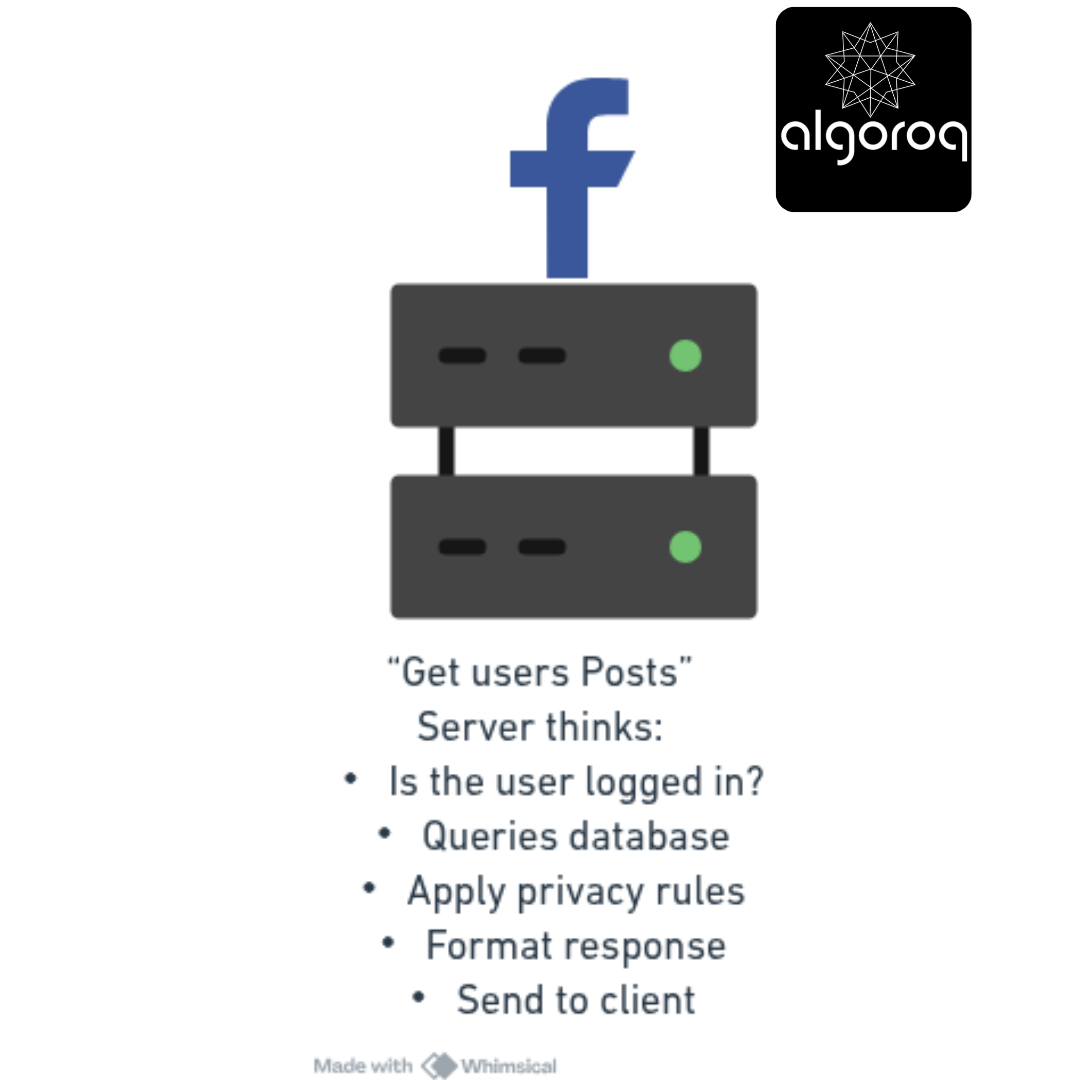
Example: Facebook's Server
Different Flavors of Client-Server
Flavor 1: Thin Client (Web Apps)
Thin Client Architecture:
━━━━━━━━━━━━━━━━━━━━━━━━━━━━━━━━

User clicks "Send Email":
-
Browser: "POST /send" → Server
-
Server: Validates email, sends it, updates database
-
Server: Generates new HTML
-
Browser: Displays new HTML
Almost everything happens on server!
Flavor 2: Thick Client (Desktop Apps)
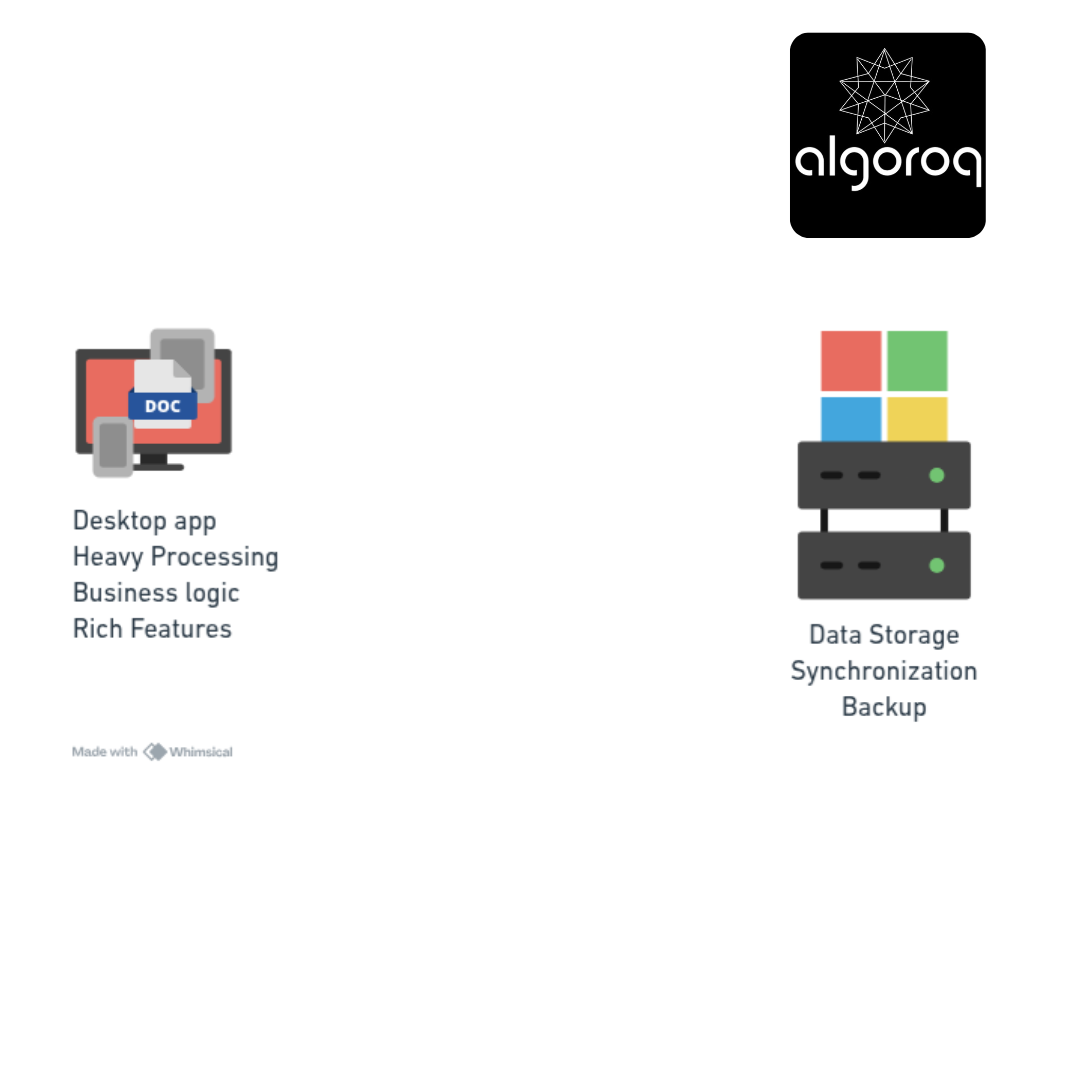
Thick Client Architecture:
━━━━━━━━━━━━━━━━━━━━━━━━━━━━━━━━
━━━━━━━━━━━━━━━━━━━━━━━━━━━━━━━━━━━━━━━━━
User types document:
-
Word: Processes locally (spell check, formatting)
-
Word: Auto-saves to local disk
-
Word: Syncs to OneDrive every few minutes
-
Server: Just stores the file
Most work happens on client!
Flavor 3: Hybrid (Modern Web Apps/SPAs)
Hybrid Architecture (Best of Both):
━━━━━━━━━━━━━━━━━━━━━━━━━━━━━━━━━━━
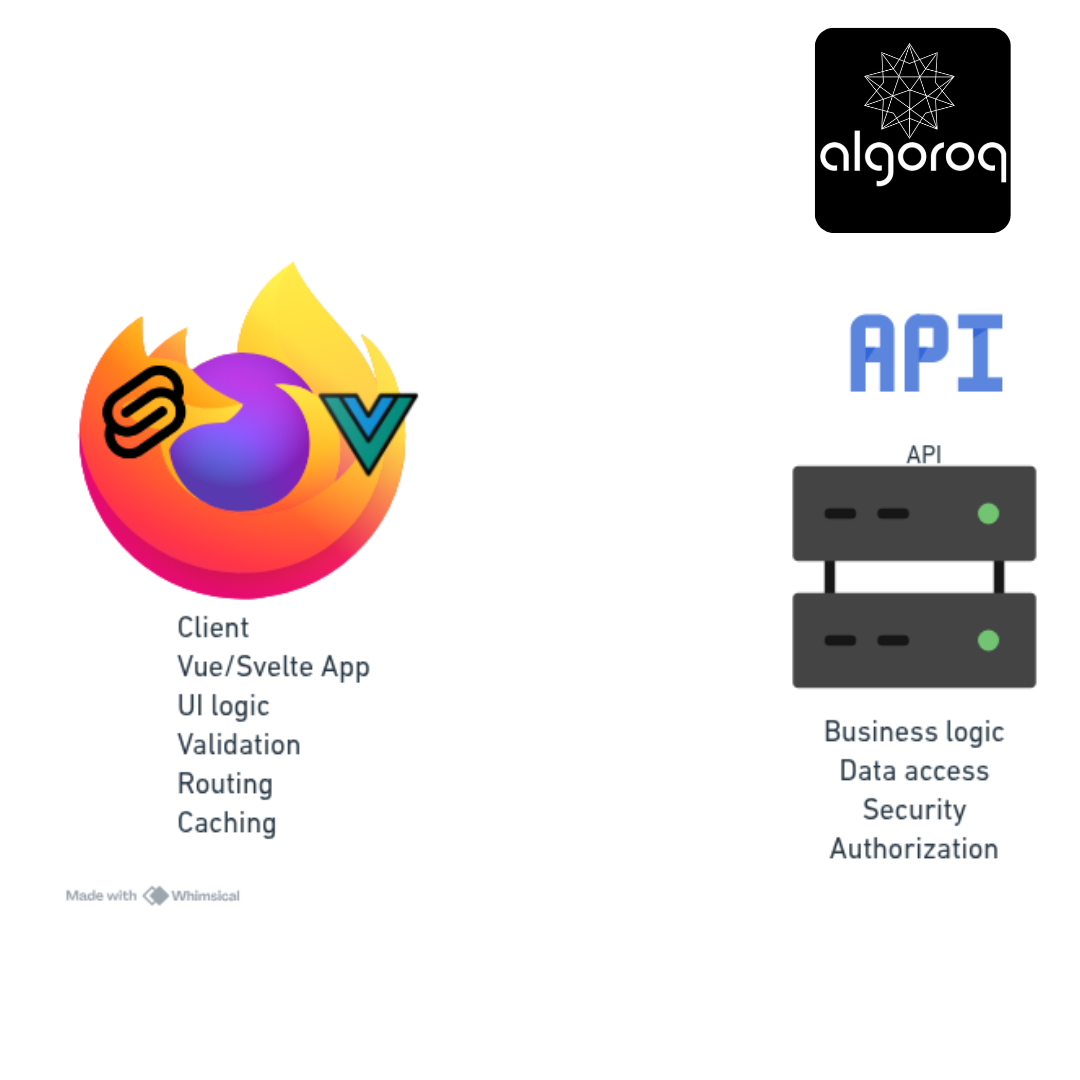
Example: Modern Gmail
━━━━━━━━━━━━━━━━━━━━━━━━━━━━━━━━
User clicks "Send Email":
-
React app: Validates form locally ✓
-
React app: Shows "Sending..." immediately
-
React app: POST /api/send → Server
-
Server: Actually sends email, updates DB
-
Server: Returns JSON {success: true}
-
React app: Updates UI (smooth transition)
Work split intelligently between client and server!
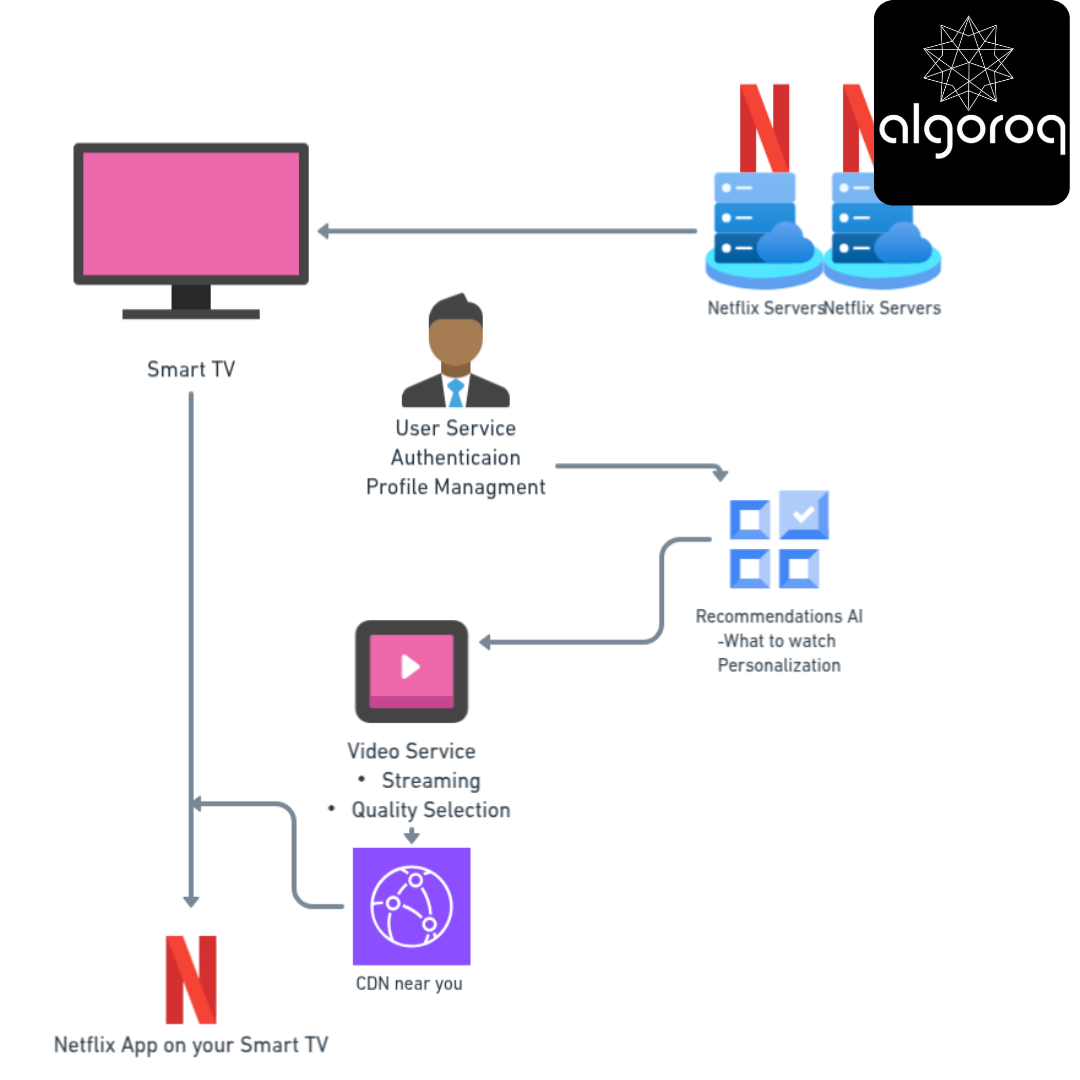
Real-World Example: Netflix
Let me show you how Netflix uses client-server architecture:
Netflix Architecture:
The Flow:
━━━━━━━━━━━━━━━━━━━━━━━━━━━━━━━━
-
Client (TV): "Show me action movies" → Server: Returns personalized list
-
Client: User clicks "Play" → Server: "Here's the video URL"
-
Client: Connects to nearby CDN ← CDN: Streams video chunks
-
Client: Handles playback, buffering, quality (Smart client does a lot!)
-
Client: Periodically reports back → Server: "User watching minute 24" (For "Continue Watching" feature)
The Communication Patterns
Pattern 1: Request-Response (Synchronous)
Classic Web Request:
━━━━━━━━━━━━━━━━━━━━━━━━━━━━━━━━
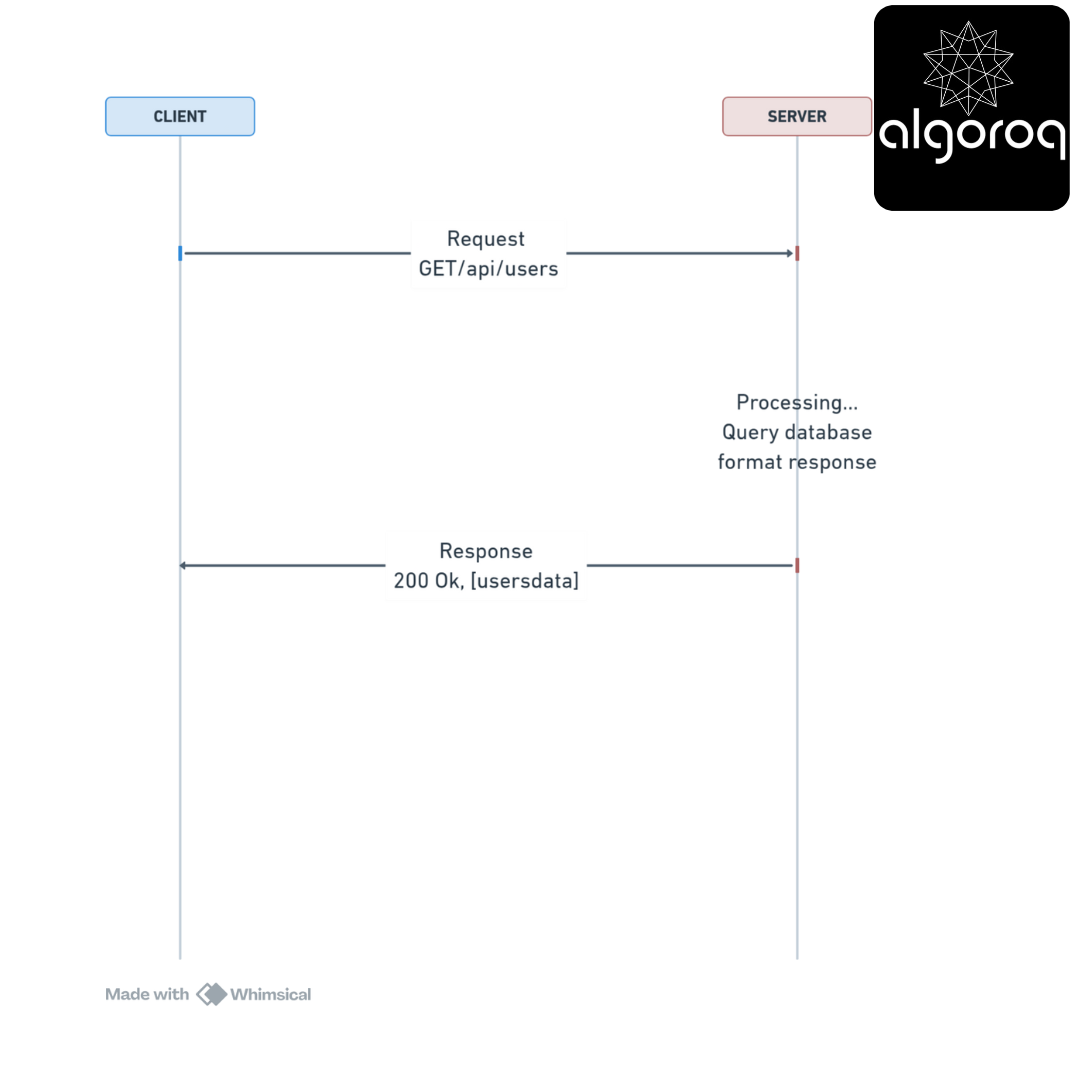
Timeline: ~100ms Client blocks waiting for response
Connection to Our Previous Topics:
-
This is synchronous communication (we covered this earlier!)
-
Uses HTTP methods (GET in this example)
-
Can return various status codes (200 OK)
-
May include authentication (JWT or session)
Pattern 2: Long Polling
Chat Application:
━━━━━━━━━━━━━━━━━━━━━━━━━━━━━━━━
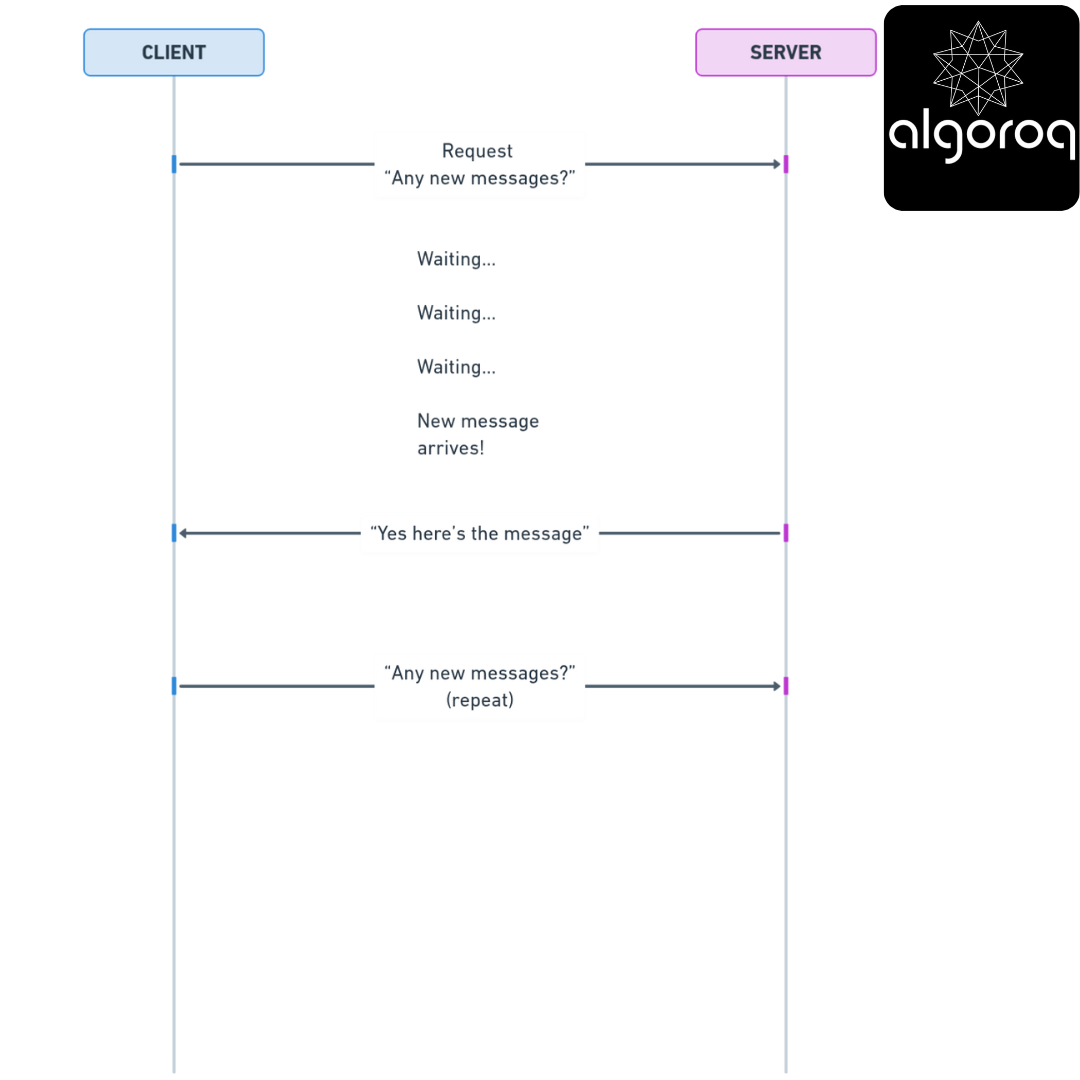
Server holds connection open until data available
Pattern 3: WebSockets (Bidirectional)
Real-Time Chat: ━━━━━━━━━━━━━━━━━━━━━━━━━━━━━━━━
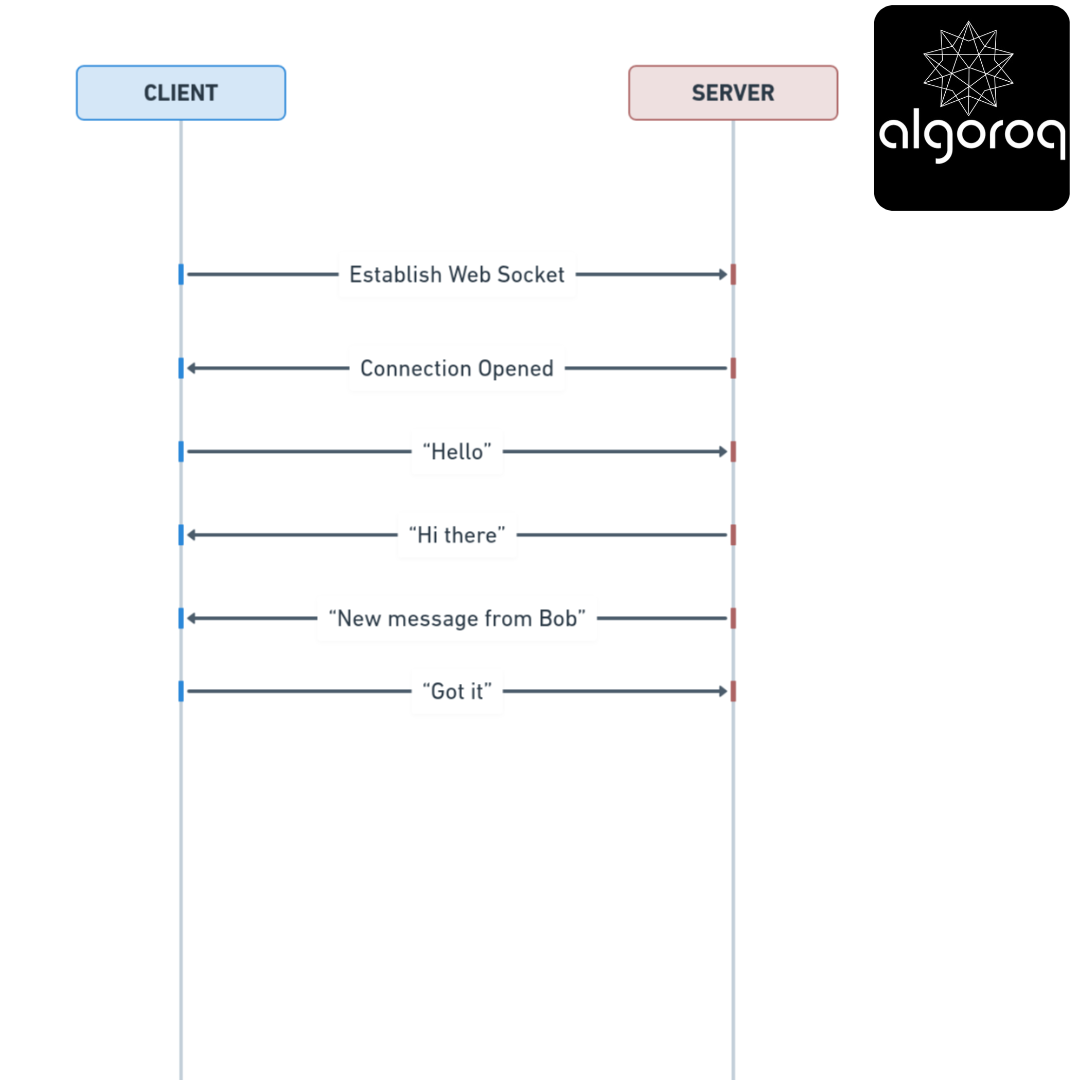
Persistent connection, messages flow both ways No request-response limitation!
Pattern 4: Server-Sent Events (SSE)
Live Stock Prices:
━━━━━━━━━━━━━━━━━━━━━━━━━━━━━━━━
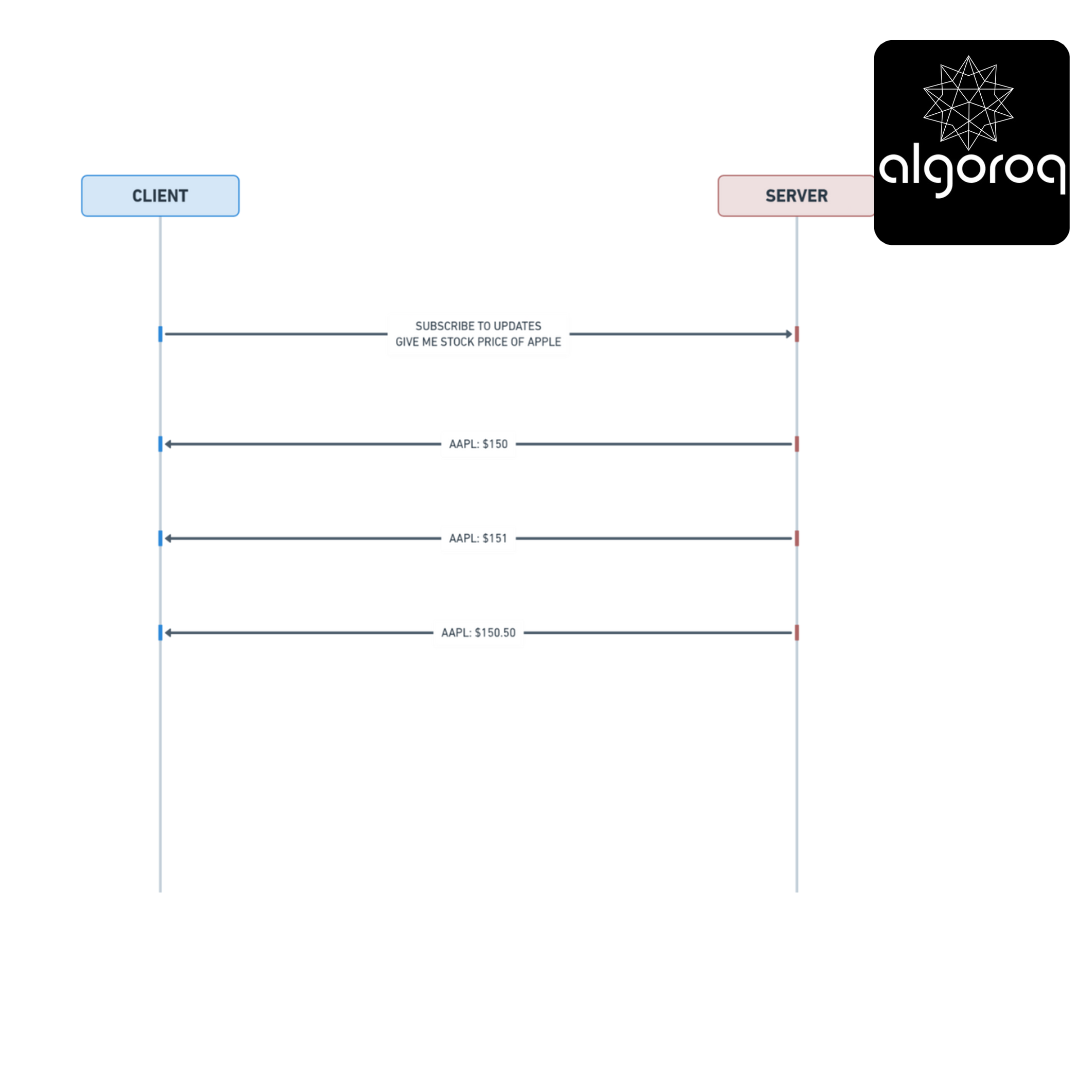
Server pushes updates to client continuously Client doesn't need to request each time
Security in Client-Server
The Trust Boundary
The Rule: ━━━━━━━━━━━━━━━━━━━━━━━━━━━━━━━━

Bad Example (Trusting Client):
━━━━━━━━━━━━━━━━━━━━━━━━━━━━━━━━
Client: "I'm paying $10 for this $100 item"
Server: "Okay!" ❌
Result: Business loses money!
Good Example (Validate on Server):
━━━━━━━━━━━━━━━━━━━━━━━━━━━━━━━━
Client: "I'm buying item_id: 42"
Server: Looks up item in database
Server: "That's $100"
Server: Validates payment for $100 ✓
Result: Business is protected!
Validation Rules:
Client-Side Validation:
━━━━━━━━━━━━━━━━━━━━━━━━━━━━━━━━
Purpose: User experience
-
Immediate feedback
-
Prevent typos
-
Guide user
Example: "Email must contain @" "Password needs 8 characters"
BUT: Can be bypassed!
Server-Side Validation:
━━━━━━━━━━━━━━━━━━━━━━━━━━━━━━━━
Purpose: Security & data integrity
-
Enforce business rules
-
Prevent attacks
-
Ensure data quality
Example:
Check email actually exists in database
Verify password against hash
Validate payment with bank
REQUIRED: Cannot be bypassed!
The Pattern:
━━━━━━━━━━━━━━━━━━━━━━━━━━━━━━━━
-
Validate on client (UX)
-
Validate on server (Security)
-
Never trust client alone!
Key Takeaways
- Client-server separates concerns between the requester and provider — clients handle UI, servers handle data and business logic
- This is the foundation of all web architecture — browsers (clients) communicate with web servers via HTTP
- Thin clients push logic to the server, thick clients push logic to the client — the spectrum between them drives many architectural decisions
- Stateless servers are easier to scale — each request is self-contained, enabling horizontal scaling behind a load balancer
Unlock with Pro
Unlock the full content and everything at this level.
Get Pro — $9/moAlready a member? Log in