Forward and Reverse Proxy

Forward Proxy vs Reverse Proxy
Two types of proxies that face opposite directions and solve opposite problems — forward proxies protect clients, reverse proxies protect servers.
🎯 Challenge : The Two-Way Gate Mystery
Imagine this scenario: You're in a secure office building. There are two types of security checkpoints:
Checkpoint A: Checks employees LEAVING the building (verifies their credentials, logs where they're going, blocks prohibited destinations)
Checkpoint B: Checks visitors ENTERING the building (verifies their purpose, routes them to the right department, protects employees from unwanted guests)
Pause and think: Both are "security checkpoints," but they face opposite directions and serve different purposes. How is this similar to proxy servers?
The Answer: Forward vs Reverse Proxies
Just like those two-way security checkpoints, proxy servers can face two different directions:
Forward Proxy: Sits in front of clients (users), intermediary for outbound requests Reverse Proxy: Sits in front of servers, intermediary for inbound requests
Key insight: The direction the proxy "faces" completely changes its purpose and benefits!
🏢 Interactive Exercise: The Company Intermediary
Scenario: Imagine you work at a company. Two types of intermediaries help you:
Person A: Your Executive Assistant (Outbound Help)
- You: "I need to contact this vendor"
- Assistant: "Let me call them for you and negotiate"
- Benefit: You stay anonymous, they handle the interaction
Person B: The Receptionist (Inbound Help)
- Visitor: "I need to speak to someone in accounting"
- Receptionist: "Let me direct you to the right person"
- Benefit: Employees aren't bothered by every visitor
Question: Which one is more like a forward proxy? Which is like a reverse proxy?
Think about it... who do they protect and in which direction?
🔄 The Visual Difference: Side by Side
Forward Proxy Flow:
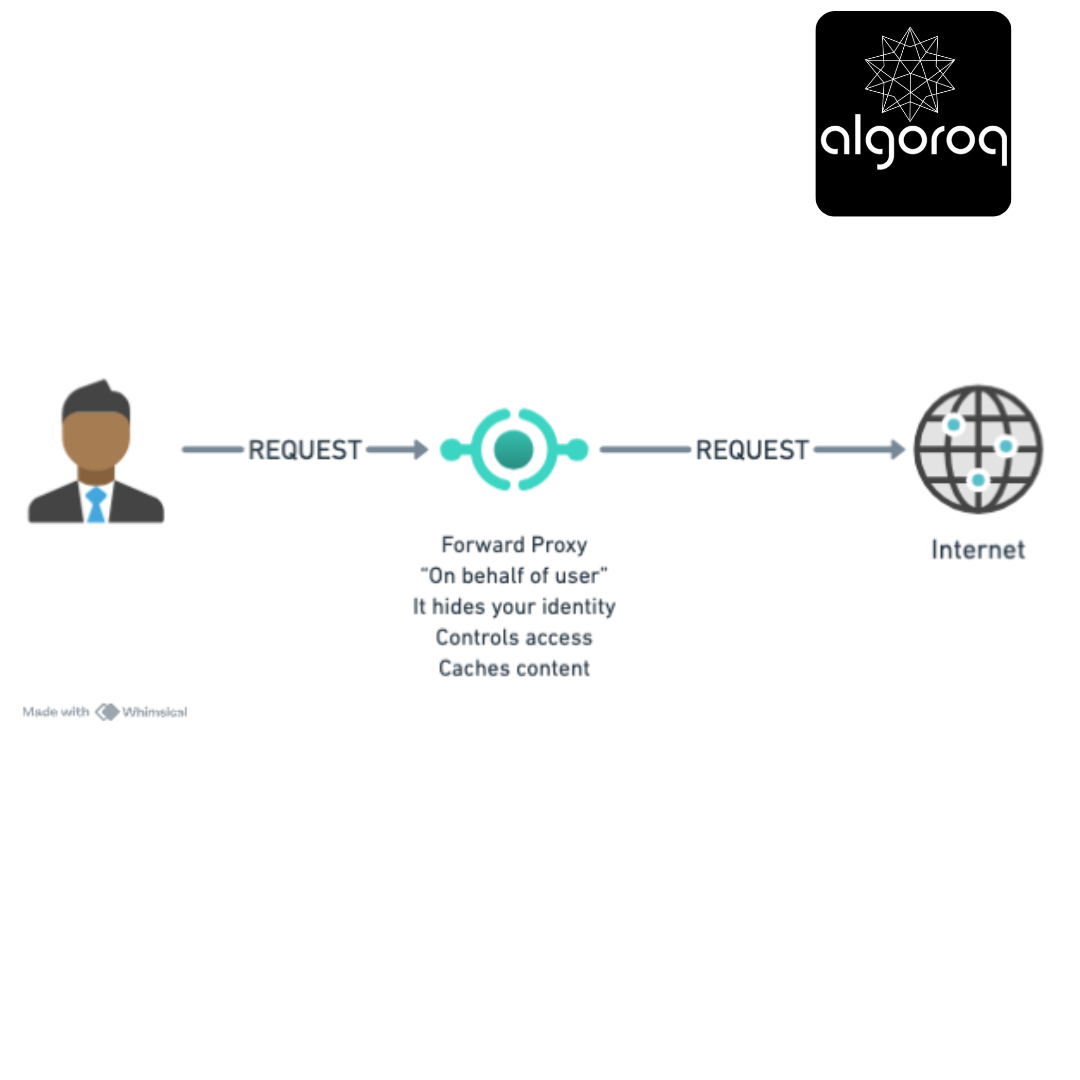
Real-world parallel: Like a personal shopper who buys things for you, so the store doesn't know who you are.
Reverse Proxy Flow:
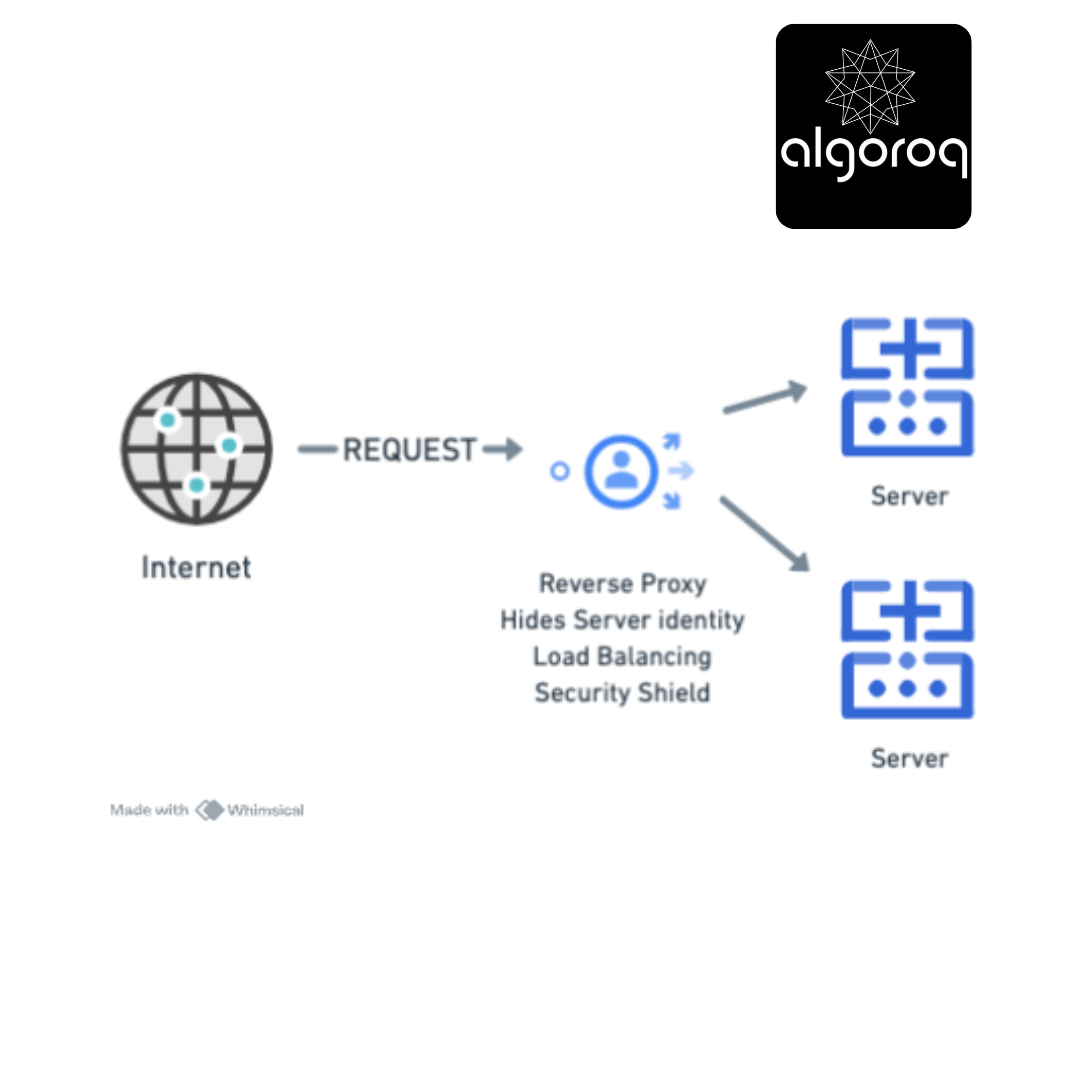
Real-world parallel: Like a receptionist who receives all visitors and directs them to the right employee, protecting staff from direct contact.
🚦 Forward Proxy: The Outbound Gatekeeper
What is a Forward Proxy?
A forward proxy sits between your network and the internet, handling requests on behalf of clients.
Office Network Setup:
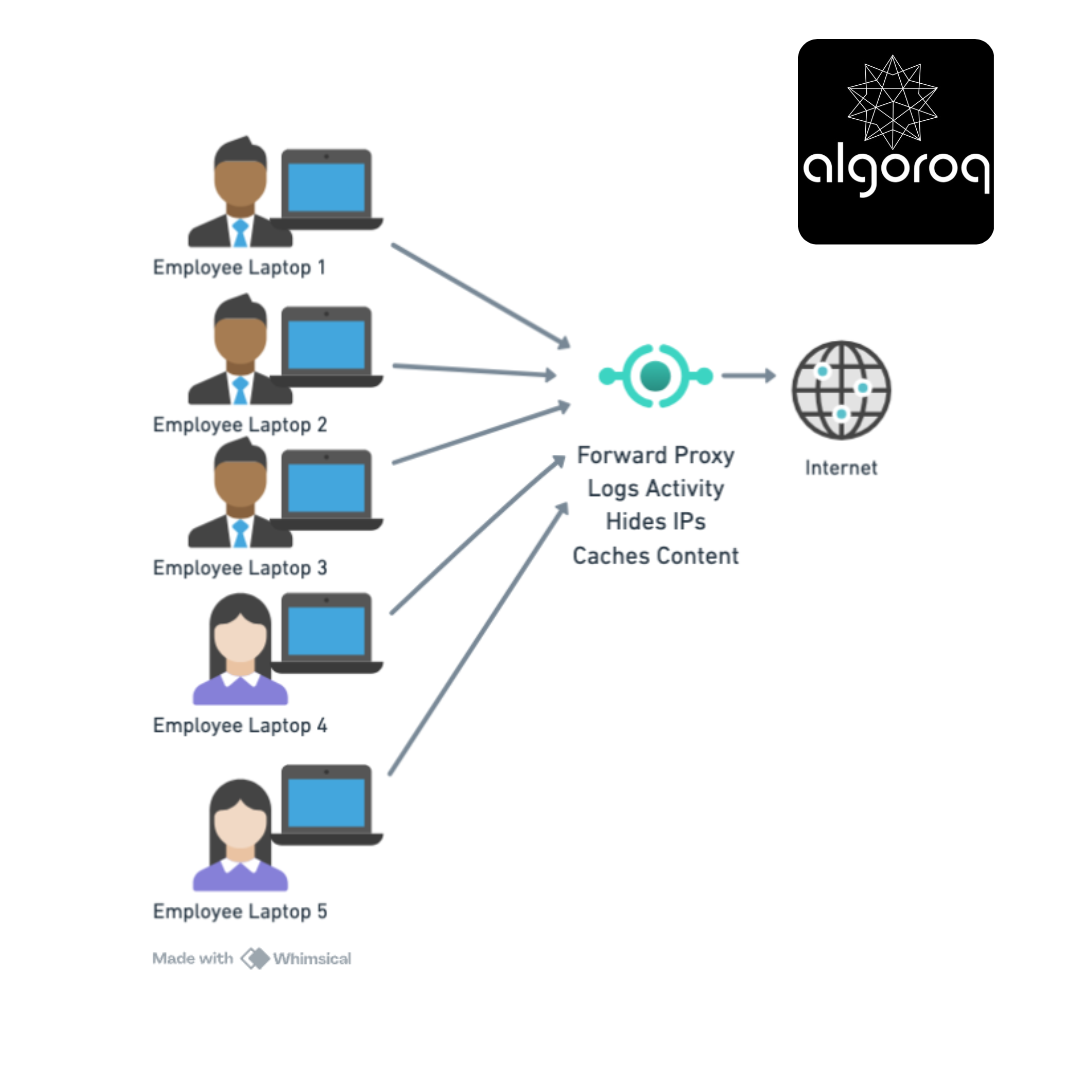
How It Works - Step by Step:
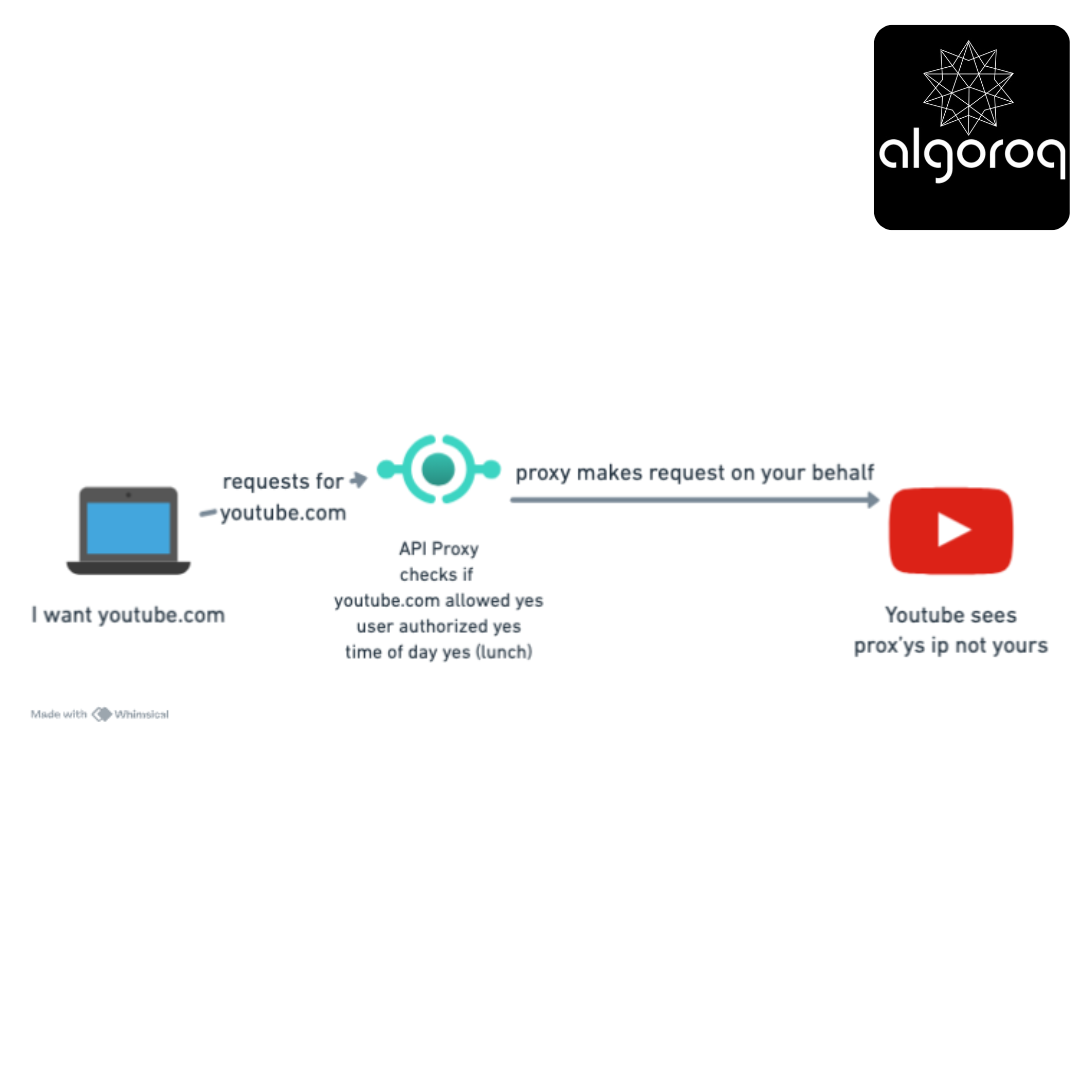
Step 1: Employee wants to visit youtube.com [Your Laptop] → "I want youtube.com"
Step 2: Request goes to proxy (not directly to internet) [Your Laptop] → [Forward Proxy]
Step 3: Proxy checks rules [Forward Proxy]:
✅ youtube.com allowed? YES
✅ Time of day appropriate? YES (lunch break)
✅ User authorized? YES
Step 4: Proxy makes request on your behalf [Forward Proxy] → [YouTube] (YouTube sees proxy's IP, not yours!)
Step 5: Proxy returns content to you [Forward Proxy] → [Your Laptop] (Optionally caches for next person)
Real-World Forward Proxy Uses:
1. Corporate Network Control
Company Policy Enforcement:
Employee tries: facebook.com Proxy: ❌ "Blocked - Social media not allowed during work hours"
Employee tries: github.com Proxy: ✅ "Allowed - Development resource"
Employee tries: malware-site.evil Proxy: ❌ "Blocked - Known malicious site"
Mental model: Like a strict librarian who controls what books you can check out!
2. School Content Filtering
Student tries: educational-site.edu Proxy: ✅ "Allowed"
Student tries: gaming-site.com Proxy: ❌ "Blocked - Gaming not allowed"
Student tries: VPN service Proxy: ❌ "Blocked - Circumvention tool detected"
3. Privacy Protection (VPN-like)
Your IP: 123.45.67.89 ↓ Forward Proxy IP: 98.76.54.32 ↓ Website sees: 98.76.54.32 (not your real IP!)
Benefit: Browse anonymously, bypass geo-restrictions
4. Bandwidth Saving (Caching)
First employee visits: cnn.com Proxy: [Downloads] → [Caches copy]
Second employee visits: cnn.com (5 minutes later) Proxy: [Serves cached copy] (No internet download needed!)
Result: Faster load + Saves bandwidth 💰
🛡️ Reverse Proxy: The Inbound Protector
What is a Reverse Proxy?
A reverse proxy sits in front of your servers, handling requests on behalf of backend servers.
Internet-Facing Setup:
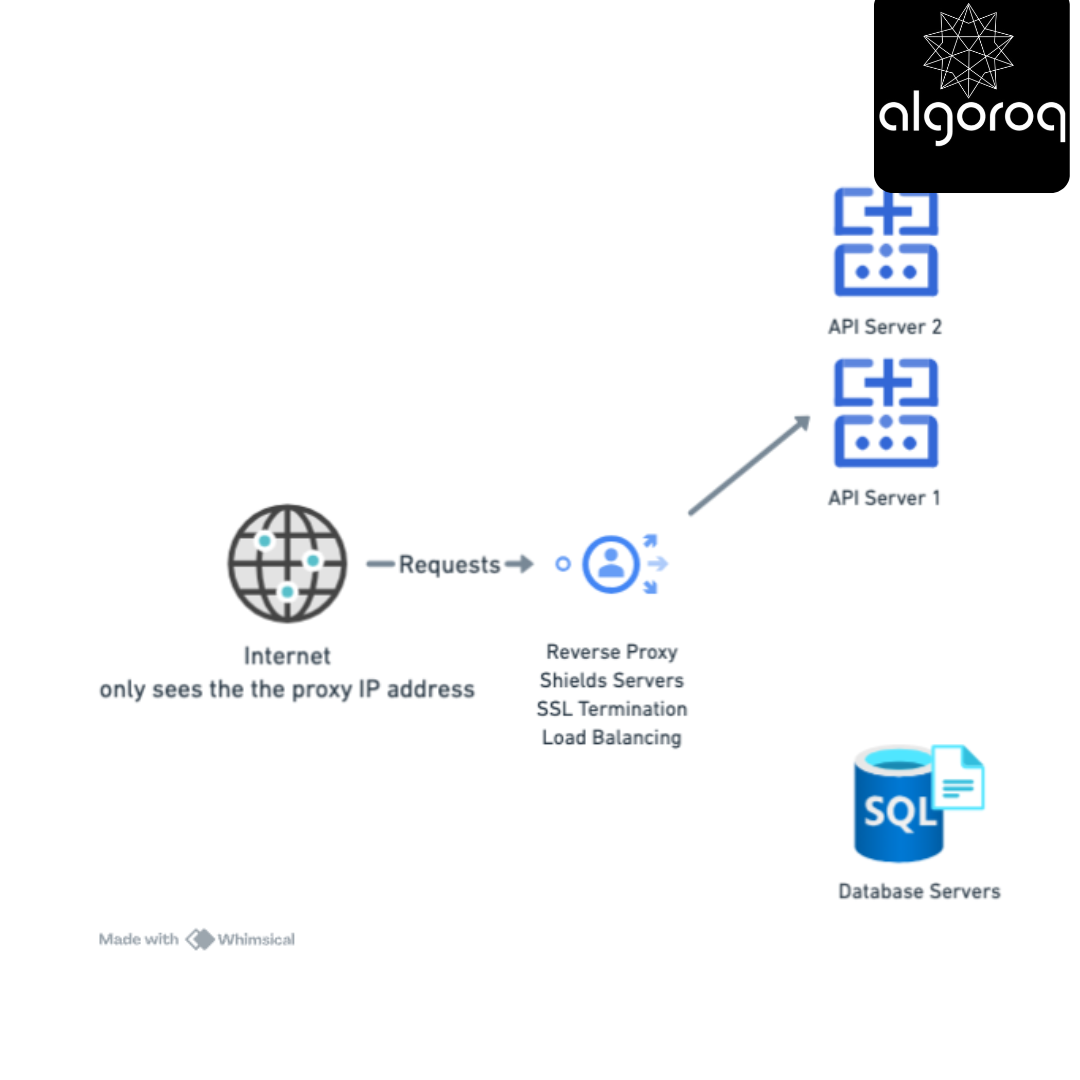
How It Works - Step by Step:
Step 1: User visits yourcompany.com [User Browser] → "GET https://yourcompany.com"
Step 2: DNS points to reverse proxy (not actual servers) [User] → [Reverse Proxy IP: 203.0.113.10]
Step 3: Reverse proxy decides which server to use [Reverse Proxy]:
✅ Check server health
✅ Pick least busy server
✅ Decrypt SSL (if needed)
Step 4: Forward to actual server [Reverse Proxy] → [Web Server 3] (internal IP: 10.0.0.15)
Step 5: Server responds through proxy [Web Server 3] → [Reverse Proxy] → [User] (User never knows server's real IP!)
Real-World Reverse Proxy Uses:
1. Load Balancing
750 users hit your site simultaneously:
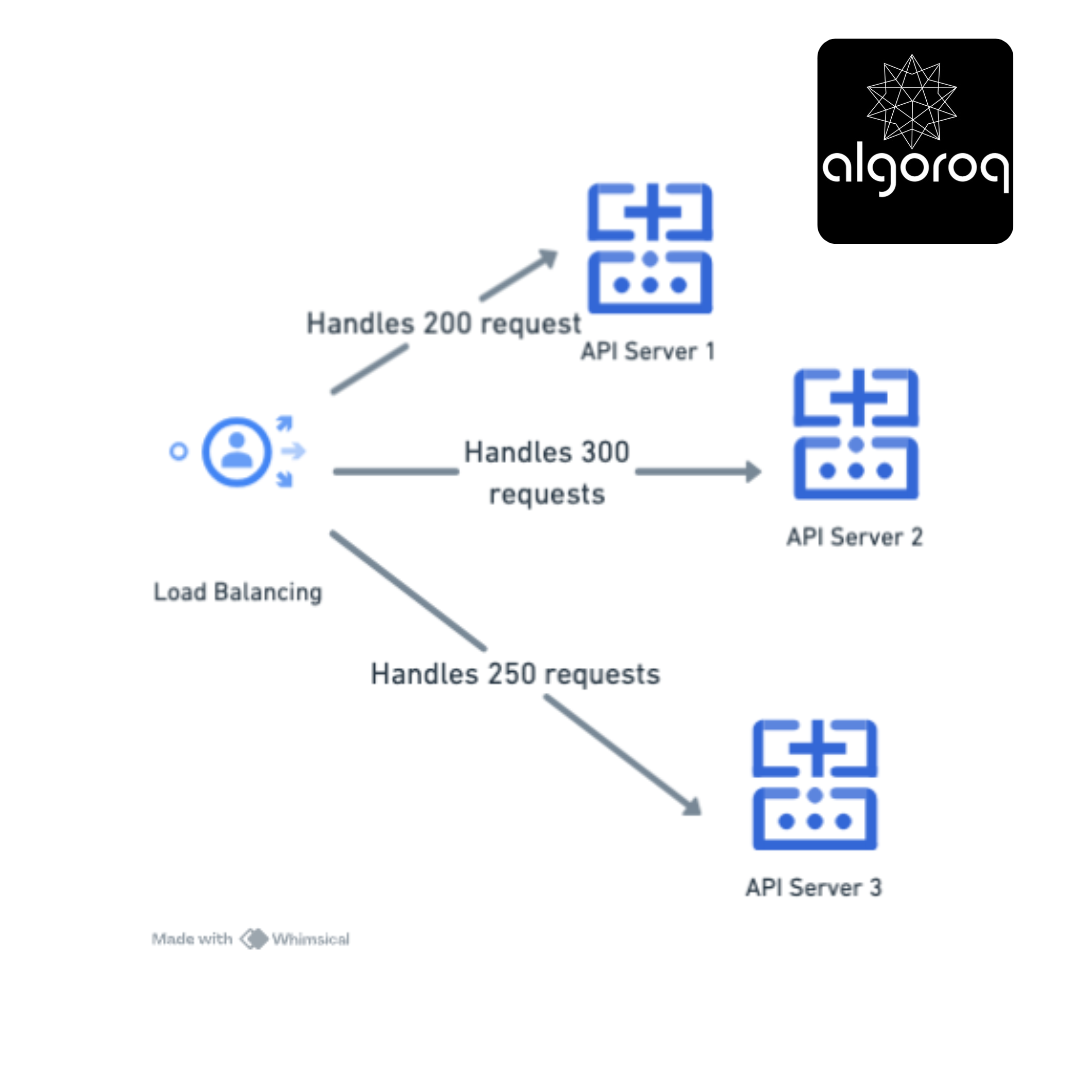
Result: No single server overwhelmed! 🎉
Mental model: Like a restaurant host distributing customers across different tables evenly!
2. Security Shield
Internet-facing setup:
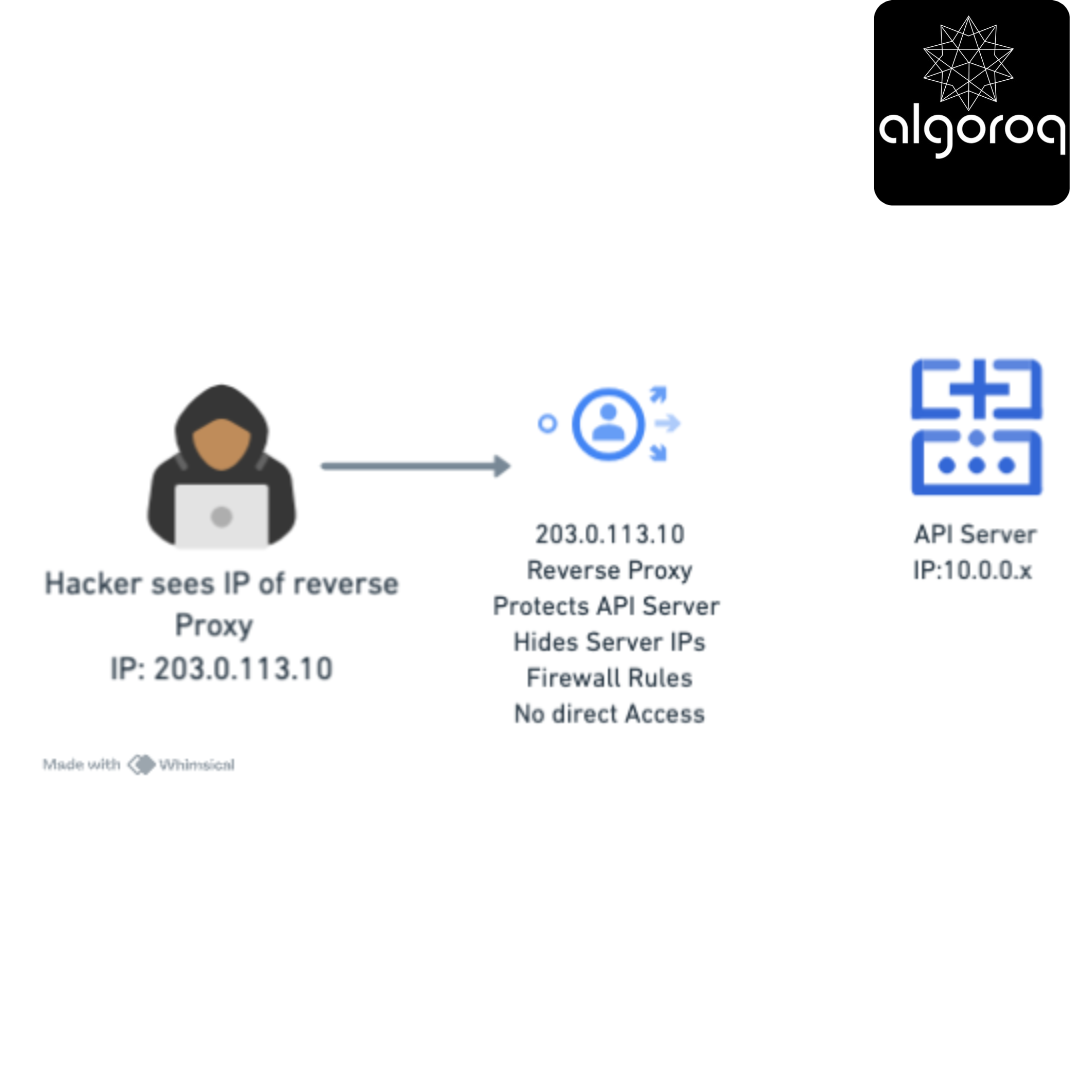
Attacker only sees: Proxy IP (203.0.113.10) Attacker CANNOT see: Real server IPs (10.0.0.x)
Result: Servers protected from direct attacks! 🛡️
3. SSL Termination
Without Reverse Proxy:
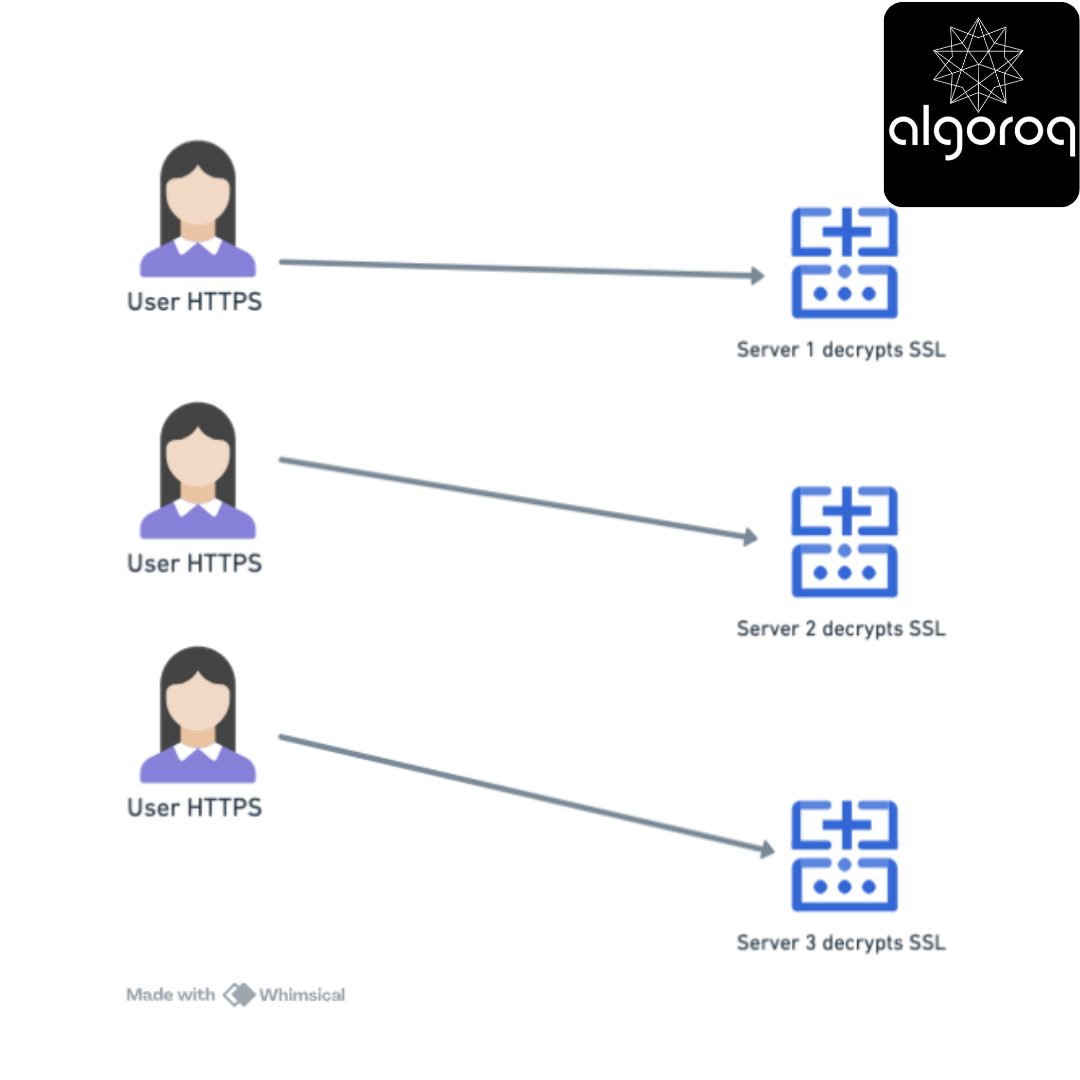
Problem: Each server uses CPU for decryption ⚡
With Reverse Proxy:
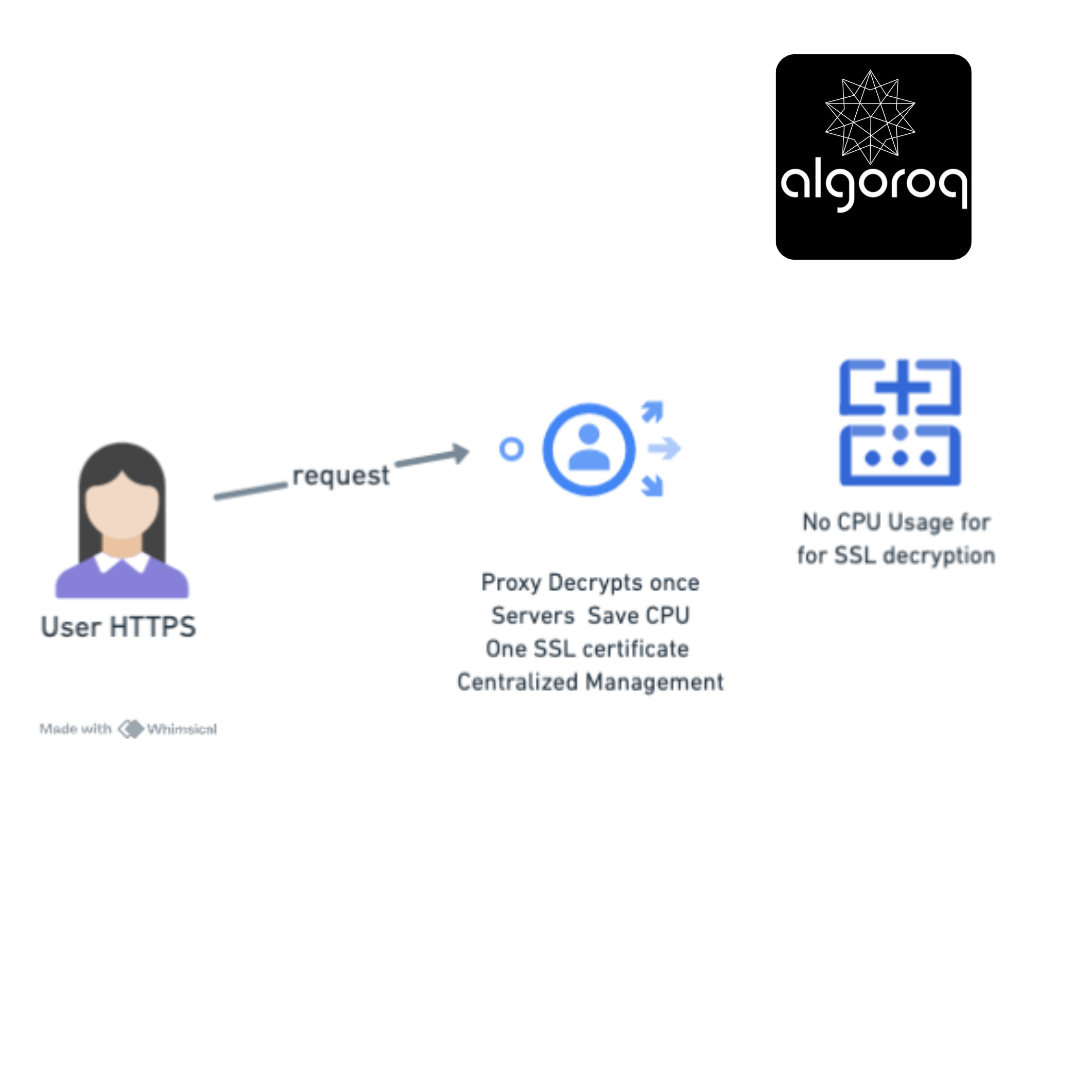
Result: Servers focus on application logic, not encryption! 💪
4. Caching Static Content
User requests: yoursite.com/logo.png
First time: [Proxy] → [Backend Server] → Downloads logo [Proxy] → Caches logo in memory
Next 1000 requests for logo.png: [Proxy] → Serves from cache (backend never hit!)
Result:
- Lightning fast response ⚡
- Backend servers not burdened 📉
- Bandwidth saved 💰
🎮 Decision Game: Forward or Reverse?
For each scenario, decide: Is this a Forward Proxy or Reverse Proxy use case?
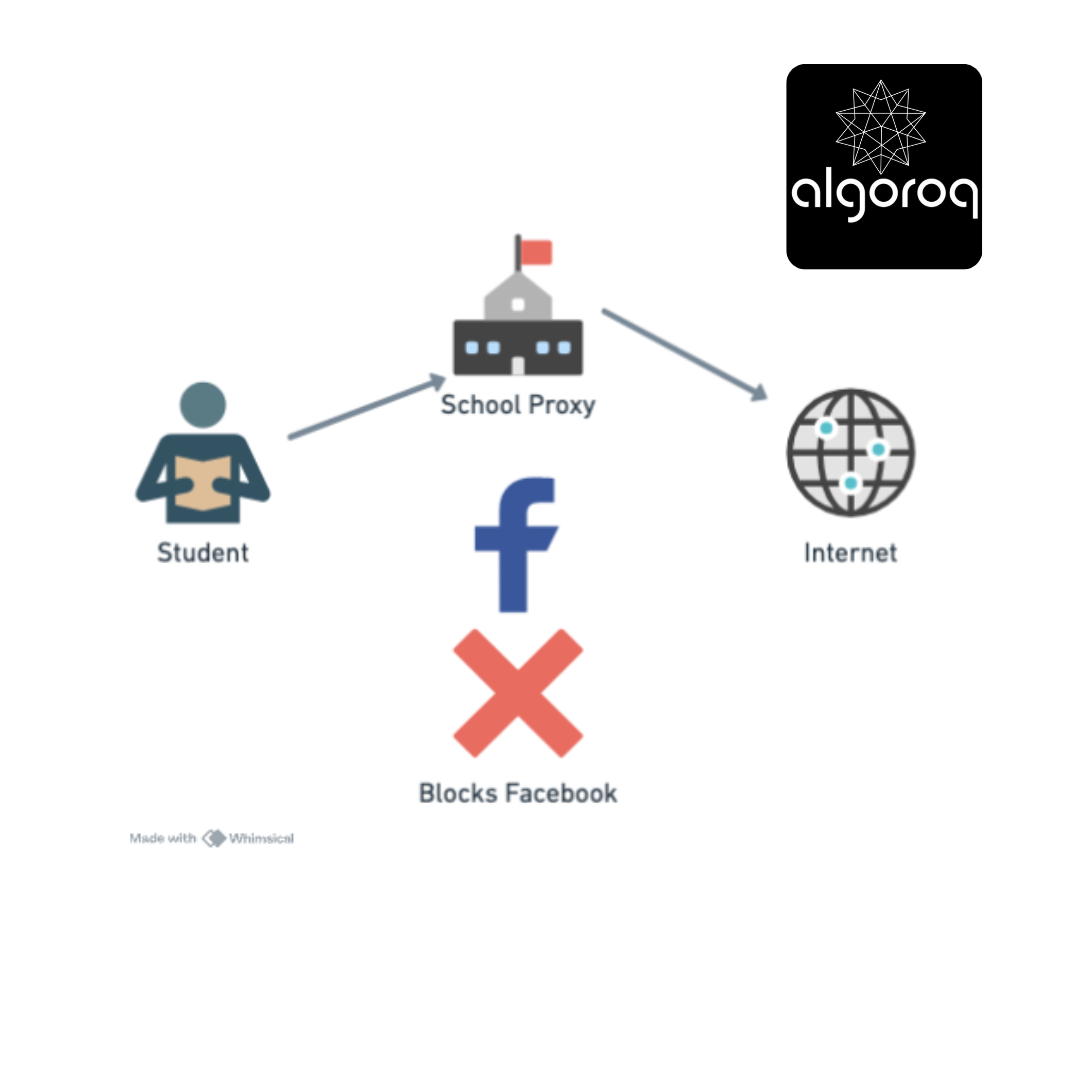
Scenario 1: School Blocking Sites
Setup: School network filters student access to social media
Answer: ??
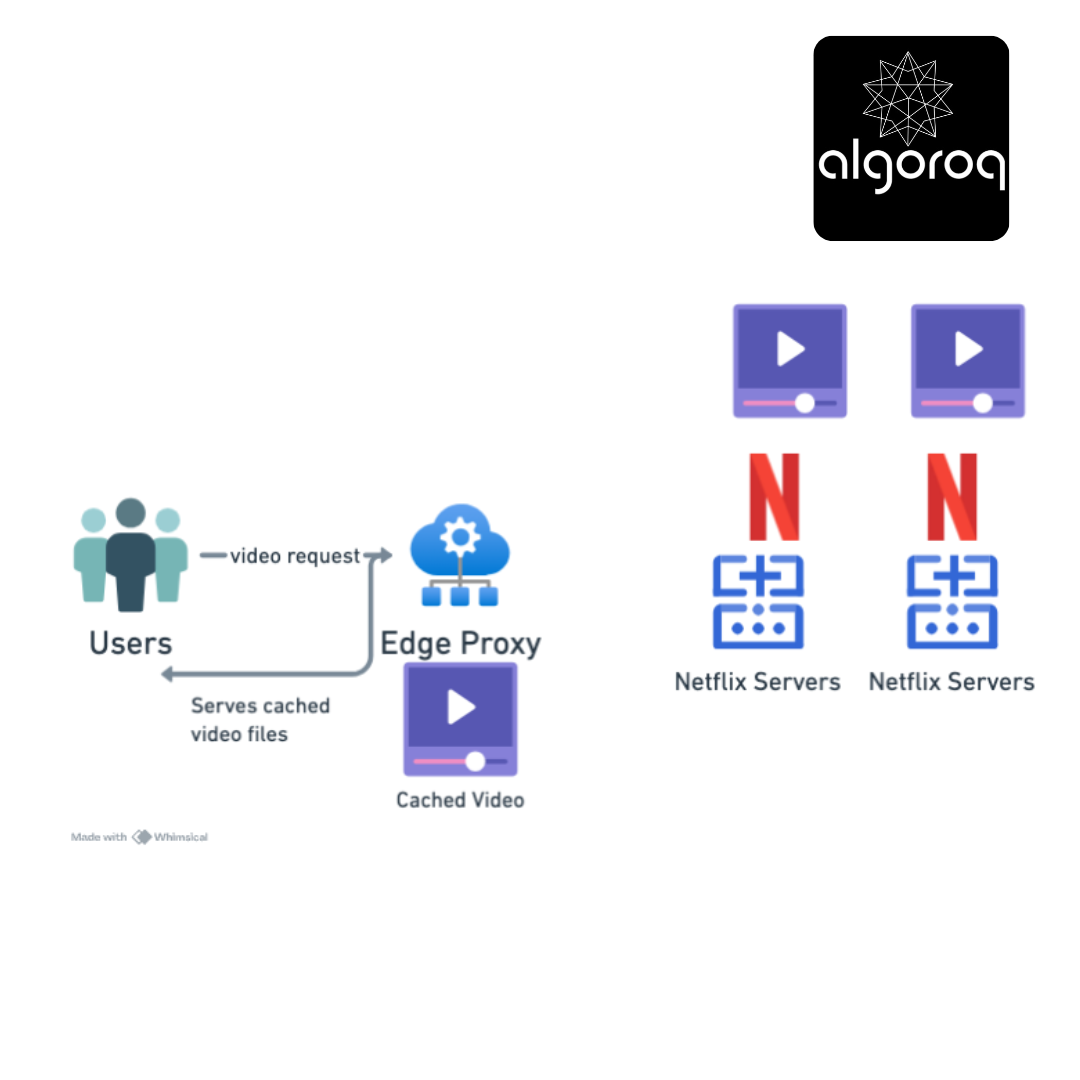
Scenario 2: Netflix's CDN
Setup: Netflix distributes content through edge servers
[Users] → [Edge Proxy] → [Origin Servers] ↓ Serves cached video
Answer: ??
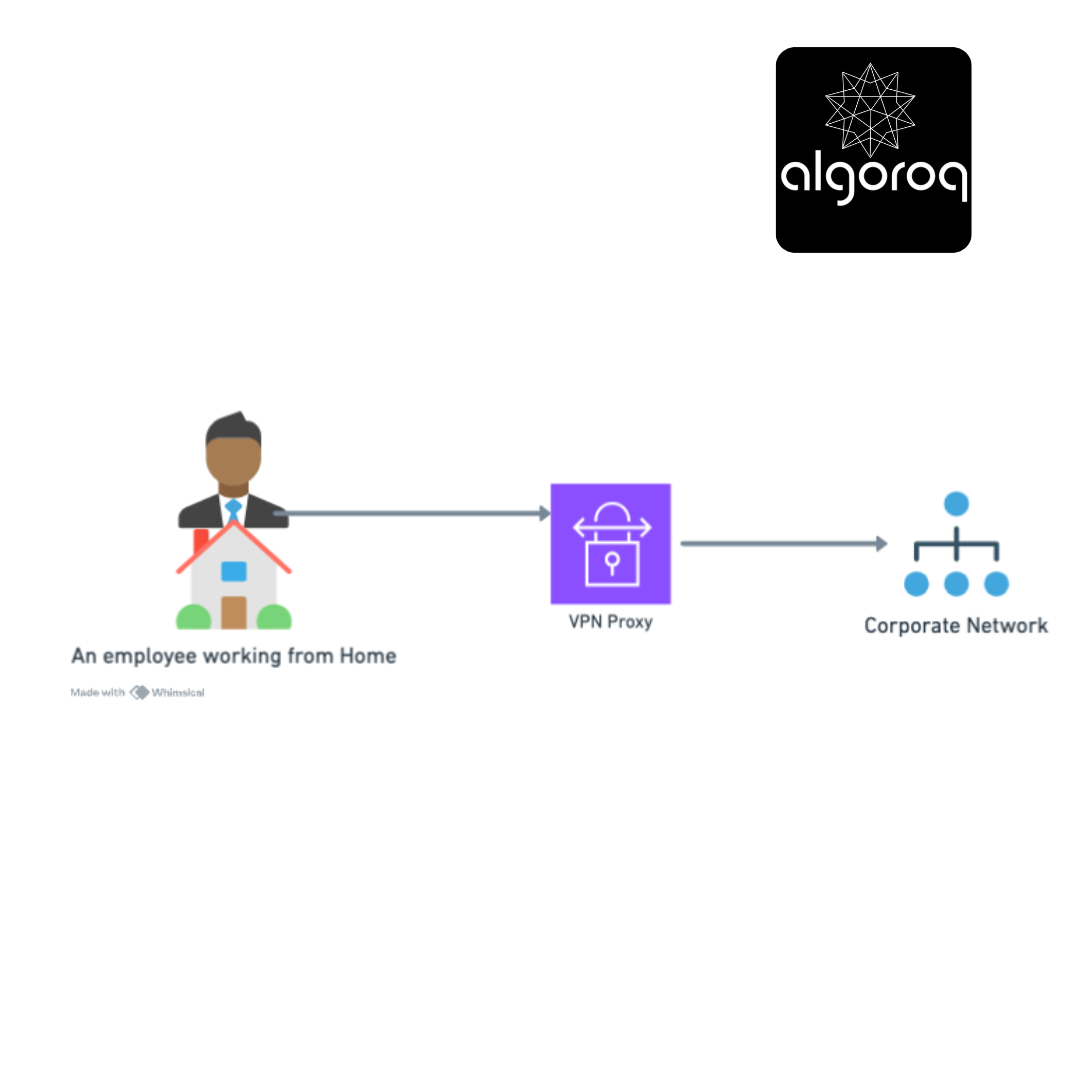
Scenario 3: Corporate VPN
Setup: Company allows employees to access internal resources from home
[Home Worker] → [VPN Proxy] → [Corporate Network] ↓ Appears internal
Answer: ??
Scenario 4: Cloudflare in Front of Your Website
Setup: Cloudflare sits between visitors and your web servers
[Visitors] → [Cloudflare] → [Your Servers] ↓ DDoS protection
Answer: ??
Answers Revealed:
Scenario 1: FORWARD PROXY ✅
- Direction: Outbound (students → internet)
- Purpose: Control what students can access
- Protects: The organization's network
- Mental model: Gatekeeper controlling who leaves
Scenario 2: REVERSE PROXY ✅
- Direction: Inbound (users → Netflix servers)
- Purpose: Distribute load, cache content closer to users
- Protects: Netflix's origin servers
- Mental model: Reception desk distributing visitors
Scenario 3: FORWARD PROXY ✅
- Direction: Outbound (employee → corporate resources)
- Purpose: Makes remote worker appear as if they're inside the network
- Protects: By authenticating outbound requests
- Mental model: Escort who brings you into the building
Scenario 4: REVERSE PROXY ✅
- Direction: Inbound (visitors → your servers)
- Purpose: Shield servers, block attacks, cache content
- Protects: Your backend infrastructure
- Mental model: Bodyguard protecting you from the public
Quick Memory Trick:
FORWARD = For-users-going-outWARD 🚶♂️➡️🌍 REVERSE = Returns-requests-to-internal-servers 🌍➡️🖥️
🔍 Investigation: Can You Use Both Together?
Mystery Question: Can a single setup use BOTH types of proxies?
Think about it... Would this make sense?
The Answer: YES! Common in Enterprise
Enterprise Setup:
Internet ↓ [Reverse Proxy] ← Protects company's public website ↓ [Web Servers] ↓ [Forward Proxy] ← Controls employees' internet access ↓ [Employee Computers]
Real Example: Corporate Network
Inbound Web Traffic (Customer visiting your site): [Customer] → [Cloudflare Reverse Proxy] → [Your Web Servers] - DDoS protection - Load balancing - SSL termination
Outbound Employee Traffic (Employee browsing): [Employee] → [Corporate Forward Proxy] → [Internet] - Content filtering - Logging - Bandwidth control
Mental model: Like a building with:
- Security at the entrance (reverse proxy for visitors)
- Security at the exit (forward proxy for employees)
🧩 The Comparison Table: Side by Side
| Feature | Forward Proxy | Reverse Proxy |
|---|---|---|
| Sits in front of | Clients/Users | Servers |
| Traffic direction | Outbound (inside→out) | Inbound (outside→in) |
| Who configures it | Network admin, users | Server/DevOps team |
| Protects | Client identity & network | Server identity & infrastructure |
| Client awareness | Client knows about proxy | Client typically unaware |
| IP address hidden | Client's IP | Server's IP |
| Use cases | Content filtering, privacy, caching | Load balancing, security, SSL |
| Common examples | Squid, corporate proxies, VPNs | Nginx, HAProxy, Cloudflare |
| Configuration | Client or network level | Server infrastructure |
| DNS points to | Proxy IP (for explicit setup) | Proxy IP (always) |
| SSL certificate | Usually passes through | Terminates SSL |
🎪 Real-World Examples: Popular Tools
Forward Proxy Tools:
1. Squid Proxy
Purpose: Corporate content filtering and caching Setup: [Office Network] → [Squid] → [Internet] Features: • Block websites by category • Cache frequently accessed content • Log all internet activity • Bandwidth throttling
2. VPN Services (Acting as Forward Proxy)
Purpose: Privacy and geo-restriction bypass Setup: [You] → [NordVPN] → [Internet] Features: • Hide your IP address • Encrypt traffic • Appear to be in different country • Bypass censorship
Reverse Proxy Tools:
1. Nginx
Purpose: Web server and reverse proxy Setup: [Internet] → [Nginx] → [App Servers] Features: • Load balancing across servers • SSL termination • Static content caching • Compression
2. HAProxy
Purpose: High-performance load balancer Setup: [Traffic] → [HAProxy] → [Backend Pool] Features: • Health checking • Session persistence • Advanced routing rules • Real-time monitoring
3. Cloudflare
Purpose: CDN and security service Setup: [Users] → [Cloudflare Edge] → [Your Origin] Features: • DDoS protection • Global caching • Web Application Firewall • DNS management
🚨 Common Misconceptions: Busted!
Misconception 1: "VPN = Forward Proxy"
Reality: Not quite! While similar, they differ:
VPN (Virtual Private Network):
• Creates encrypted tunnel
• Routes ALL traffic through it
• Operates at network layer (Layer 3)
• Typically requires special software
Forward Proxy:
• HTTP/HTTPS proxy
• Routes only configured traffic
• Operates at application layer (Layer 7)
• Often configured in browser/OS settings
When they overlap: VPN can ACT as forward proxy, but has additional features.
Misconception 2: "Reverse Proxy = Load Balancer"
Reality: Reverse proxy can do load balancing, but it's just one feature!
Reverse Proxy capabilities:
✅ Load balancing
✅ SSL termination
✅ Caching
✅ Compression
✅ Authentication
✅ URL rewriting
✅ Security filtering
Load Balancer:
✅ Load balancing (specialized, high-performance)
❌ Typically doesn't cache
❌ May not handle SSL
❌ Focused on distribution only
Mental model: All load balancers are reverse proxies, but not all reverse proxies are load balancers.
Misconception 3: "Proxies Always Slow Things Down"
Reality: Proxies can actually SPEED things up!
Caching Example:
Without Proxy:
User 1: [Request image] → [Origin Server] → 500ms response
User 2: [Request image] → [Origin Server] → 500ms response
User 3: [Request image] → [Origin Server] → 500ms response
With Caching Proxy:
User 1: [Request image] → [Proxy] → [Origin] → 500ms (cached)
User 2: [Request image] → [Proxy serves cache] → 10ms ⚡
User 3: [Request image] → [Proxy serves cache] → 10ms ⚡
Result: 50x faster for subsequent users!
🎯 Final Synthesis Challenge: The Complete Picture
Can you explain to a friend:
"What's the difference between forward and reverse proxies?"
Your answer should include:
- Which direction each faces
- Who they protect
- Common use cases for each
- A memorable analogy
Take a moment to formulate your answer...
The Complete Answer:
"Proxies are intermediaries, but they face opposite directions:"
Forward Proxy (Outbound Guardian)
[Your Network] ─┬─> [Forward Proxy] ──> [Internet] └─> (Controls exit)
Think of it as: Your personal assistant who handles your outbound affairs
- Protects: Client identity and network
- Controls: Where users can go
- Examples: Corporate content filters, VPNs, school internet controls
- Configuration: Set by network admins or users
- Analogy: Security guard checking IDs as employees LEAVE the building
Reverse Proxy (Inbound Protector)
[Internet] ──> [Reverse Proxy] ─┬─> [Server 1] └─> [Server 2] (Controls entry)
Think of it as: Your receptionist who handles incoming visitors
- Protects: Server identity and infrastructure
- Controls: How users reach servers
- Examples: Load balancers, CDNs, Cloudflare, Nginx
- Configuration: Set by server/DevOps teams
- Analogy: Security guard checking visitors ENTERING the building
The Memory Hook:
"FORWARD = For Your Workers Going OUTward" 🚶♂️➡️
"REVERSE = Receiving and Routing Visitors INward" 🌍➡️
Why Both Matter:
Complete Enterprise Setup:
Internet ↕ [Reverse Proxy] ← Shields servers from attackers ↕ Load balances traffic [Your Servers] Terminates SSL ↕ [Forward Proxy] ← Controls employee browsing ↕ Filters content [Employee PCs] Logs activity
The beautiful thing: Neither side knows about the proxy on the other end! Internet users don't know about your forward proxy, and employees don't know servers use reverse proxies. They just work silently, making the internet secure and efficient! 🎯
🎯 Quick Recap: Test Your Understanding
Without looking back, can you answer:
-
Direction: Which proxy faces inbound traffic, and which faces outbound?
-
Purpose: Why would a company use a forward proxy for employees?
-
Protection: What does a reverse proxy hide from the internet?
-
Real World: Is Cloudflare in front of a website a forward or reverse proxy?
-
Both Together: Can you use both types simultaneously? Why or why not?
Mental check: If you can answer these clearly, you understand the proxy landscape! If not, revisit the relevant sections.
🚀 Your Next Learning Adventure
Now that you understand proxies, you're ready to explore:
Immediate Next Steps:
- Load Balancing Algorithms: Round-robin, least connections, IP hash
- Proxy Protocols: SOCKS, HTTP CONNECT, transparent proxies
- SSL/TLS Termination: How reverse proxies handle encryption
Related Technologies:
- API Gateways: Specialized reverse proxies for APIs (Kong, AWS API Gateway)
- Service Mesh: Istio, Linkerd - advanced proxy patterns for microservices
- CDN Architecture: How Cloudflare, Akamai work at global scale
Advanced Topics:
- Proxy Auto-Configuration (PAC): Automatic proxy selection
- Transparent Proxies: Intercepting traffic without client knowledge
- WebSocket Proxying: Handling real-time connections through proxies
Hands-On Learning:
- Set up Nginx: Configure your own reverse proxy
- Try Squid: Run a forward proxy on your network
- Use Burp Suite: Learn about proxies for security testing
Next recommended read: "Load Balancer Types (L4 vs L7)" - to understand how reverse proxies make routing decisions!
Key Takeaways
- Forward proxies sit in front of clients — controlling, filtering, and anonymizing outbound requests
- Reverse proxies sit in front of servers — handling load balancing, SSL termination, caching, and security
- Nginx and HAProxy are the most common reverse proxies — often the first component in a production web architecture
- A reverse proxy hides backend server details from clients — clients only see the proxy's IP address, improving security
- CDNs are essentially globally distributed reverse proxies — caching content at edge locations worldwide
Unlock with Pro
Unlock the full content and everything at this level.
Get Pro — $9/moAlready a member? Log in