Publish Subscribe Pattern

Publish Subscribe Pattern
The pattern that decouples event producers from consumers — publishers send to a topic, subscribers choose which topics to listen to, and neither knows about the other.
Pub-Sub Pattern:
Decoupled Communication at Scale (One Shout, Many Listeners)
🎯 Challenge 1: The Breaking News Broadcast Problem Imagine this scenario: A major event happens - your company just launched a new product. Now you need to notify:
- Email service (send announcement emails)
- SMS service (send text notifications)
- Push notification service (send mobile alerts)
- Analytics service (track the event)
- Data warehouse (store for reporting)
- Social media service (post on Twitter/Facebook)
- Logging service (record the event)
Traditional approach: Your code calls each service one by one:
Problems:
- If you add a new service, you modify this code
- If one service is down, everything blocks
- Your code is tightly coupled to all services
- You're responsible for retrying failures
Pause and think: What if you could just announce the event once, and everyone interested automatically hears it?
The Answer: The Publish-Subscribe (Pub-Sub) pattern! It's like a radio broadcast:
✅ Publishers broadcast messages (radio station)
✅ Subscribers listen to topics they care about (tune to stations)
✅ Publishers don't know who's listening (decoupled)
✅ Subscribers don't know who's broadcasting (decoupled)
✅ Add/remove listeners without code changes (dynamic)
Key Insight: Pub-Sub decouples producers from consumers using a message broker intermediary!
📻 Interactive Exercise: The Radio Station Analogy
Direct Communication (Without Pub-Sub):
Radio Host → calls → Listener 1
→ calls → Listener 2
Problems:
-
Host needs everyone's phone number
-
If someone doesn't answer, host waits
-
Adding new listener requires host to know them
-
Host responsible for every delivery
Pub-Sub (Broadcast):
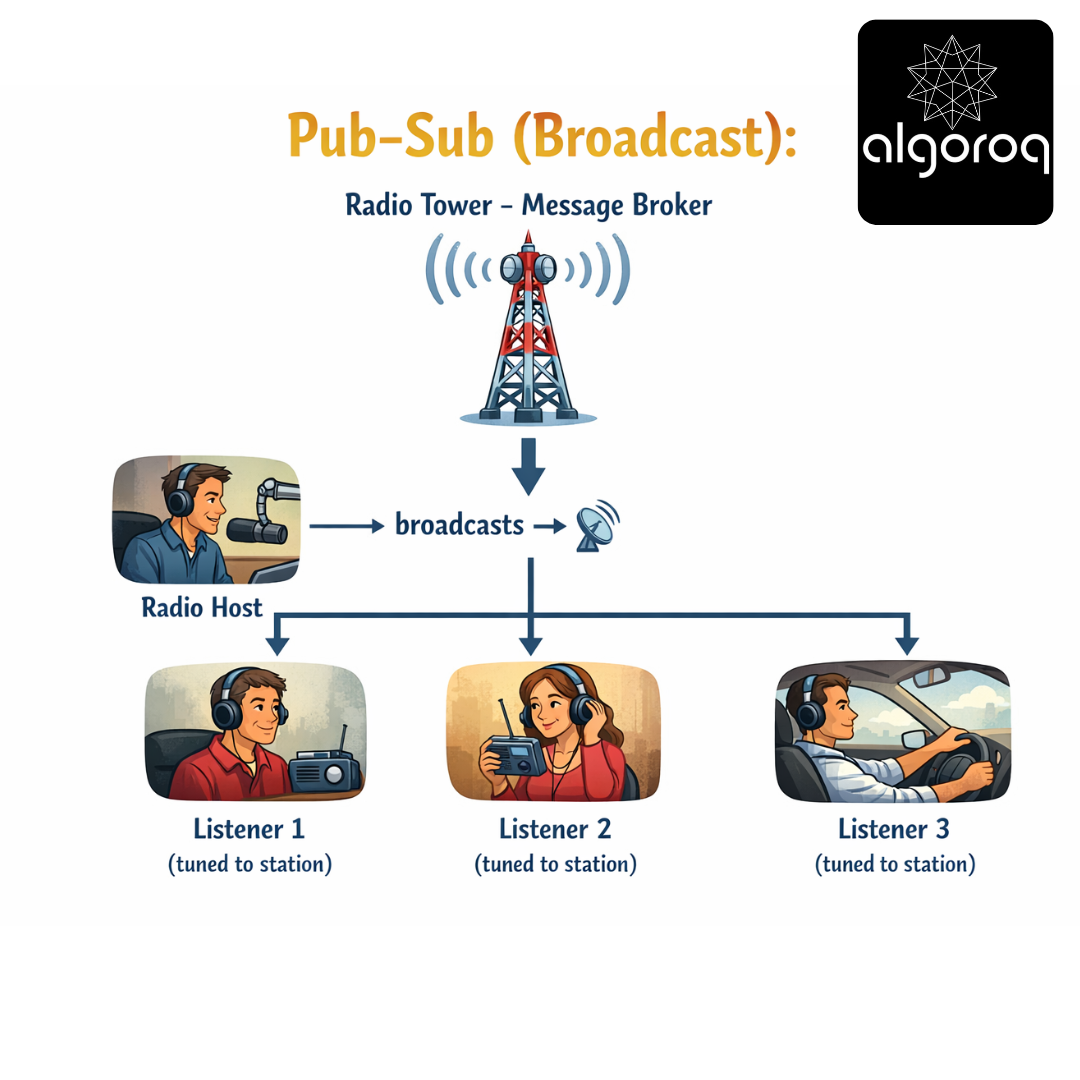
New Listener 4 tunes in → automatically receives broadcasts!
Benefits:
✅ Host doesn't know who's listening
✅ Listeners tune in/out freely
✅ Host broadcasts once regardless of listener count
✅ If listener offline, they miss the broadcast (fire and forget)
OR buffer messages for them (depending on system)
Real-world parallel: Pub-Sub is like YouTube subscriptions. Content creator (publisher) uploads videos (messages). Subscribers (consumers) get notified automatically. Creator doesn't know or care who subscribes!
🏗️ Core Pub-Sub Concepts
- Topics (The Channels):
A Topic is a named channel for messages:
Topic: "product.launched"
├── Publishers send product launch events here
└── Subscribers interested in launches listen here
Topic: "user.registered"
├── Publishers send registration events here
└── Subscribers interested in new users listen here
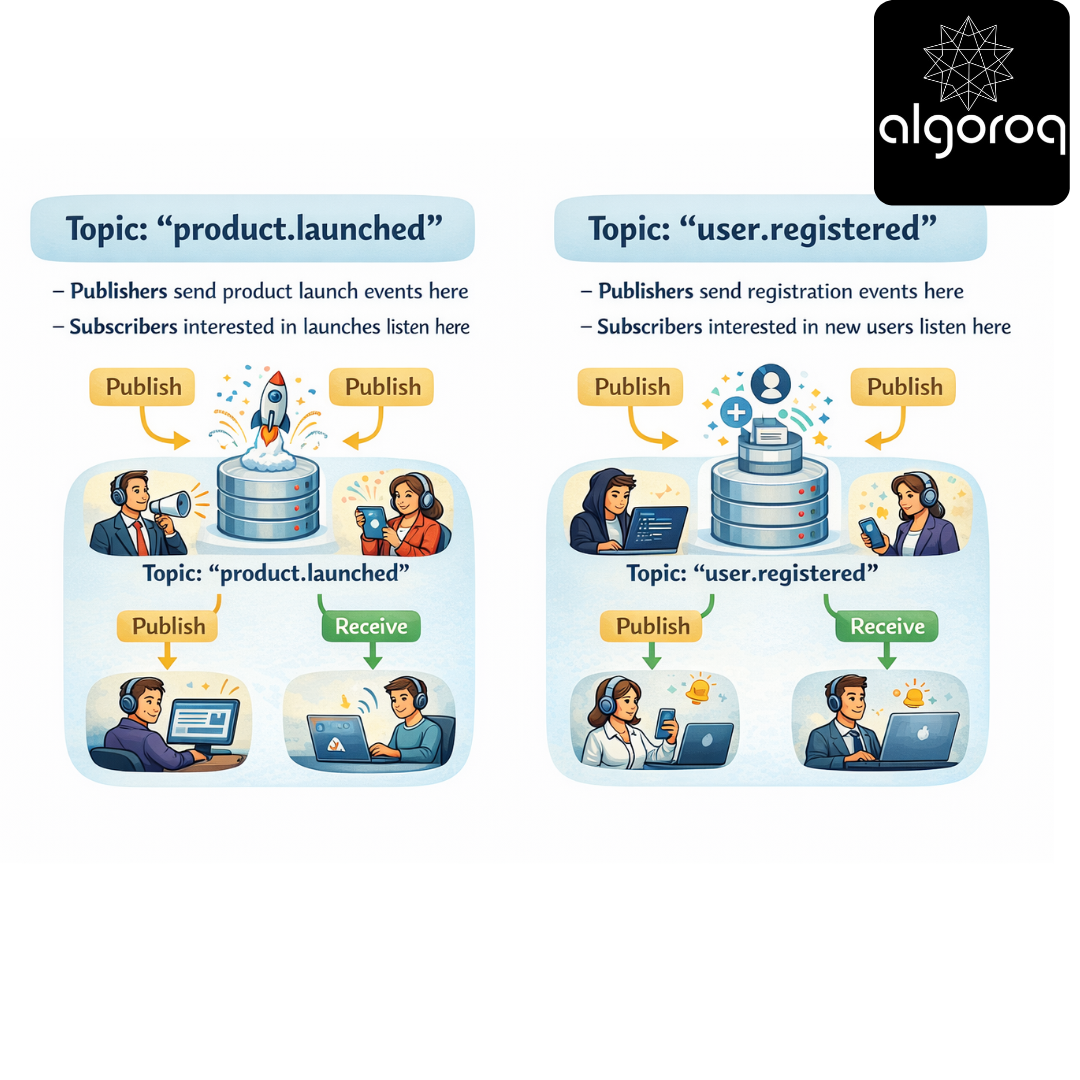
Think: Topics are like hashtags on social media #ProductLaunch → Everyone following this hashtag sees posts
- Publishers (The Broadcasters):
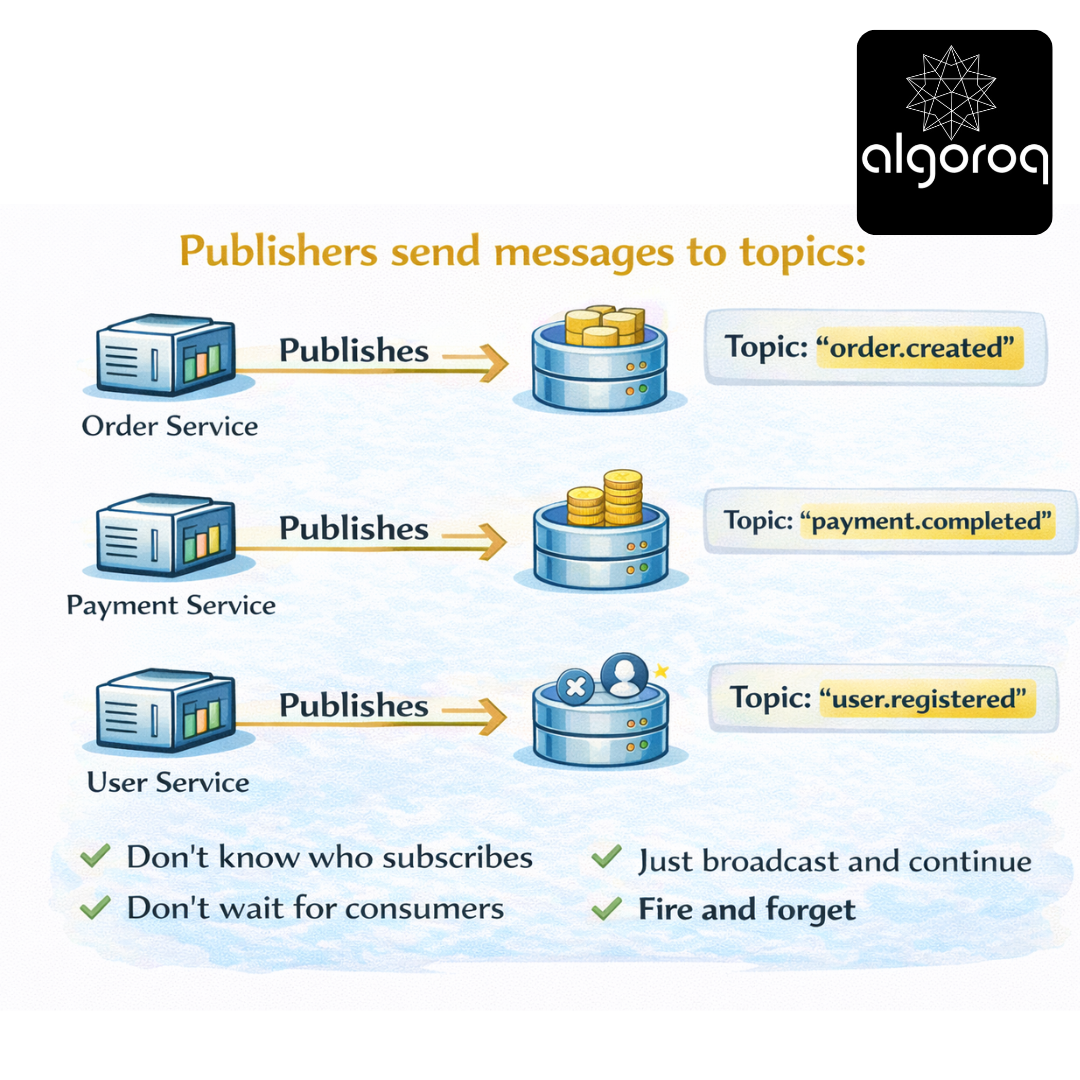
Publishers send messages to topics:
Order Service → Publishes → Topic: "order.created" Payment Service → Publishes → Topic: "payment.completed" User Service → Publishes → Topic: "user.registered"
Publishers:
├── Don't know who subscribes
├── Don't wait for consumers
├── Just broadcast and continue
└── Fire and forget
- Subscribers (The Listeners):
Subscribers listen to topics:
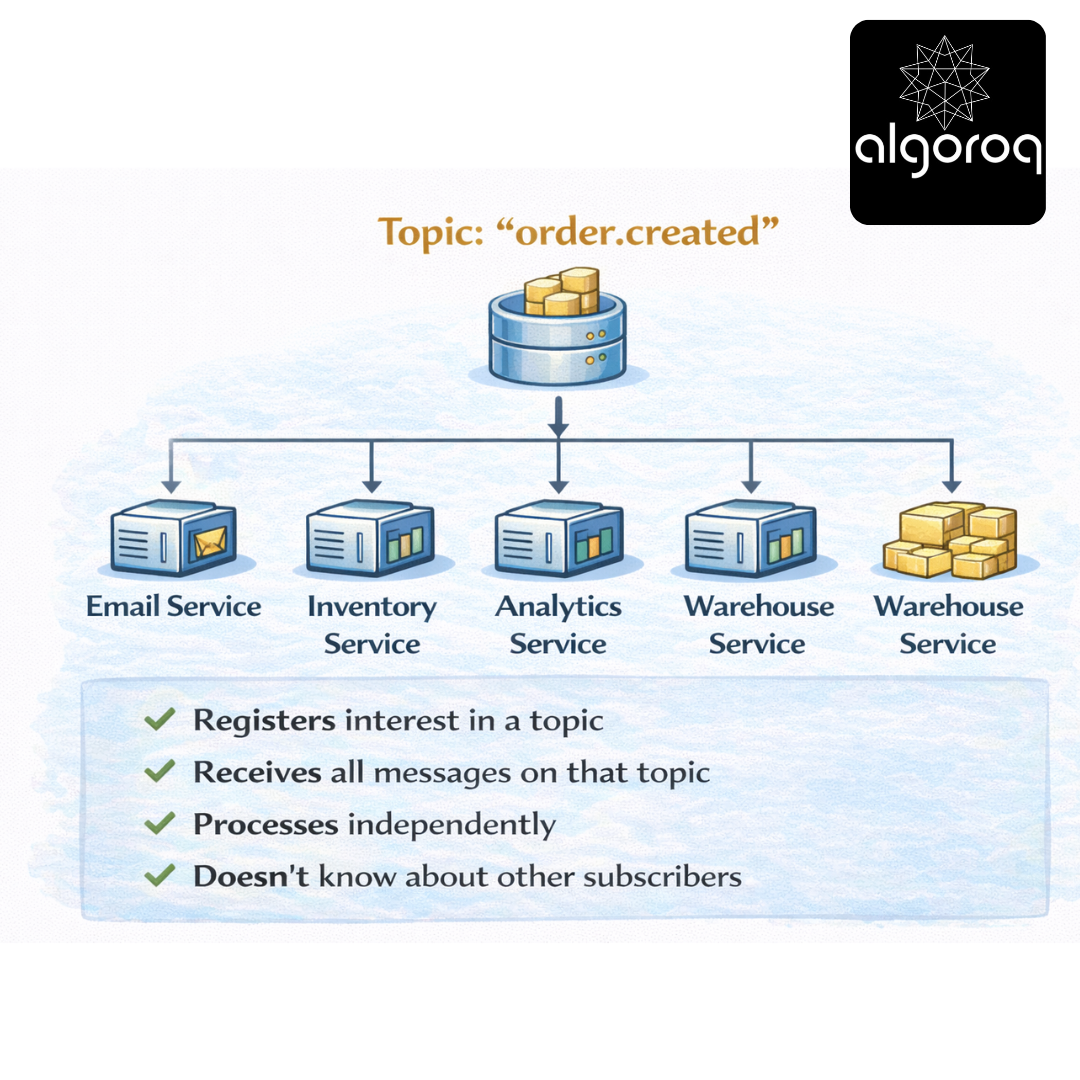
Each subscriber:
├── Registers interest in a topic
├── Receives all messages on that topic
├── Processes independently
└── Doesn't know about other subscribers
The Flow:
Step 1: Subscribers register Email Service: "I want messages from 'order.created'" SMS Service: "I want messages from 'order.created'"
Step 2: Publisher publishes Order Service: publish("order.created", {orderId: 123, ...})
Step 3: Broker delivers Message Broker:
- Sees message on "order.created"
- Looks up subscribers (Email, SMS)
- Delivers to both
Step 4: Subscribers process independently Email Service: Sends confirmation email ✓ SMS Service: Sends text notification ✓
Real-world parallel:
- Topic = TV channel
- Publisher = TV station broadcasting
- Subscriber = Viewer with antenna tuned to channel
🎭 Pub-Sub Variations: Different Flavors
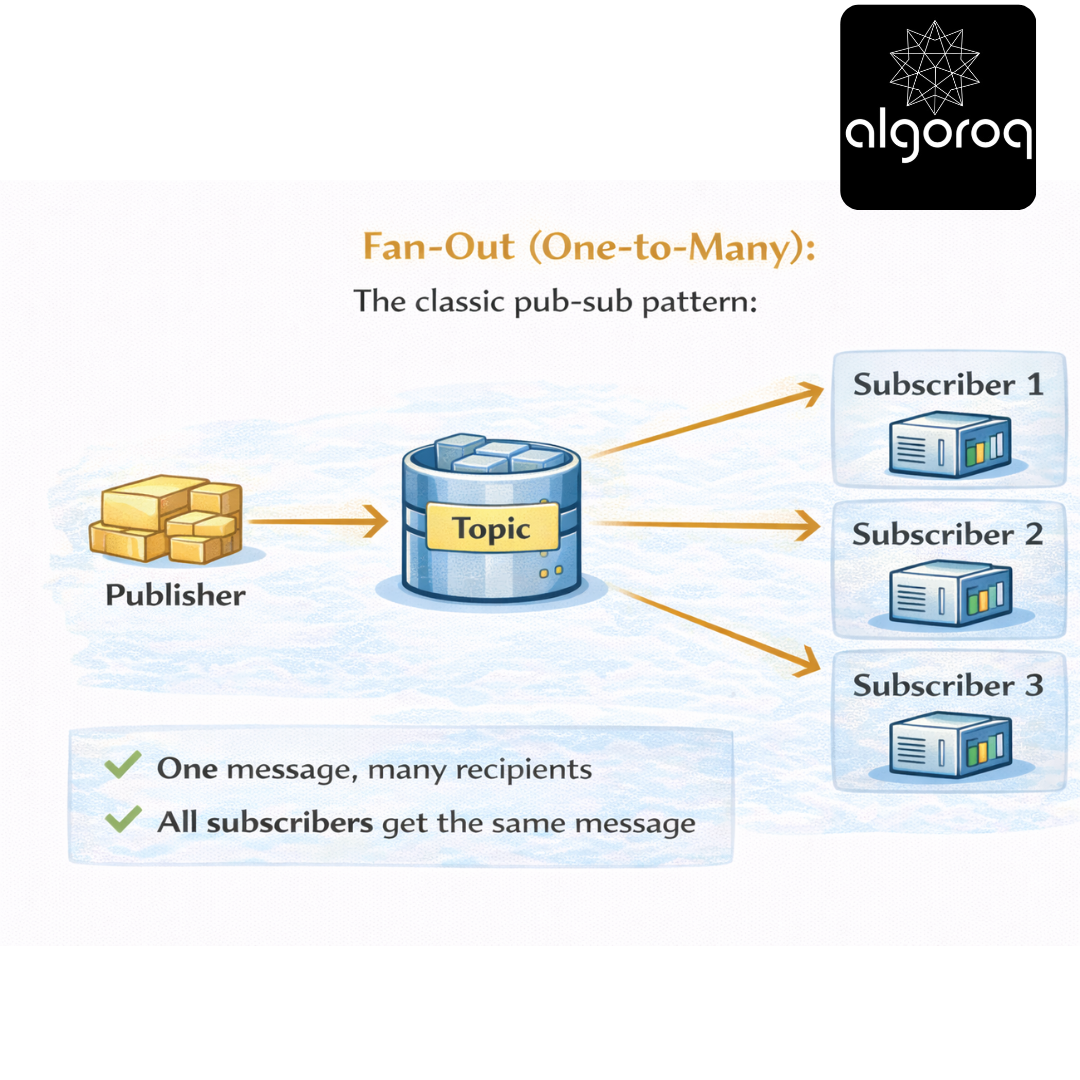
- Fan-Out (One-to-Many):
The classic pub-sub pattern:
Publisher → Topic → Subscriber 1 → Subscriber 2 → Subscriber 3
One message, many recipients All subscribers get the same message
- Topic Filtering (Pattern Matching):
Hierarchical topics with wildcards:
Topics:
├── "sensors.temperature.room1"
├── "sensors.temperature.room2"
├── "sensors.humidity.room1"
└── "sensors.humidity.room2"
Subscriber patterns:
├── "sensors.temperature." → all temperature sensors
├── "sensors..room1" → all sensors in room1
├── "sensors.#" → ALL sensor data
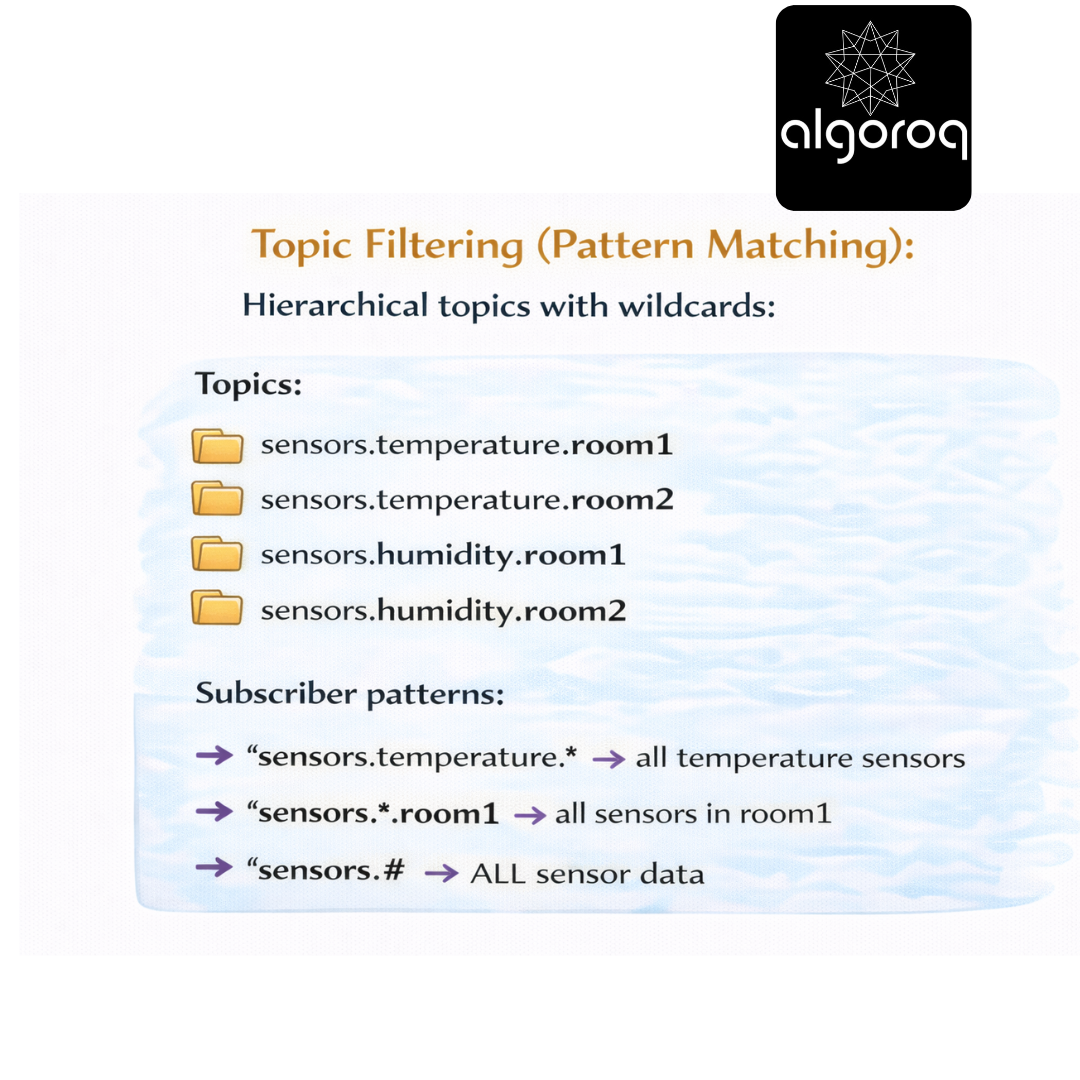
Similar to topic exchanges in RabbitMQ!
- Content-Based Filtering:
Subscribe based on message content:
Subscriber 1: "Give me orders where price > $1000"
Subscriber 2: "Give me orders where country = 'US'"
Subscriber 3: "Give me ALL orders"
Message: {orderId: 123, price: 1500, country: "US"}
→ Delivered to Subscriber 1 ✓ (price matches)
→ Delivered to Subscriber 2 ✓ (country matches)
→ Delivered to Subscriber 3 ✓ (matches all)
Message: {orderId: 124, price: 50, country: "UK"}
→ Subscriber 1 ✗ (price too low)
→ Subscriber 2 ✗ (wrong country)
→ Subscriber 3 ✓ (matches all)

Real-world parallel:
- Fan-out = News alert to all subscribers
- Topic filtering = Sports channel vs News channel
- Content filtering = Google Alerts (only news matching your keywords)
🎮 Decision Game: Choose the Right Pattern
Match the use case to the best messaging pattern:
Use Cases: A. Send email confirmation for specific order B. Notify all services when user registers C. Process payment transaction (exactly once) D. Log all system events to multiple destinations E. Request user profile and wait for response
Patterns:
- Point-to-Point Queue
- Pub-Sub (Fan-out)
- Request-Reply
- Event Streaming
Think about one-to-one vs one-to-many...
Answers:
A. Send email confirmation → Point-to-Point Queue (1) One task for one worker
B. Notify all services → Pub-Sub (2) One event, many interested parties
C. Process payment → Point-to-Point Queue (1) Critical task, exactly once, one processor
D. Log all events → Pub-Sub (2) Broadcast to multiple logging services
E. Request user profile → Request-Reply (3) Need synchronous response
Key Insight: Use Pub-Sub when multiple independent consumers need the same event!
🚨 Common Misconception: "Pub-Sub Guarantees Delivery... Right?"
You might think: "If I publish a message, all subscribers definitely receive it."
The Reality: Delivery guarantees vary!
At-Most-Once (Fire and Forget):
Publisher publishes → Message sent → Subscriber 1 ✓ → Subscriber 2 ✓ → Subscriber 3 ❌ (offline)
Subscriber 3 was offline → Message LOST!
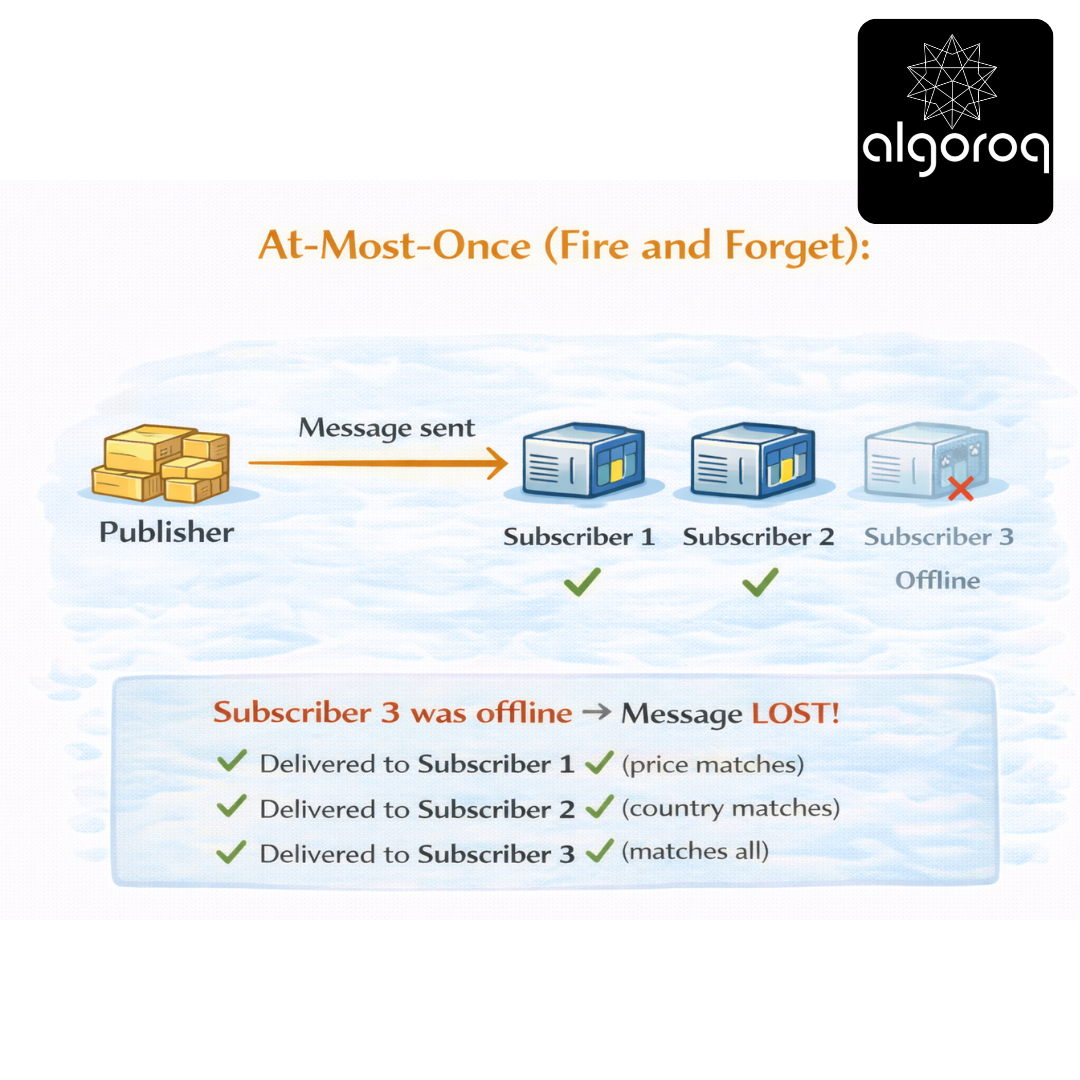
Use case: Non-critical events (page views, clicks) Trade-off: Fast, but can lose messages
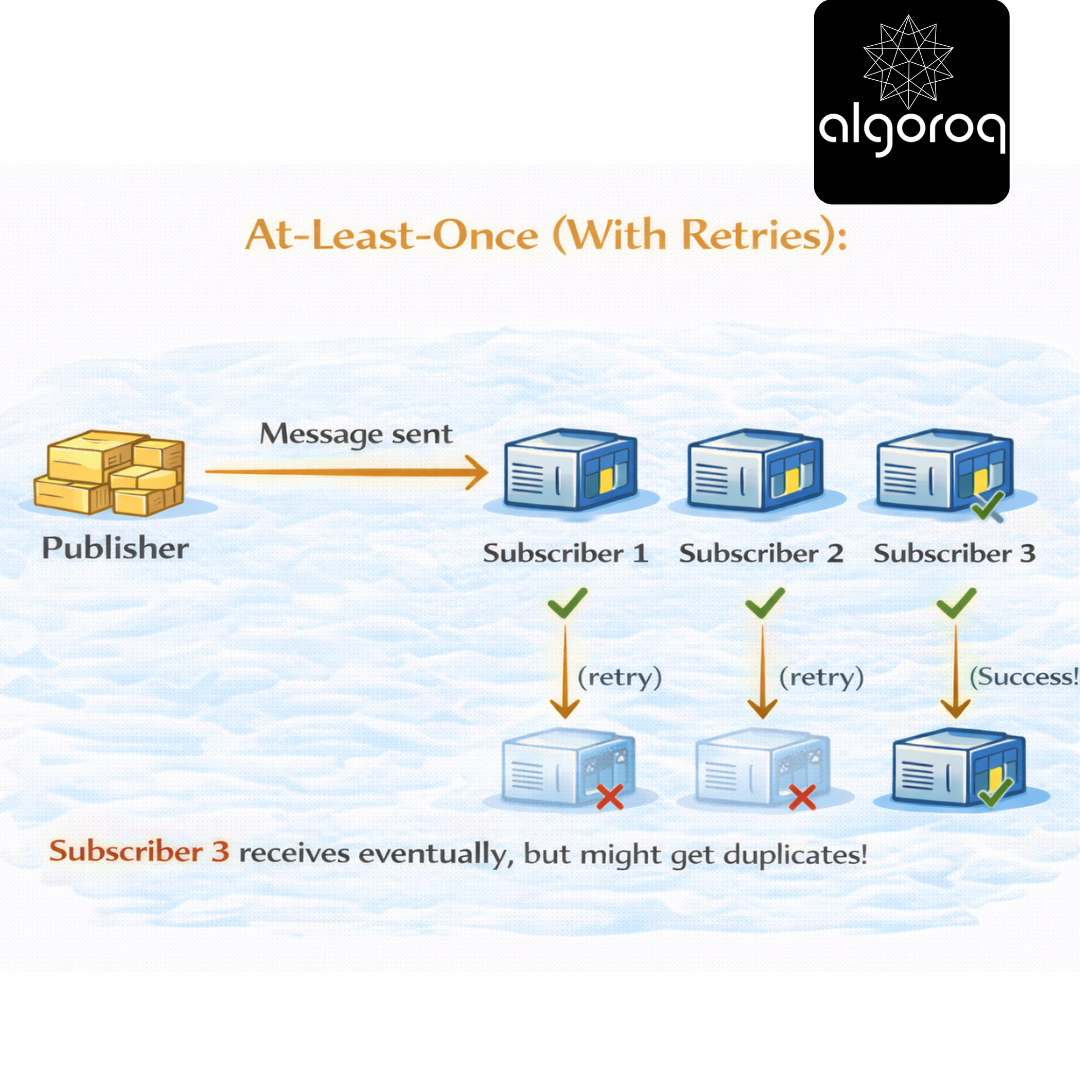
At-Least-Once (With Retries):
Publisher publishes → Message sent → Subscriber 1 ✓
→ Subscriber 2 ✓
Subscriber 3 receives eventually, but might get duplicates!
Use case: Important events (orders, payments) Trade-off: Reliable, but possible duplicates
Exactly-Once (Complex):
Publisher publishes → Message sent with ID
→ Subscriber 1 processes (ID: msg123)
Requires: Idempotent operations + deduplication
Use case: Financial transactions Trade-off: Correct, but complex to implement

Code Example (Handling Duplicates):
Subscriber with deduplication
Characteristics:
├── Very fast (in-memory)
├── Fire-and-forget (no persistence)
├── Lost if subscriber offline
└── Good for: Real-time notifications, caching
- Google Cloud Pub/Sub (Managed):
- AWS SNS (Simple Notification Service):
-
Subscriber (SQS queue automatically receives)
-
Multiple subscribers:
-
Lambda function
-
SQS queue
-
HTTP endpoint
-
Email
-
SMS
Characteristics:
├── Fan-out to multiple services
├── Integrates with AWS services
├── Push-based delivery
└── Good for: AWS ecosystem, notifications
- Kafka as Pub-Sub:
Characteristics:
├── Persistent (can replay)
├── High throughput
├── Pull-based
└── Good for: Event streaming, high volume
Real-world parallel:
- Redis = Walkie-talkie (real-time, ephemeral)
- Cloud PubSub = Professional messenger service
- AWS SNS = Broadcast notification system
- Kafka = Newspaper archive (persistent, replayable)
🏗️ Building a Pub-Sub System: Complete Example
Let's build an order processing system:
Publisher (Order Service):
Subscriber 1 (Email Service):
Subscriber 2 (Analytics Service):
Adding New Subscriber (No Code Changes to Publisher):
New: Inventory Service
Real-world parallel: This is like a company newsletter:
-
Order Service = Newsletter editor (publishes once)
-
Email Service = Subscriber who reads it
-
Analytics Service = Another subscriber
-
Inventory Service = New subscriber (joins anytime)
💡 Pub-Sub Design Patterns
Pattern 1: Event Notification
Use case: "Something happened, figure out what to do"
Example:
Publisher: "User registered"
Subscribers:
├─ Welcome email service
├─ Analytics tracking
├─ CRM integration
└─ Marketing automation
Message: { "event": "user.registered", "userId": "123", "email": "user@example.com", "timestamp": "2024-01-15T10:00:00Z" }
Pattern 2: Event-Carried State Transfer
Use case: "Here's all the data you need"
Example:
Publisher: "Order created with full details"
Subscribers:
├─ Email service (uses customer data)
├─ Warehouse (uses shipping data)
└─ Billing (uses pricing data)
Message: { "event": "order.created", "order": { "id": "123", "customer": {"name": "Alice", "email": "..."}, "items": [...], "shipping": {...}, "total": 99.99 } }
Benefit: Subscribers don't need to call back for more data!
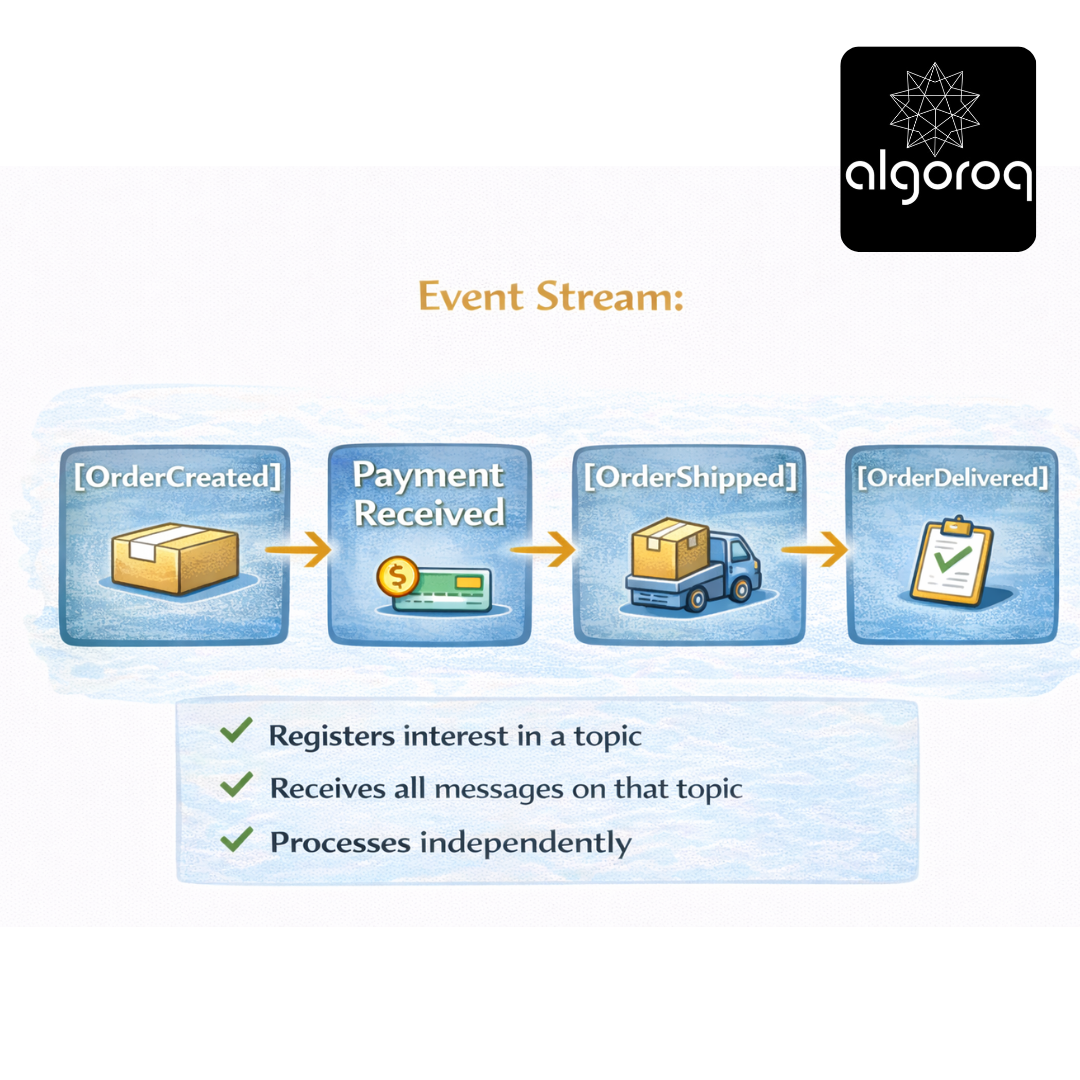
Pattern 3: Event Sourcing
Use case: "Store all events, rebuild state from them"
Event Stream:
[OrderCreated] → [PaymentReceived] → [OrderShipped] → [OrderDelivered]
Subscribers:
├─ Event Store (persists all events)
├─ Read Model (builds current state)
└─ Audit Log (compliance)
Can replay events to rebuild state at any point in time!
Real-world parallel:
-
Event Notification = Doorbell (alert only)
-
State Transfer = Package delivery (alert + contents)
-
Event Sourcing = Video recording (replay everything)
🎪 Pub-Sub vs Other Patterns
Pub-Sub vs Point-to-Point Queue:
Point-to-Point:
Producer → Queue → Consumer A (message deleted)
Characteristics:
├─ One consumer per message
├─ Competing consumers
└─ Work distribution
Pub-Sub:
Publisher → Topic → Subscriber A ✓
→ Subscriber B ✓
→ Subscriber C ✓
Characteristics:
├─ All subscribers get message
├─ Independent processing
└─ Event broadcasting
Pub-Sub vs Request-Reply:
Request-Reply:
Client → "Get user data" → Server → "Here's the data" → Client
Characteristics:
├─ Synchronous
├─ Wait for response
└─ Direct communication
Pub-Sub:
Publisher → "User registered" → Subscribers process independently
Characteristics:
├─ Asynchronous
├─ Fire-and-forget
└─ Decoupled
When to use each:
Use Point-to-Point when:
├─ One worker should process the task
├─ Load balancing needed
└─ Task distribution
Use Pub-Sub when:
├─ Multiple services need same event
├─ Decoupling is critical
└─ Broadcasting updates
Use Request-Reply when:
├─ Need synchronous response
├─ Client waits for result
└─ Direct interaction required
💡 Final Synthesis Challenge: The News Station
Complete this comparison: "Calling each service directly is like calling everyone individually to share news. Pub-Sub is like..."
Your answer should include:
-
Decoupling benefits
-
Scalability
-
Adding new subscribers
-
Publisher responsibility
Take a moment to formulate your complete answer...
The Complete Picture: Pub-Sub is like running a news station that broadcasts to anyone tuned in:
✅ Broadcaster speaks once (publisher broadcasts)
✅ Anyone can tune in without broadcaster knowing (subscribers register)
✅ New listeners join without interrupting broadcast (dynamic subscriptions)
✅ Broadcaster doesn't care who's listening (decoupled)
✅ Listeners process news independently (parallel processing)
✅ Miss it if you're not tuned in (or record it with persistence)
✅ Same broadcast reaches everyone simultaneously (fan-out)
✅ Different channels for different topics (topic-based routing)
This is why:
-
YouTube uses Pub-Sub for subscriber notifications
-
Twitter uses Pub-Sub for follower feeds
-
Netflix uses Pub-Sub for microservice events
-
Facebook uses Pub-Sub for real-time updates
Pub-Sub transforms tightly coupled systems into loosely coupled, event-driven architectures!
🎯 Quick Recap: Test Your Understanding Without looking back, can you explain:
-
How does Pub-Sub differ from point-to-point messaging?
-
What are the benefits of decoupling publishers from subscribers?
-
What's the difference between at-most-once and at-least-once delivery?
-
When should you use Pub-Sub vs request-reply?
Mental check: If you can answer these clearly, you've mastered Pub-Sub fundamentals!
🚀 Your Next Learning Adventure Now that you understand Pub-Sub, explore:
Advanced Patterns:
-
Event Sourcing with Pub-Sub
-
CQRS (Command Query Responsibility Segregation)
-
Saga pattern for distributed transactions
-
Event-driven microservices architecture
Technologies to Explore:
-
Apache Pulsar (multi-tenancy, geo-replication)
-
NATS (lightweight, cloud-native)
-
AWS EventBridge (event bus service)
-
Azure Event Grid (serverless events)
Production Considerations:
-
Message ordering guarantees
-
Dead letter queues for failed messages
-
Monitoring pub-sub systems
-
Schema evolution strategies
Real-World Implementations:
-
Building event-driven e-commerce platform
-
Microservices communication patterns
-
Real-time notification systems
-
IoT data processing pipelines
Key Takeaways
- Pub-sub decouples publishers from subscribers — publishers send messages to a topic without knowing who consumes them
- Topics provide logical channels for different event types — subscribers choose which topics to listen to based on their needs
- Fan-out delivers each message to all subscribers — enabling multiple systems to react to the same event independently
- Pub-sub enables event-driven architectures — services communicate through events rather than direct API calls, reducing coupling
Unlock with Pro
Unlock the full content and everything at this level.
Get Pro — $9/moAlready a member? Log in