Memory vs Disk

Memory vs Disk
RAM is 1,000x faster than SSD, but costs 30x more per GB — understanding this hierarchy is fundamental to designing cost-effective, high-performance systems.
💾 Memory vs Disk: The Speed Hierarchy
The Kitchen Analogy
We have already introduced this concept in the earlier section here is a bit detailed and elaborated part of the same concept
Let’s compare computer storage with something familiar: cooking in a kitchen.
Your Kitchen Layout:
━━━━━━━━━━━━━━━━━━━━━━━━━━━━━━━━
Level 1: Your Hands (analogous to the CPU Registers)
-
Currently holding a knife and onion
-
Instant access (nanoseconds)
-
Very limited (2 items)
Level 2: Countertop ( like the RAM)
-
Ingredients you're actively using
-
Very fast access (microseconds)
-
Limited space (16GB worth)
-
Loses everything when power off (volatile!)
Level 3: Kitchen Cabinets (SSD)
-
Ingredients you use today
-
Fast access (milliseconds)
-
More space (1TB worth)
-
Keeps everything when power off (persistent!)
Level 4: Garage Storage (HDD)
-
Bulk items, rarely used ingredients
-
Slower access (seconds)
-
Lots of space (10TB worth)
-
Persistent storage
Level 5: Storage Unit (Cloud/Tape)
-
Things you barely use
-
Very slow access (minutes/hours)
-
Massive space (unlimited)
-
Persistent, archived
The Pattern:
━━━━━━━━━━━━━━━━━━━━━━━━━━━━━━━━
Closer = Faster but Less Space
Farther = Slower but More Space
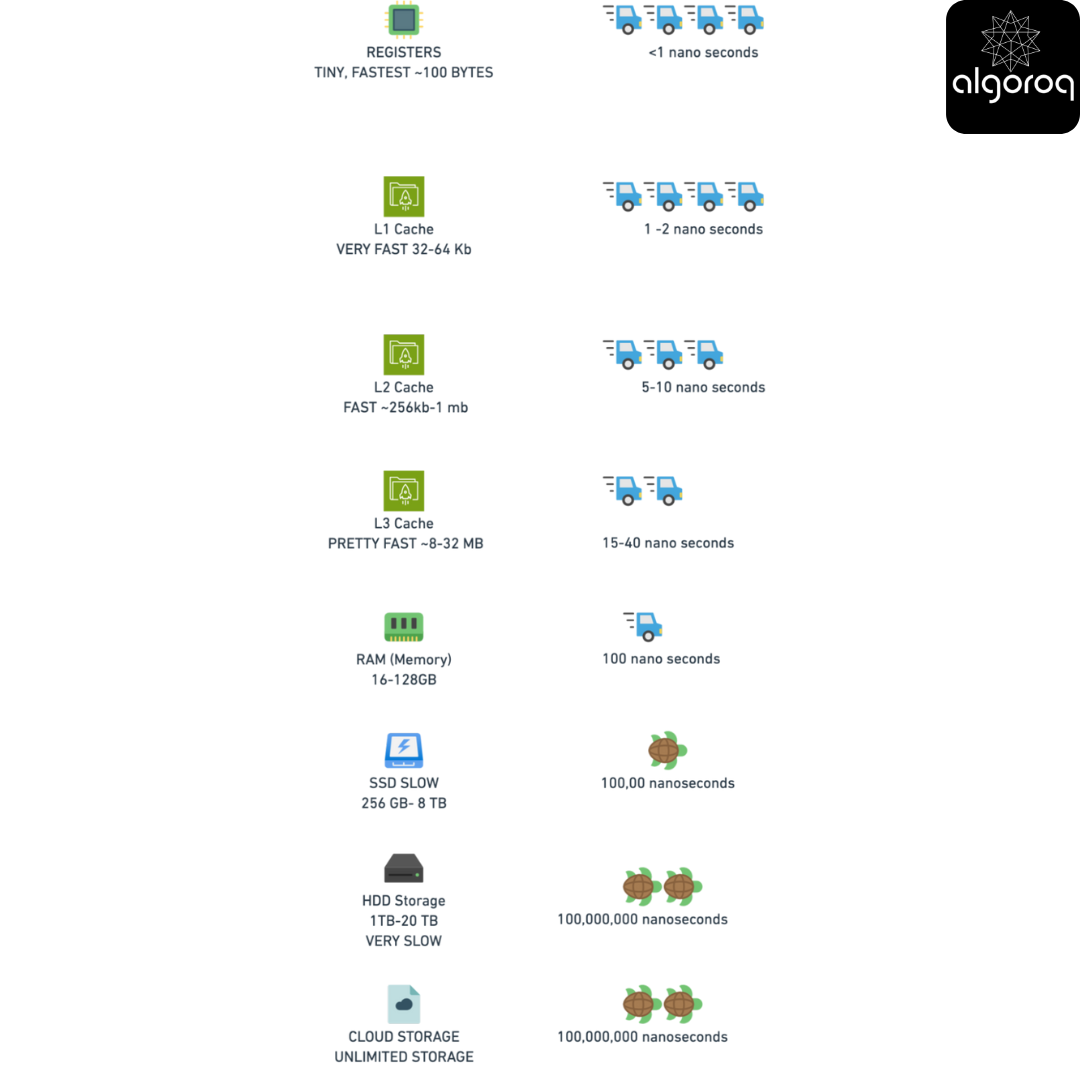
Remember the storage diagram we discussed on the first section (the fundamentals of computing)? Storage latency ranges from nanoseconds (RAM) to milliseconds (disk) to seconds (network storage). This affects EVERY operation in your system!
RAM (Random Access Memory): The Speed King
What it actually is:
Physical RAM Module:
━━━━━━━━━━━━━━━━━━━━━━━━━━━━━━━━
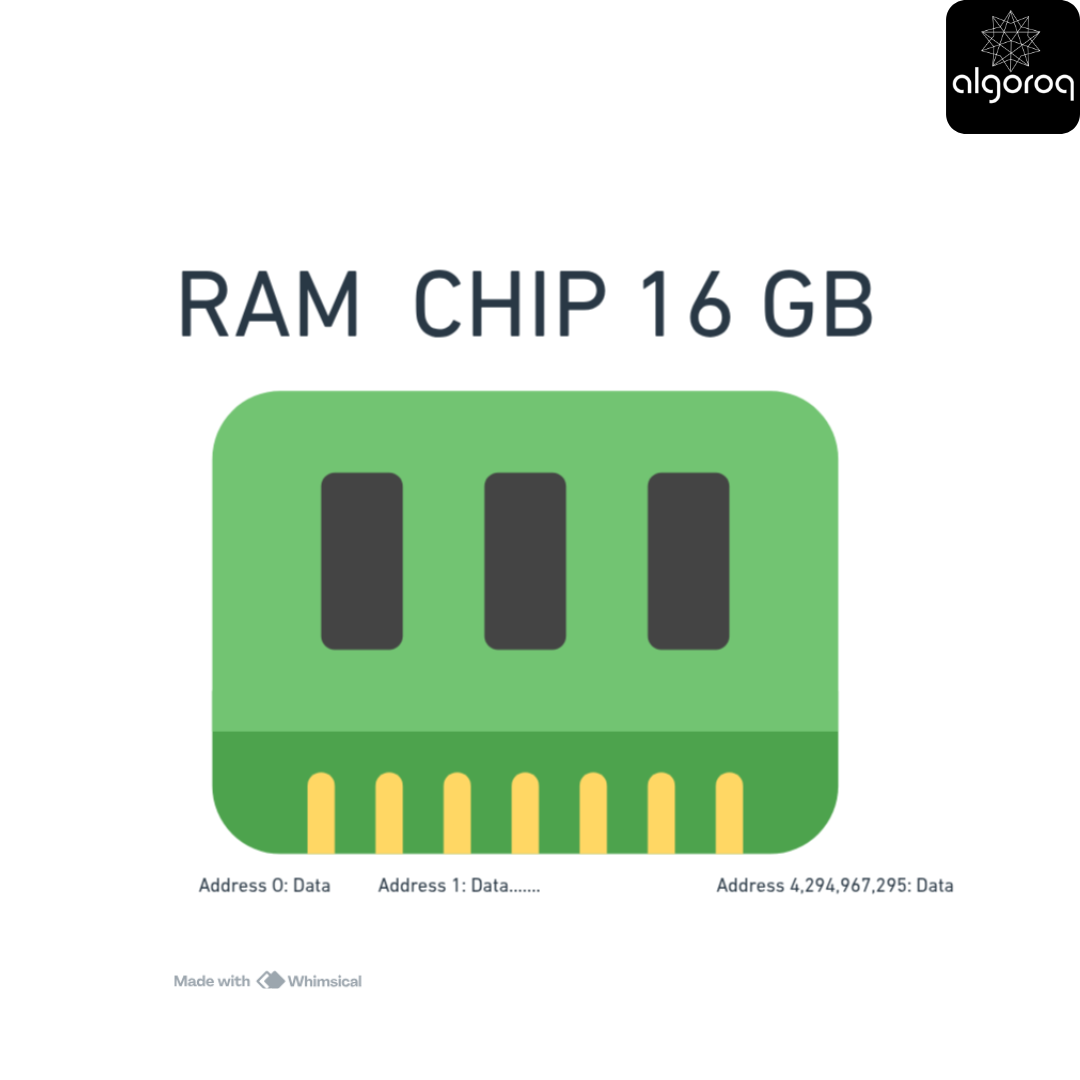
Characteristics:
- Random access (any address in same time)
- Volatile (loses data when power off!)
- VERY fast
- Limited capacity
Speed Demonstration:
RAM Access Time:
━━━━━━━━━━━━━━━━━━━━━━━━━━━━━━━━
Reading 1 byte from RAM: ~100 nanoseconds
How fast is that?
If RAM access was 1 second:
- SSD access: 16 minutes
- HDD access: 2 hours
- Internet request: 4 months!
Real numbers:
- RAM: 100 ns (0.0001 ms)
- SSD: 0.1 ms (1,000x slower)
- HDD: 10 ms (100,000x slower)
Real-World Example:
You’ll learn more about database queries and caching in future lessons but if you write code you could refer to these snippets below
The Volatility Problem:
What Happens When Power is Lost:
━━━━━━━━━━━━━━━━━━━━━━━━━━━━━━━━
RAM (Volatile): Power ON: [Your data is here!]
Power OFF: [Everything GONE! ❌]
Power ON: [Empty RAM, no data]
Disk (Persistent): Power ON: [Your data is here!]
Power OFF: [Data stays on disk ✓]
Power ON: [Your data is still here! ✓]
This is why:
-
You can't store databases ONLY in RAM
-
Cache can disappear on restart
-
Need to persist important data to disk
RAM Usage Patterns:
What Goes in RAM:
━━━━━━━━━━━━━━━━━━━━━━━━━━━━━━━━
-
Active Process Memory
-
Running applications
-
Operating system
-
Currently executing code
-
-
Cache
-
Database query results
-
Frequently accessed data
-
Session data
-
-
Buffers
-
Data waiting to be written to disk
-
Network packet buffers
-
-
File System Cache
-
Recently accessed files
-
OS caches file contents
-
Monitoring RAM:
━━━━━━━━━━━━━━━━━━━━━━━━━━━━━━━━
SSD (Solid State Drive): The Modern Standard
What it actually is:
How SSDs Work:
━━━━━━━━━━━━━━━━━━━━━━━━━━━━━━━━
Flash Memory Cells:
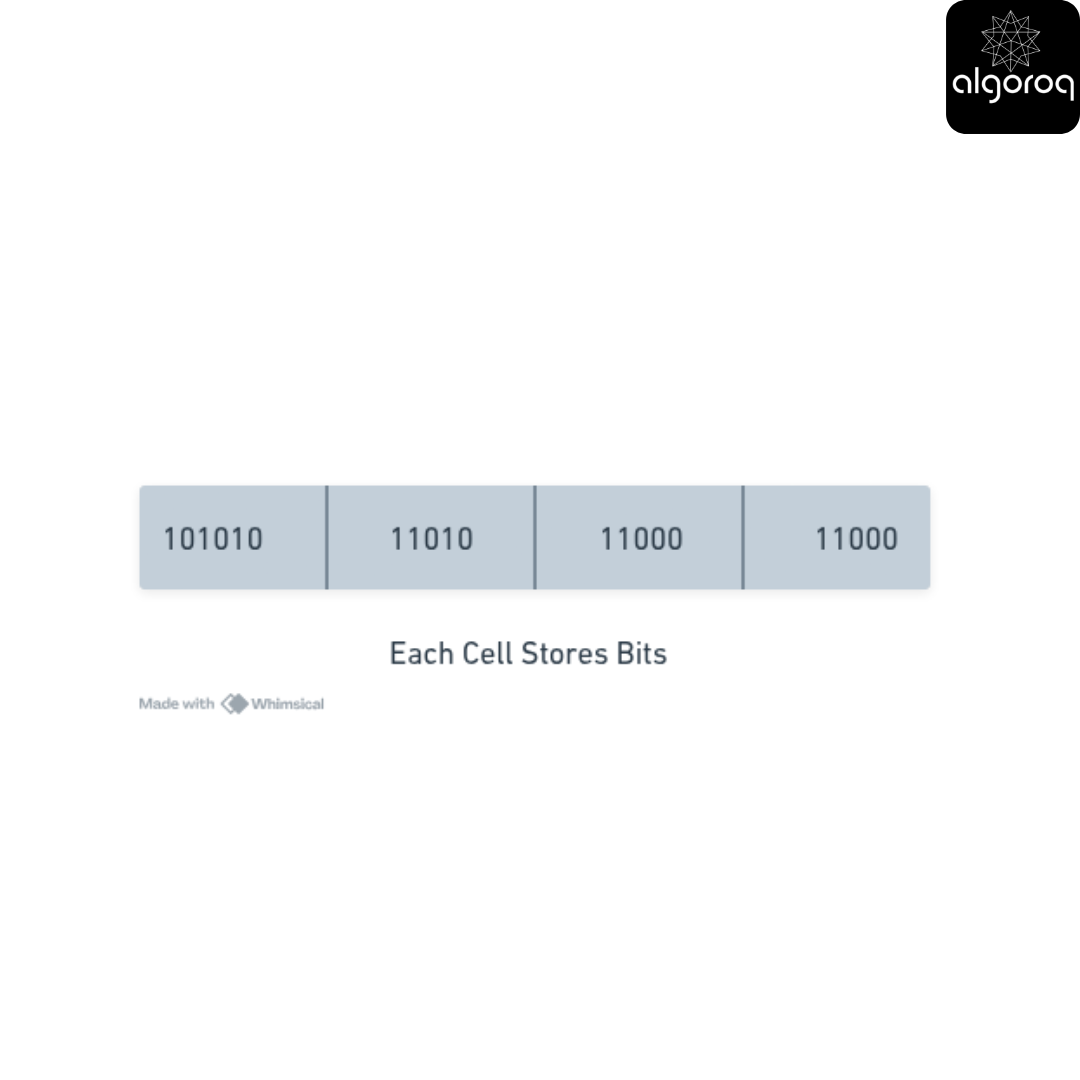
No moving parts!
-
Electronic (like RAM)
-
Persistent (like HDD)
-
Fast (almost like RAM)
Best of both worlds!
Speed Profile:
SSD Performance:
━━━━━━━━━━━━━━━━━━━━━━━━━━━━━━━━
Random Read: 0.1ms (fast!)
Sequential Read: 500 MB/s (very fast!)
Random Write: 0.1ms
Sequential Write: 450 MB/s
IOPS (Input/Output Operations Per Second):
Consumer SSD: 100,000 IOPS
Enterprise SSD: 500,000+ IOPS
This is why modern computers feel fast!
Real-World Impact:
Loading a Web Application:
━━━━━━━━━━━━━━━━━━━━━━━━━━━━━━━━
HDD System:
-
Boot OS: 60 seconds
-
Load browser: 20 seconds
-
Start app: 15 seconds
Total: 95 seconds 😴
SSD System:
-
Boot OS: 10 seconds
-
Load browser: 2 seconds
-
Start app: 3 seconds
Total: 15 seconds ⚡
6x faster! This is why SSDs are standard now.
Types of SSDs:
SATA SSD (Consumer Grade):
━━━━━━━━━━━━━━━━━━━━━━━━━━━━━━━━
Speed: 500 MB/s
Interface: SATA (same as old HDDs)
Cost: $0.10/GB
Use: Laptops, desktops
NVMe SSD (High Performance):
━━━━━━━━━━━━━━━━━━━━━━━━━━━━━━━━
Speed: 3,500 MB/s (7x faster!)
Interface: PCIe (direct to CPU)
Cost: $0.15/GB
Use: Gaming PCs, servers, databases
Cloud SSD (AWS gp3):
━━━━━━━━━━━━━━━━━━━━━━━━━━━━━━━━
Speed: 3,000 IOPS baseline
Cost: $0.08/GB/month + IOPS
Use: Production databases, VMs
HDD (Hard Disk Drive): The Legacy Workhorse
What it actually is:
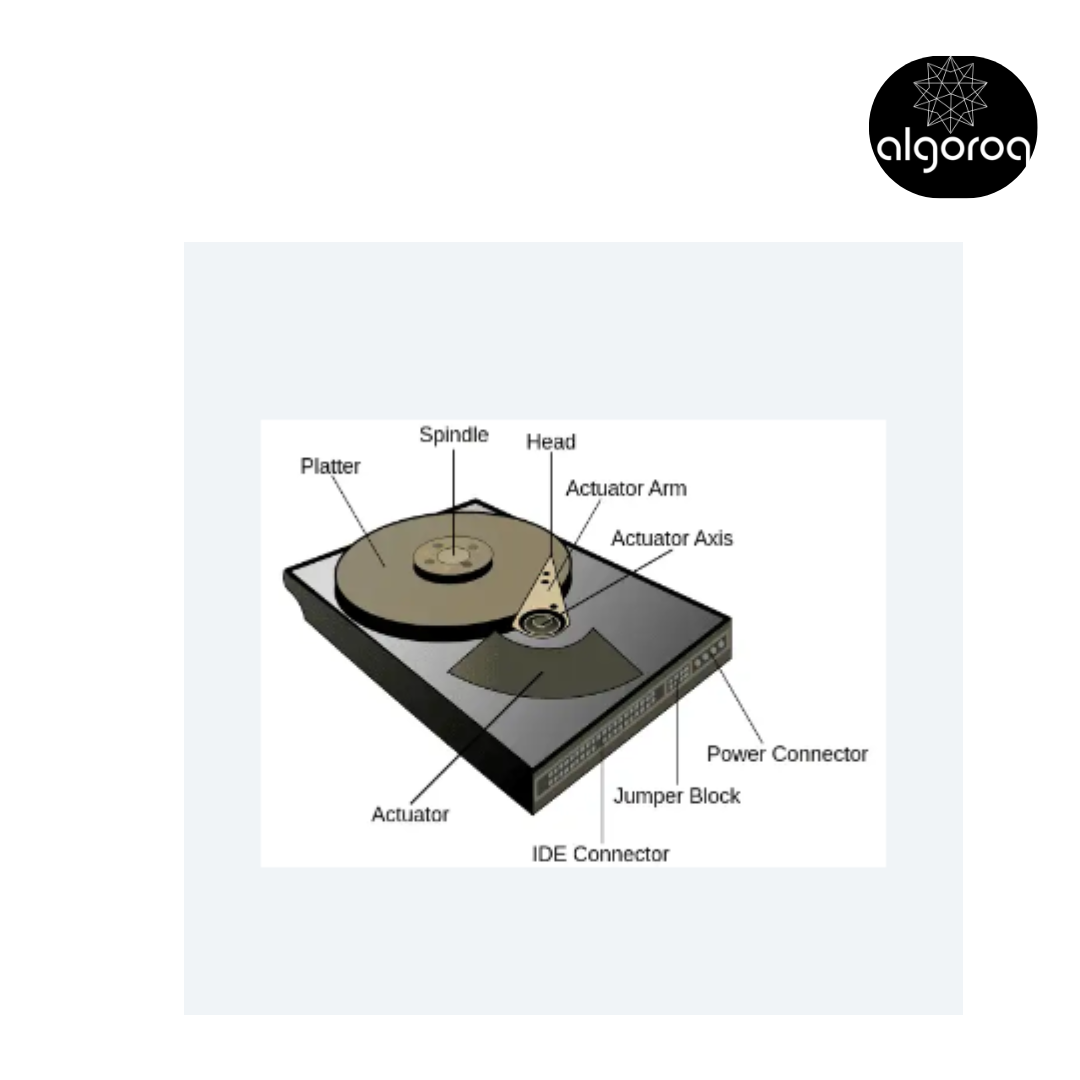
Mechanical Hard Drive:
━━━━━━━━━━━━━━━━━━━━━━━━━━━━━━━━
Physical Components:
[Spinning Platter]
Like a record player!
Why HDDs are Slow:
Lets look at the steps involved in reading data from HDD:
━━━━━━━━━━━━━━━━━━━━━━━━━━━━━━━━
Step 1: Seek Time (5-10ms) Move the read head to correct track
[Physical movement! Slow!]
Step 2: Rotational Latency (4ms average) Wait for platter to spin to right position
[Mechanical! Must wait for rotation!]
Step 3: Transfer Time (0.1ms) Actually read the data
[Finally! Data transfer!]
Total: ~10ms per operation
Compare to SSD: 0.1ms HDD is 100x slower!
Why Sequential is Better:
━━━━━━━━━━━━━━━━━━━━━━━━━━━━━━━━
Random reads (jumping around):
-
Read block 100: Seek (10ms) + Read
-
Read block 5000: Seek (10ms) + Read
-
Read block 200: Seek (10ms) + Read
Total: 30ms for 3 blocks
Sequential reads (consecutive):
-
Read block 100: Seek (10ms) + Read
-
Read block 101: No seek! + Read
-
Read block 102: No seek! + Read
Total: 10ms for 3 blocks
3x faster when sequential!
Where HDDs Still Make Sense:
HDD Advantages:
━━━━━━━━━━━━━━━━━━━━━━━━━━━━━━━━
-
Cost
HDD: $0.02/GB
SSD: $0.10/GB
5x cheaper!
-
Capacity
HDD: 20TB drives available
SSD: 8TB typical max
More space!
-
Longevity for Archives
HDD: Can last 10+ years sitting
SSD: Can lose data after years unpowered
Better for cold storage!
Good use cases:
━━━━━━━━━━━━━━━━━━━━━━━━━━━━━━━━
✓ Backups (sequential writes)
✓ Video surveillance (continuous write)
✓ Media archives (large files, rare access)
✓ Cold data storage
✓ Data warehouses (sequential scans)
Bad use cases:
━━━━━━━━━━━━━━━━━━━━━━━━━━━━━━━━
❌ Databases (random access)
❌ Operating system
❌ Virtual machines
❌ Active applications
❌ Anything needing low latency
The Complete Storage Hierarchy
The Memory/Storage Pyramid (we saw similar diagram in our computer fundamentals section this is the detailed/extended diagram for the original diagram)
━━━━━━━━━━━━━━━━━━━━━━━━━━━━━
Key Takeaways
- RAM is 1,000x faster than SSD for random access — but RAM is volatile and expensive ($3-5/GB vs $0.10/GB for SSD)
- SSDs have no moving parts and offer consistent low-latency reads — ideal for databases and applications with random access patterns
- HDDs are cheapest per GB but have high seek times — best for sequential workloads like log files and backups
- Databases use RAM for active data and disk for persistence — buffer pools keep frequently accessed data in memory
Log in to keep reading
Create a free account to keep reading and track your progress.
Log in — it's free