Hot,Warm,Cold Data

Hot, Warm, and Cold Data
Not all data is accessed equally — 90% of your storage costs may be serving data that's rarely touched, and tiering fixes that.
🌡️ Hot vs Cold Data: The Temperature Model
The Closet Organization Analogy
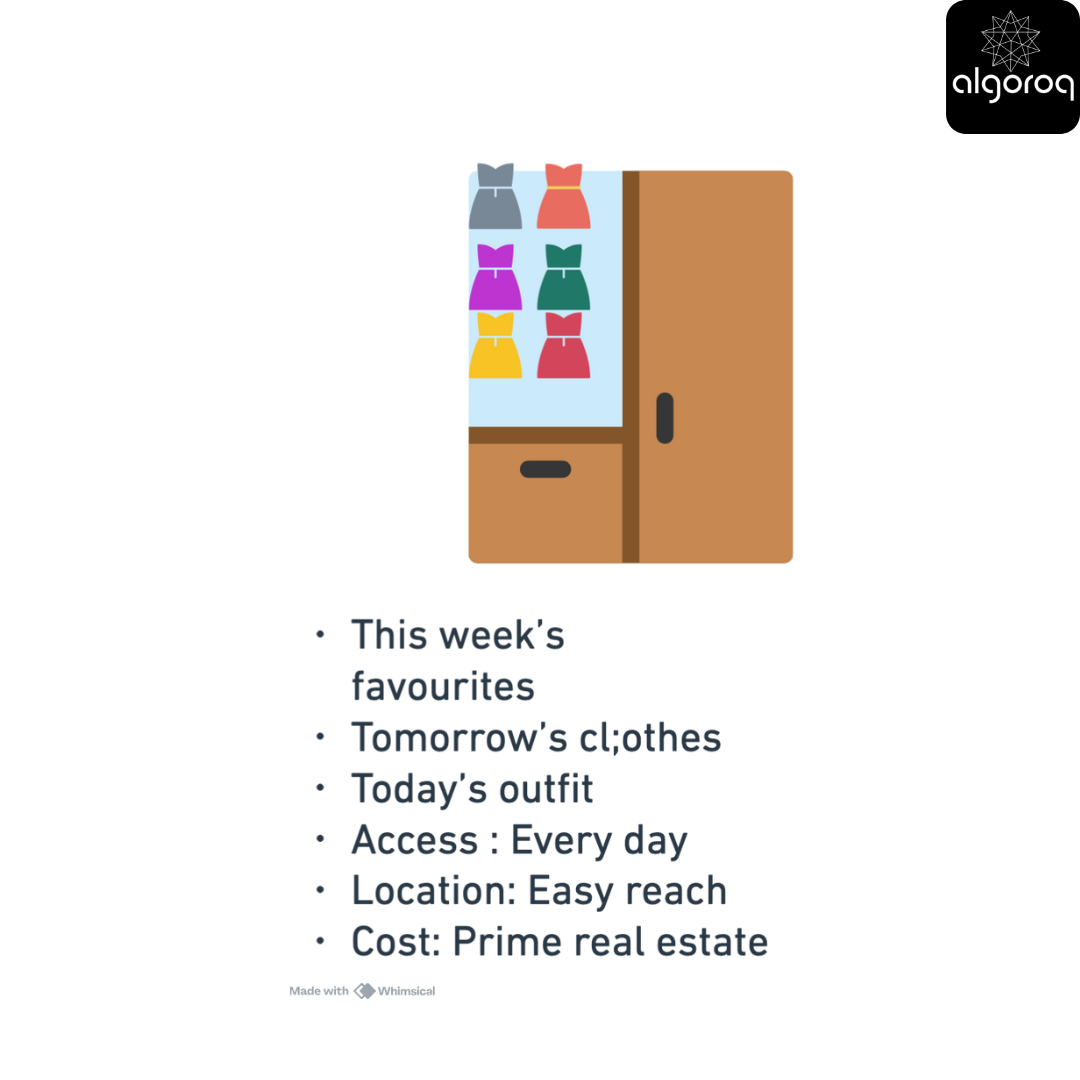
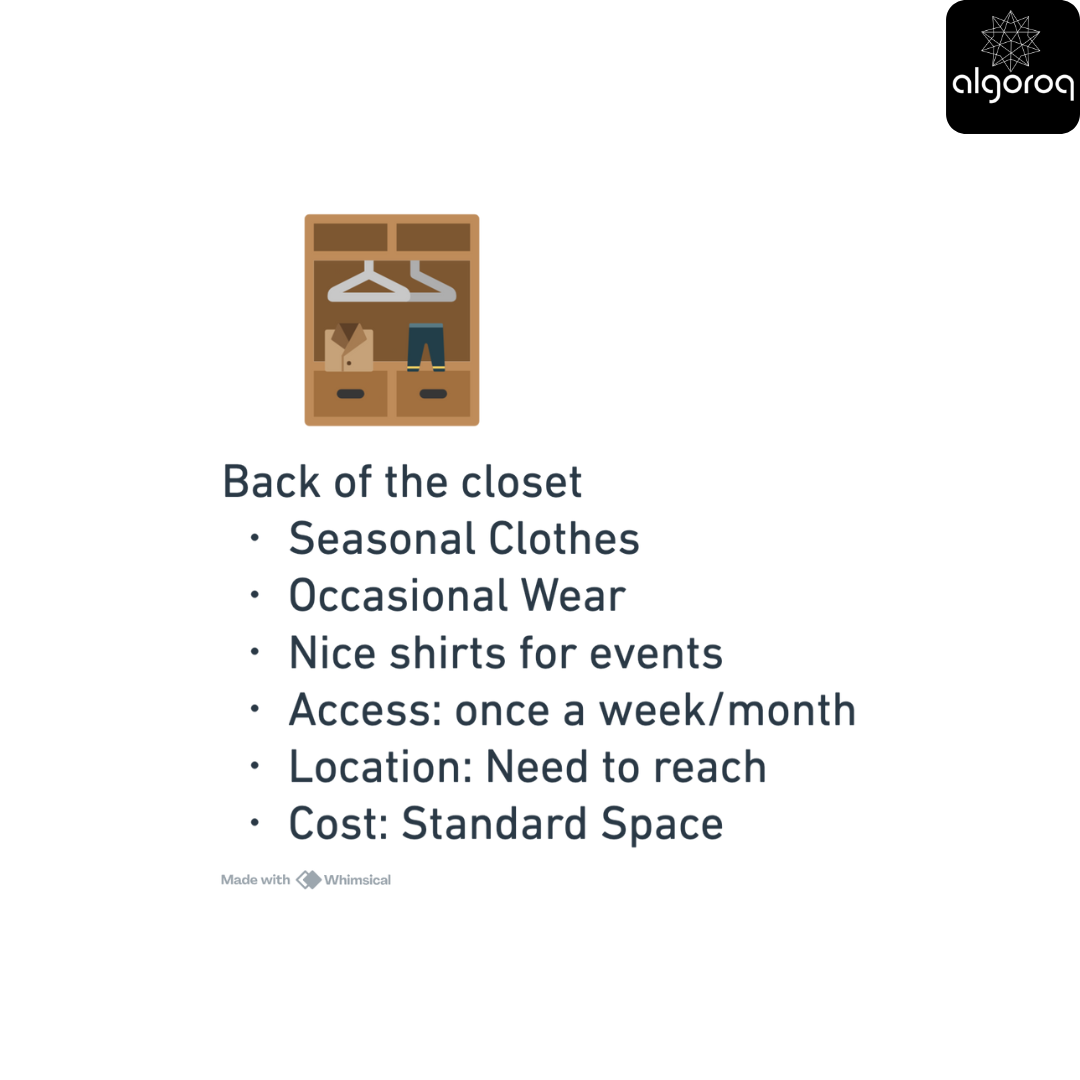
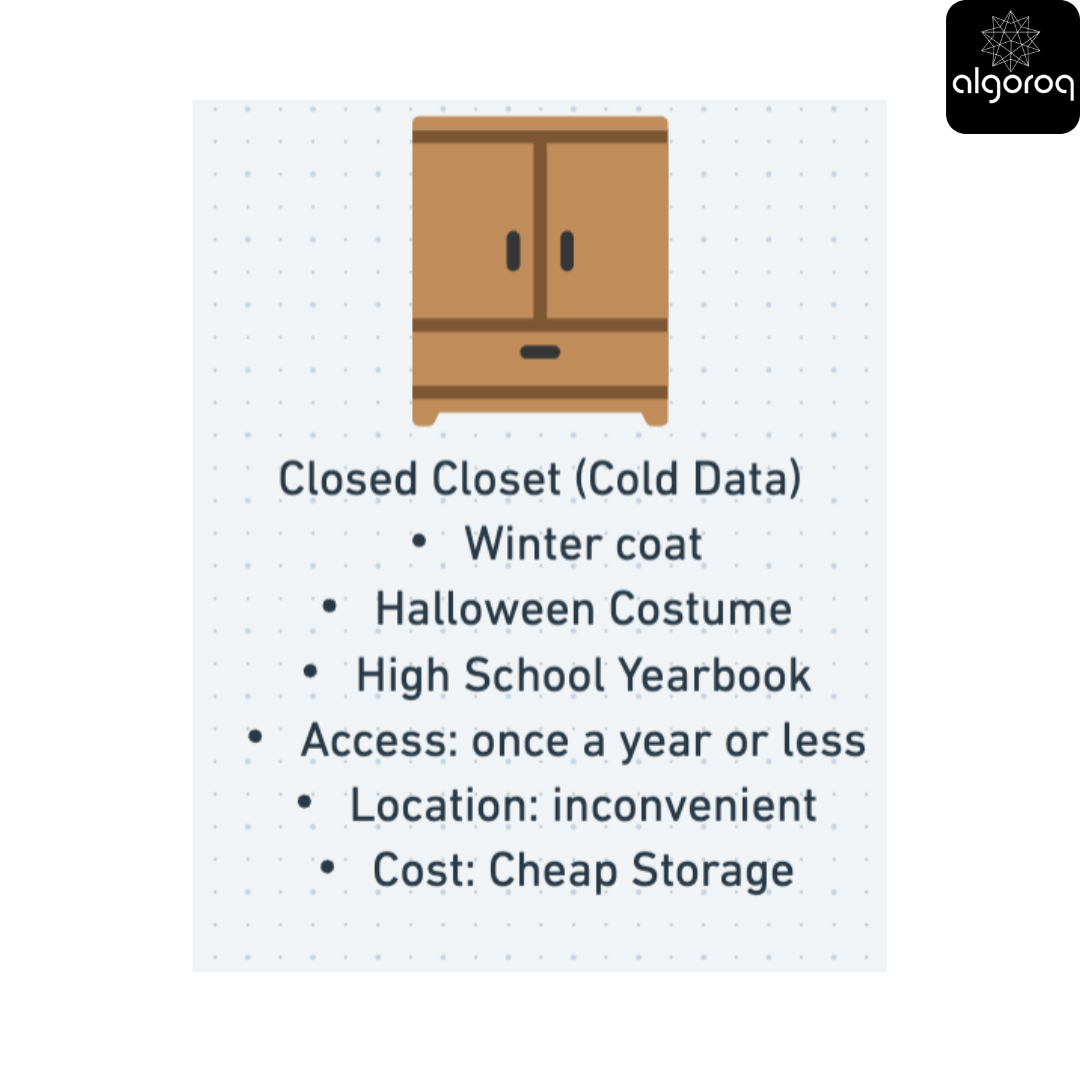
Think about your closet:
Your Closet:
━━━━━━━━━━━━━━━━━━━━━━━━━━━━━━━━
Front of Closet (Hot Data):
Back of Closet (Warm Data):
Storage Unit (Cold Data):
Defining Data Temperature
Hot Data: The Active Zone
What Makes Data "Hot":
━━━━━━━━━━━━━━━━━━━━━━━━━━━━━━━━
Characteristics:
✓Data that is accessed frequently (daily/hourly)
✓ Data which is modified often
✓ Time-sensitive
✓ Business-critical
✓ Needs low latency
Examples:
━━━━━━━━━━━━━━━━━━━━━━━━━━━━━━━━
-
In the case of E-commerce:
-
Current product inventory
-
Shopping cart contents
-
Today's orders
-
Active user sessions
-
-
Social Media:
-
Recent posts (last 7 days)
-
Current trending topics
-
Active user profiles
-
Real-time notifications
-
-
Banking:
-
Current account balances
-
Today's transactions
-
Active credit card sessions
-
Real-time fraud detection data
-
Storage Choice:
━━━━━━━━━━━━━━━━━━━━━━━━━━━━━━━━
Ideal: RAM cache + SSD
Why: Need instant access
Cost: High ($0.10-0.50/GB/month)
Worth it: Users notice any delay!
Warm Data: The Middle Ground
What Makes Data "Warm":
━━━━━━━━━━━━━━━━━━━━━━━━━━━━━━━━
Characteristics:
✓ Accessed occasionally (weekly/monthly)
✓ Rarely modified
✓ Still relevant
✓ Not time-critical
✓ Can tolerate slight delay
Examples:
━━━━━━━━━━━━━━━━━━━━━━━━━━━━━━━━
-
E-commerce:
-
Order history (last 90 days)
-
Product reviews
-
Customer support tickets (recent)
-
Returns/refunds data
-
-
Social Media:
-
Posts from last month
-
User activity logs
-
Analytics data
-
Older notifications
-
-
Banking:
-
Transaction history (3-6 months)
-
Archived statements
-
Historical account data
-
Completed loan applications
-
Storage Choice:
━━━━━━━━━━━━━━━━━━━━━━━━━━━━━━━━
Ideal: HDD or standard SSD
Why: To balance out cost and access
Cost: Moderate ($0.02-0.08/GB/month)
Worth it: Good enough performance
Cold Data: The Archive
What Makes Data "Cold":
━━━━━━━━━━━━━━━━━━━━━━━━━━━━━━━━
Characteristics:
✓ Rarely accessed (yearly or never)
✓ Never modified (immutable)
✓ Historical/compliance
✓ Can wait minutes/hours for access
✓ Needs to be kept (legal/audit)
Examples:
━━━━━━━━━━━━━━━━━━━━━━━━━━━━━━━━
-
E-commerce:
-
Orders from 5 years ago
-
Old product catalogs
-
Deleted account backups
-
Compliance audit logs
-
-
Social Media:
-
Deleted posts (retention policy)
-
User data snapshots
-
System logs from years ago
-
Legal discovery data
-
-
Banking:
-
7-year transaction history
-
Closed account records
-
Old audit reports
-
Regulatory compliance archives
-
Storage Choice:
━━━━━━━━━━━━━━━━━━━━━━━━━━━━━━━━
Ideal storage: Glacier, tape, cold storage
Why: Data is rarely accessed, needs to be cheap
Cost: Very low ($0.001-0.004/GB/month)
Worth it: 20x cheaper! Storage at scale!
Data Temperature Transitions
The Lifecycle of Data:
━━━━━━━━━━━━━━━━━━━━━━━━━━━━━━━━
Day 1: HOT 🔥
├─ User uploads photo
├─ Stored in: SSD with RAM cache
├─ Access: 1000+ times/day
└─ Cost: $0.10/GB/month
Day 30: WARM 🌤️
├─ Photo is 1 month old
├─ Moved to: Standard storage
├─ Access: 10 times/day
└─ Cost: $0.03/GB/month
Day 365: COLD ❄️
├─ Photo is 1 year old
├─ Moved to: Glacier
├─ Access: 1 time/year (if ever)
└─ Cost: $0.004/GB/month
Day 2555: FROZEN 🧊
├─ Photo is 7 years old
├─ Moved to: Deep archive/tape
├─ Access: Only if subpoenaed
└─ Cost: $0.001/GB/month
Real-World Example: Instagram
Instagram Photo Storage Strategy:
━━━━━━━━━━━━━━━━━━━━━━━━━━━━━━━━━━━━━━━━━
When you upload a photo to instagram
━━━━━━━━━━━━━━━━━━━━━━━━━━━━━━━━
Day 0-7: HOT 🔥
Location: CDN (remember Amazon Cloudfront from the diagram) + SSD cache
Why: 90% of views happen in first week
Access pattern: Thousands of views
Storage: Multiple copies in RAM/SSD
Cost per GB: $0.50/month
User experience: <50ms load time
Week 2-Month 3: WARM 🌤️
Location: Standard S3 storage
Why: Occasional views from followers
Access pattern: Dozens of views
Storage: Standard redundancy
Cost per GB: $0.023/month
User experience: ~200ms load time
Month 4+: COLD ❄️
Location: S3 Intelligent-Tiering
Why: Rarely viewed old photos
Access pattern: A few views per month
Storage: Automatic tier adjustment
Cost per GB: $0.01/month
User experience: ~500ms first access
Year 2+: FROZEN 🧊
Location: Glacier Deep Archive
Why: Historical archive (almost never viewed)
Access pattern: Almost never
Storage: Tape backup, rare access
Cost per GB: $0.001/month
User experience: 12 hours to retrieve (if ever needed)
Instagram's savings:
━━━━━━━━━━━━━━━━━━━━━━━━━━━━━━━━
1 billion photos uploaded/day
Average photo: 2MB
If ALL photos were to be stored HOT:
-
2,000 TB uploaded daily
-
730,000 TB per year
-
Cost: $365,000/day = $133M/year 😱
With temperature-based storage:
-
Recent (HOT): 14,000 TB × $0.50 = $7,000/day
-
Warm: 100,000 TB × $0.023 = $2,300/day
-
Cold: 616,000 TB × $0.001 = $616/day
-
Total: $10,000/day = $3.6M/year ✓
Savings: $129M/year (97% reduction!)
ed on access patterns
The 80/20 Rule in Storage
Pareto Principle for Data:
━━━━━━━━━━━━━━━━━━━━━━━━━━━━━━━━
Observation:
-
20% of your data gets 80% of the access
-
80% of your data gets 20% of the access
Translation:
-
Keep 20% (hot) on expensive fast storage
-
Keep 80% (cold) on cheap slow storage
Real Numbers:
━━━━━━━━━━━━━━━━━━━━━━━━━━━━━━━━
Total data: 100 TB
Naive approach (all hot storage):
- 100 TB × $0.10/GB = $10,000/month
Optimized approach:
-
20 TB hot × $0.10/GB = $2,000/month
-
80 TB cold × $0.01/GB = $800/month
-
Total: $2,800/month
Savings: $7,200/month (72% reduction!)
Same user experience for 99% of requests!
Decision Framework: Choosing Storage Temperature
Decision Tree:
━━━━━━━━━━━━━━━━━━━━━━━━━━━━━━━━
Question 1: How often is it accessed?
├─ Multiple times/day → HOT 🔥
├─ Weekly/Monthly → WARM 🌤️
└─ Yearly or less → COLD ❄️
Question 2: How fast must it load?
├─ <100ms → HOT (SSD + cache)
├─ <1s → WARM (Standard storage)
└─ Minutes OK → COLD (Archive)
Question 3: Is it modified?
├─ Yes, frequently → HOT
├─ Occasionally → WARM
└─ Never (immutable) → COLD
Question 4: How critical is it?
├─ Business-critical → HOT
├─ Important → WARM
└─ Archive/compliance → COLD
Question 5: How much does latency cost?
├─ $10/second delay → HOT
├─ $1/second delay → WARM
└─ Doesn't matter → COLD
Real-World Case Studies
Case Study 1: Netflix
Netflix Content Storage:
━━━━━━━━━━━━━━━━━━━━━━━━━━━━━━━━
HOT 🔥 (10% of catalog, 90% of views):
├─ New releases
├─ Trending shows
├─ Popular movies
├─ Storage: CDN edge servers (SSD)
├─ Latency: <50ms
└─ Cost: High, but worth it
WARM 🌤️ (40% of catalog, 9% of views): ├─ Recently popular shows
├─ Catalog titles
├─ Regional favorites
├─ Storage: Regional data centers
├─ Latency: ~200ms
└─ Cost: Moderate
COLD ❄️ (50% of catalog, 1% of views):
├─ Old seasons
├─ Niche documentaries
├─ Foreign language content
├─ Storage: Central S3
├─ Latency: ~1s (if not cached)
└─ Cost: Very low
Result:
━━━━━━━━━━━━━━━━━━━━━━━━━━━━━━━━
-
90% of user requests: <50ms (great UX!)
-
Storage costs: 70% lower than all-hot
-
Users don't notice cold storage delays
Case Study 2: Healthcare Records
Patient Medical Records:
━━━━━━━━━━━━━━━━━━━━━━━━━━━━━━━━
HOT 🔥 (Active patients):
├─ Current patient records
├─ Recent lab results
├─ Today's appointments
├─ Active prescriptions
├─ Storage: SSD database
├─ Access: Doctors need instant access
└─ Retention: 90 days hot
WARM 🌤️ (Recent history):
├─ Last year's visits
├─ Historical lab results
├─ Imaging from past 2 years
├─ Storage: Standard S3
├─ Access: Occasional review
└─ Retention: 2 years warm
COLD ❄️ (Archives):
├─ 7-year history (legal requirement)
├─ Old x-rays and scans
├─ Closed patient records
├─ Storage: Glacier
├─ Access: Legal/audit only
└─ Retention: 7+ years
Compliance:
━━━━━━━━━━━━━━━━━━━━━━━━━━━━━━━━ ✓ HIPAA requires 7-year retention
✓ Must be retrievable (but can be slow)
✓ Cold storage meets legal requirements
✓ Massive cost savings
Savings: $500k/year for mid-size hospital
🎓 Putting It All Together: Complete Storage Architecture
Let’s see data storage patterns in a real production system:
Social Media Platform - Complete Storage Design:
━━━━━━━━━━━━━━━━━━━━━━━━━━━━━━━━━━━━━━━━━━━━━━━━
Layer 1: Cache (HOT 🔥)
━━━━━━━━━━━━━━━━━━━━━━━━━━━━━━━━
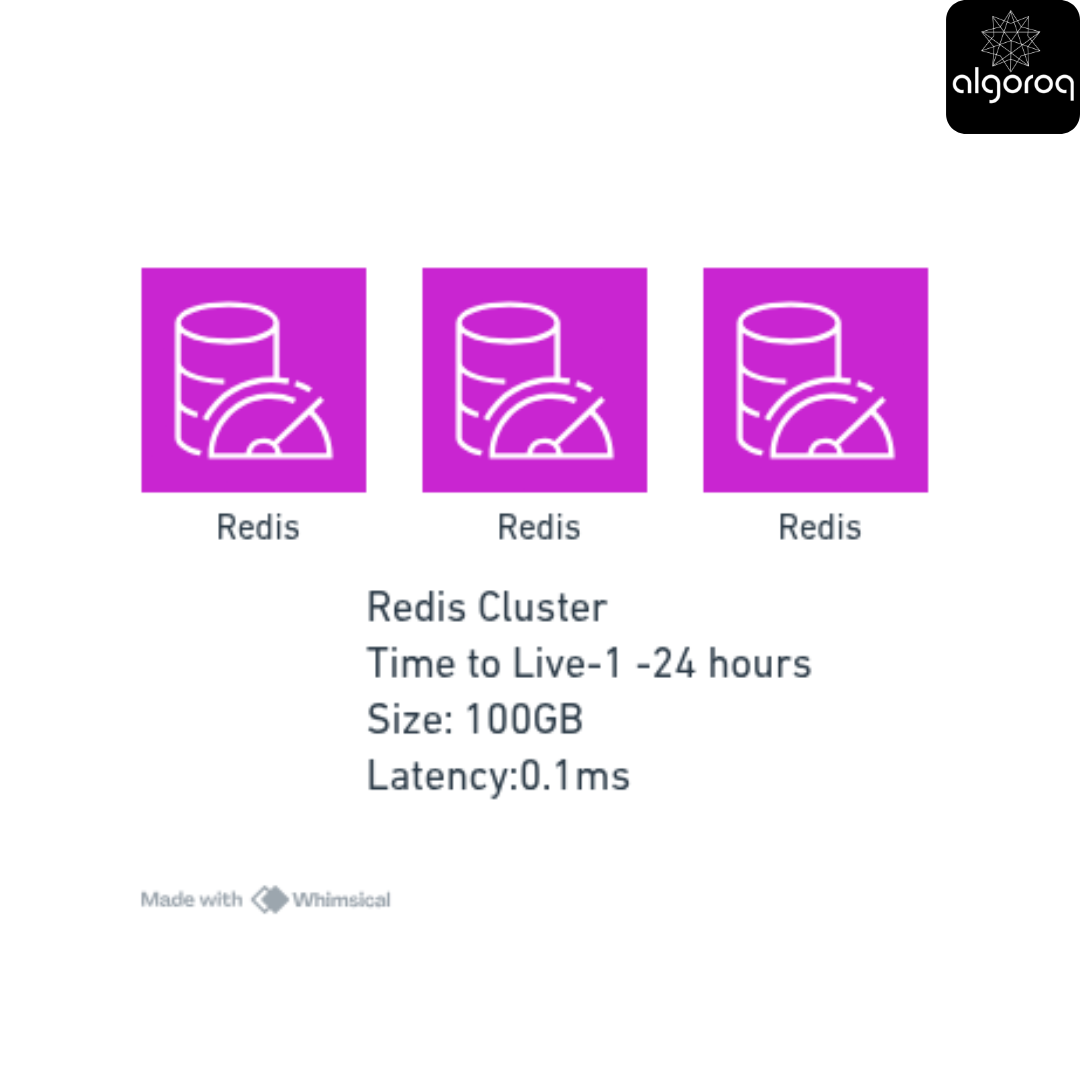
[Redis Cluster]
-
Type: RAM
-
Size: 100 GB
-
Latency: 0.1ms
-
Data:
✓ User sessions
✓ Feed cache (recent posts)
✓ Trending topics
✓ Active user profiles
-
TTL: 1-24 hours
-
Cost: $500/month
Layer 2: Primary Database (HOT 🔥)
━━━━━━━━━━━━━━━━━━━━━━━━━━━━━━━━
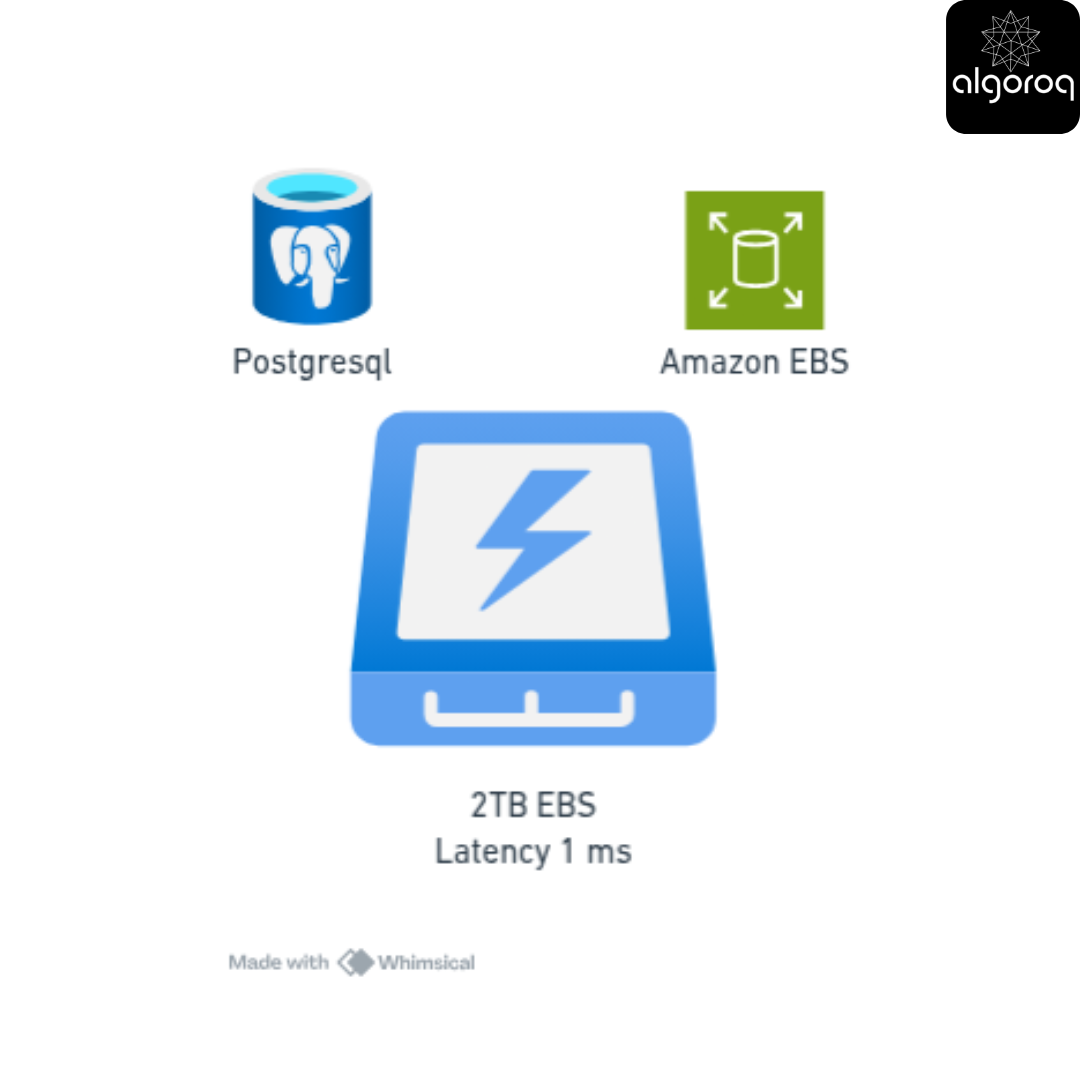
[PostgreSQL on NVMe SSD]
-
Type: Block Storage (EBS)
-
Size: 2 TB
-
Latency: 1ms
-
Data:
✓ User accounts
✓ Current posts (30 days)
✓ Active comments
✓ Real-time analytics
-
Backup: Hourly
-
Cost: $400/month
Layer 3: Media Storage - Recent (HOT 🔥)
━━━━━━━━━━━━━━━━━━━━━━━━━━━━━━━━━━━━━━
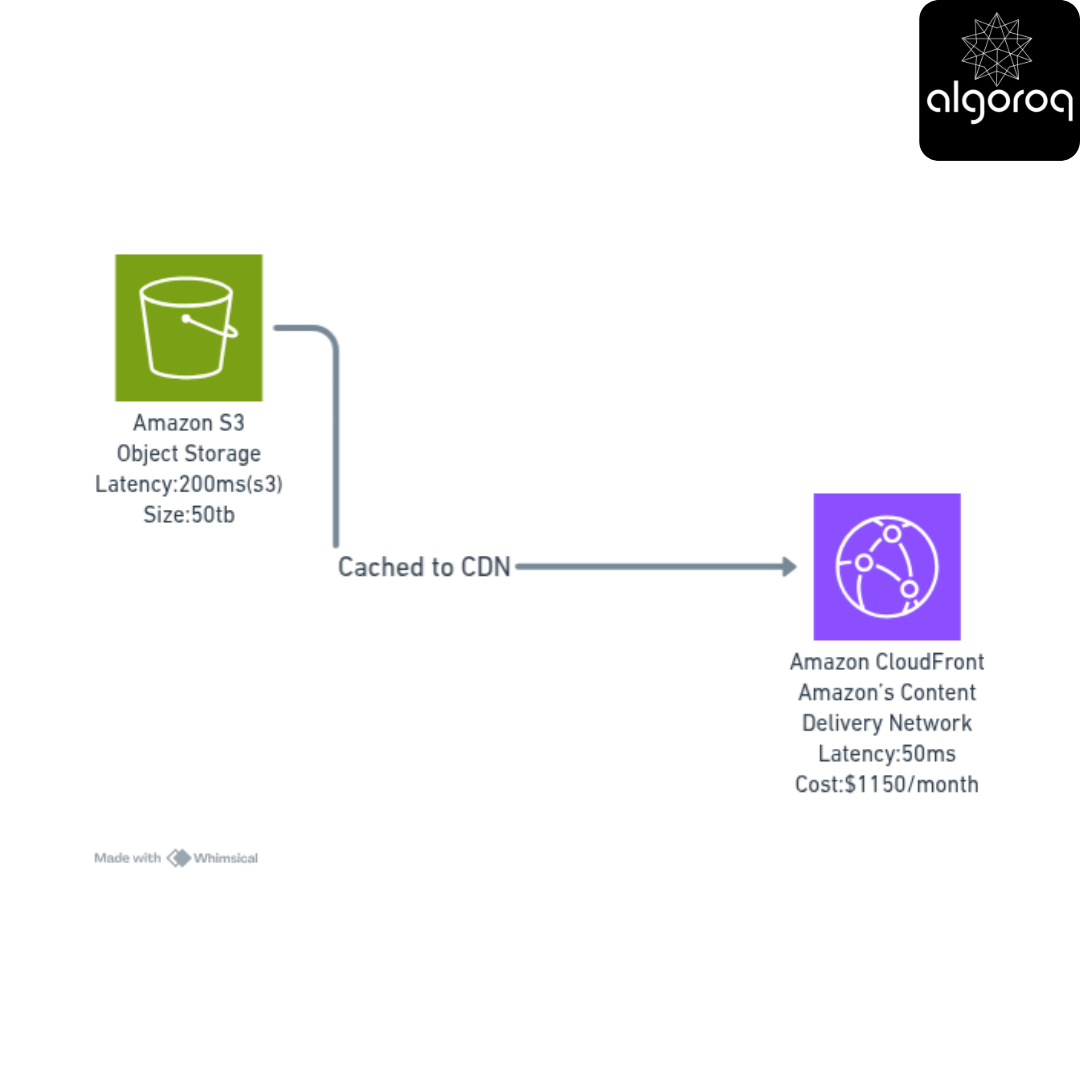
[S3 Standard + CloudFront CDN]
-
Type: Object Storage
-
Size: 50 TB
-
Latency: 50ms (CDN) / 200ms (S3)
-
Data:
✓ Photos from last 30 days
✓ Videos uploaded recently
✓ Profile pictures (active users)
-
Lifecycle: Move to warm after 30 days
-
Cost: $1,150/month
Layer 4: Media Storage - Historical (WARM 🌤️)
━━━━━━━━━━━━━━━━━━━━━━━━━━━━━━━━━━━━━━━━━━
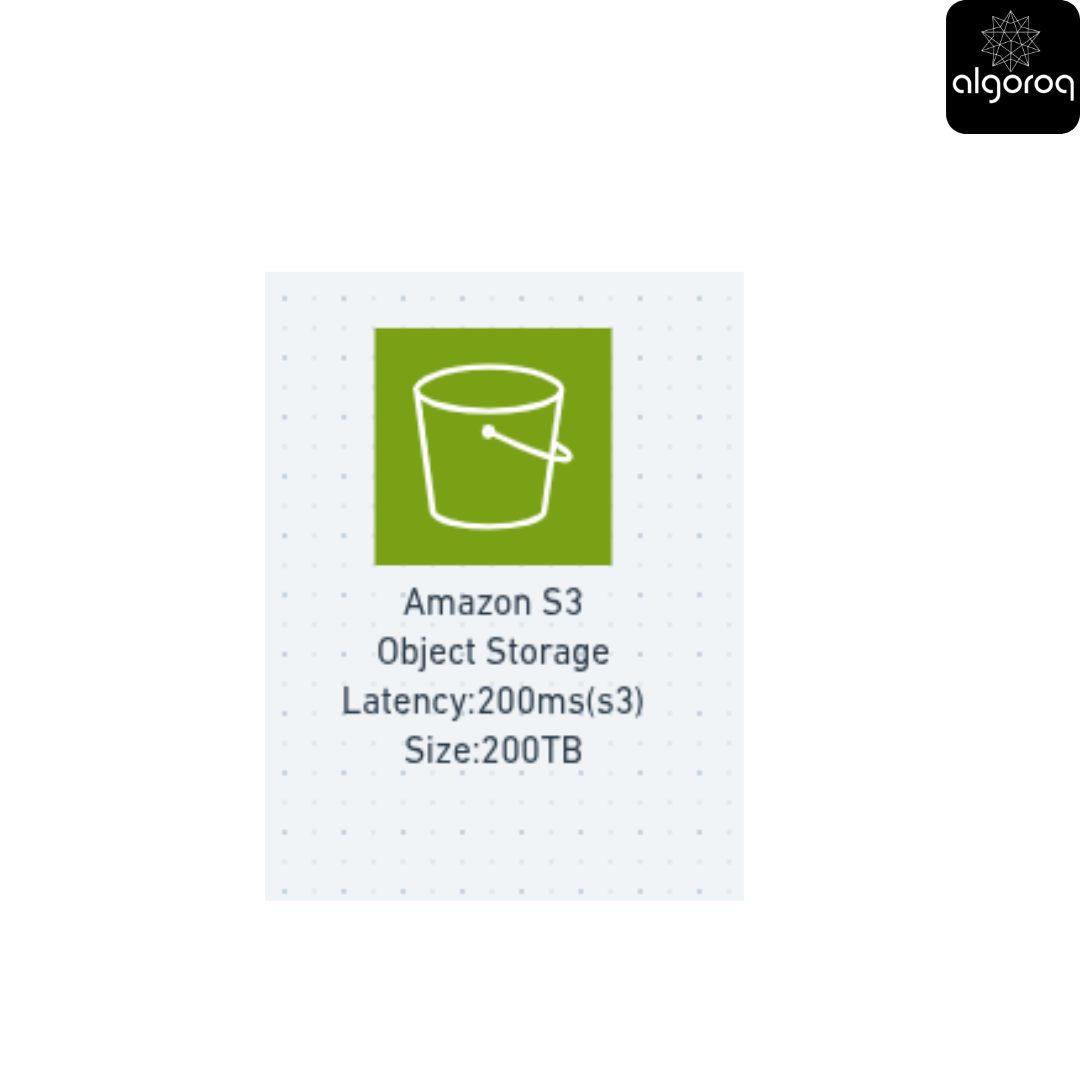
[S3 Infrequent Access]
-
Type: Object Storage
-
Size: 200 TB
-
Latency:300ms
-
Data:
✓ Photos 30-365 days old
✓ Older videos
✓ Historical user content
-
Lifecycle: Move to cold after 1 year
-
Cost: $2000/month (for 200TB)
Layer 5: Analytics Data (WARM 🌤️)
━━━━━━━━━━━━━━━━━━━━━━━━━━━━━━━━
[Data Warehouse on HDD]
-
Type: File Storage / Block Storage
-
Size: 100 TB
-
Latency: 10ms
-
Data:
✓ User behavior logs
✓ Engagement metrics
✓ A/B test results
✓ Business intelligence data
-
Access: Batch queries, reports
-
Cost: $800/month
Layer 6: Archives (COLD ❄️)
[S3 Glacier]
-
Type: Object Storage (Archive)
-
Size: 500 TB
-
Latency: 5 hours
-
Data:
✓ Old posts (1+ year)
✓ Deleted account backups
✓ Audit logs
✓ Compliance data
-
Lifecycle: Keep for 7 years
-
Cost: $2,000/month
Layer 7: Deep Archive (FROZEN 🧊)
━━━━━━━━━━━━━━━━━━━━━━━━━━━━━━━━
[S3 Glacier Deep Archive]
-
Type: Object Storage (Tape-equivalent)
-
Size: 1 PB (1000 TB)
-
Latency: 12-48 hours
-
Data:
✓ Legal discovery data
✓ Historical system logs
✓ Old database backups
✓ Long-term archives
-
Retention: Permanent
-
Cost: $1,000/month
Total Storage: 1,853 TB
Total Cost: $7,850/month
If everything was HOT storage:
━━━━━━━━━━━━━━━━━━━━━━━━━━━━━━━━
1,853 TB × $0.10/GB = $185,300/month 😱
Actual cost: $7,850/month ✓ Savings: $177,450/month (96% reduction!)
The Request Flow:
User Views a Post:
━━━━━━━━━━━━━━━━━━━━━━━━━━━━━━━━
-
Check Redis (Layer 1):
"Is this post cached?"
Hit: Return in 0.1ms ⚡ [95% of requests end here!]
Miss: Continue...
-
Check PostgreSQL (Layer 2):
"Query post from database"
Found: Return in 5ms ✓ [4% of requests]
Not found: Continue...
-
Check S3 Standard (Layer 3):
"Fetch from recent media storage"
Found: Return in 200ms ✓ [0.9% of requests]
Not found: Continue...
-
Check S3 IA (Layer 4):
"Fetch from historical storage"
Found: Return in 300ms ✓ [0.09% of requests]
Not found: Continue...
-
Check Glacier (Layer 6):
"Initiate restore (5 hours)"
Found: User gets "This post is being retrieved" [0.01% of requests]
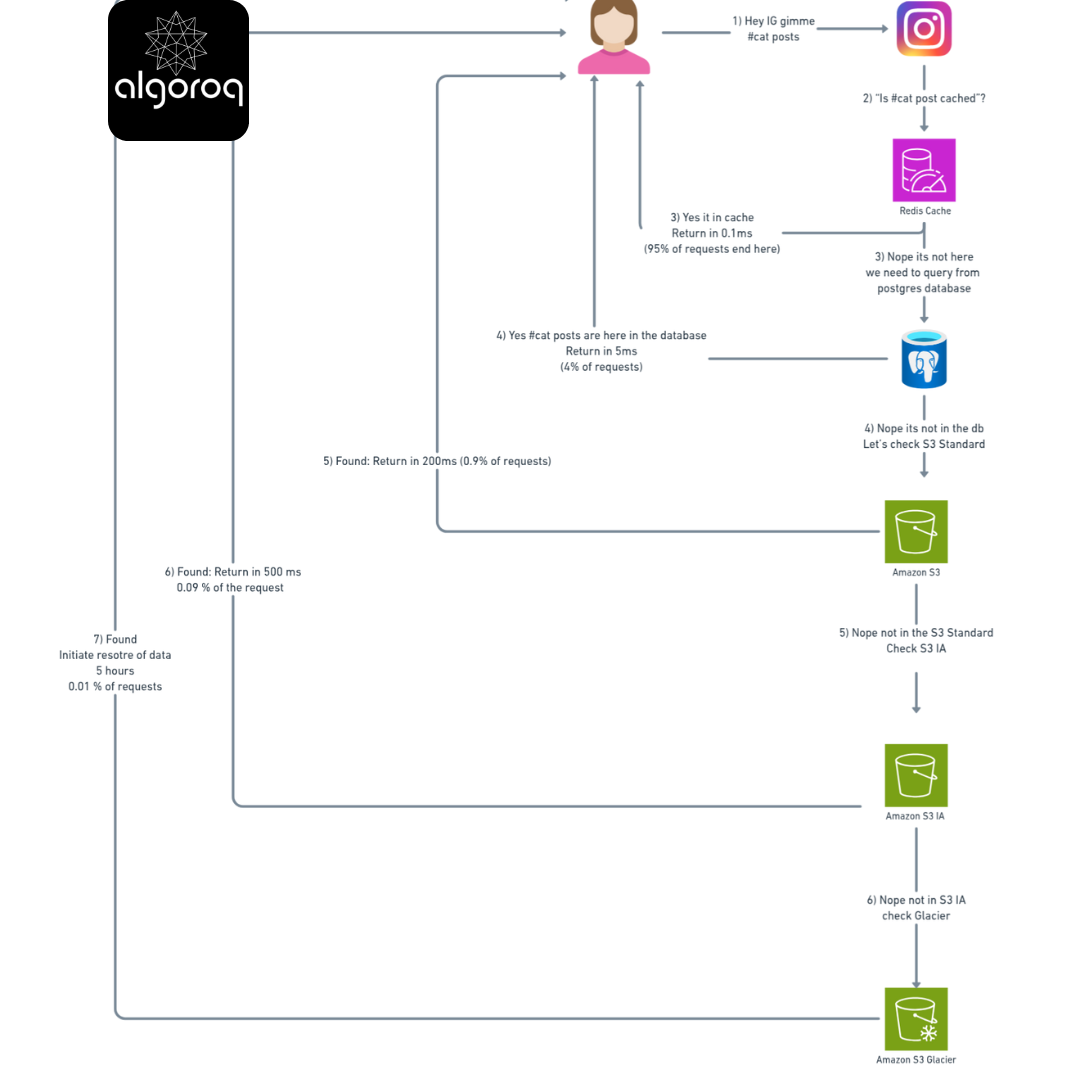
Result:
-
95% of users: <1ms (instant!)
-
4% of users: <10ms (very fast)
-
0.99% of users: <300ms (acceptable)
-
0.01% of users: Wait for archive restore (rare!)
✅ Final Mastery Checklist
You've mastered storage fundamentals if you can:
Types of Storage:
- Explain block vs file vs object storage
- Choose the right storage type for a use case
- Understand the tradeoffs of each
Memory vs Disk:
- Describe the storage hierarchy from CPU to cloud
- Explain volatile vs persistent storage
- Calculate cost/performance tradeoffs
Hot vs Cold Data:
- Identify data temperature based on access patterns
- Design lifecycle policies for data
- Calculate storage cost optimizations
🚀 Interview-Ready Summary
Key Takeaways:
- Storage types serve different purposes - Block for performance, File for sharing, Object for scale
- Speed costs money - RAM is 1000x faster but 100x more expensive than disk
- Data has temperature - Most data is cold, optimize accordingly
- The 80/20 rule - 20% of data gets 80% of access
- Lifecycle management - Automatically move data based on age/access
When asked "How would you design storage for this system?"
Answer framework:
- "First, I'd identify the hot data that needs fast access..."
- User sessions → RAM cache
- Active records → SSD database
- "Then categorize data by access patterns..."
- Daily access → Hot (SSD + cache)
- Weekly/monthly → Warm (Standard storage)
- Yearly/never → Cold (Archive)
- "Choose appropriate storage types..."
- Database → Block storage
- Shared files → File storage
- Media/backups → Object storage
- "Implement lifecycle policies..."
- Auto-transition based on age
- Monitor access patterns
- Optimize costs continuously
- "Calculate cost savings..."
- All hot: $X/month
- Tiered: $Y/month
- Savings: $(X-Y)/month
Common Interview Questions:
Q: "Why not put everything in RAM?" A: "RAM is volatile (loses data on restart) and expensive. We need persistent storage for data, but use RAM for caching hot data."
Q: "When would you use object storage vs file storage?" A: "Object storage for static assets, backups, and unstructured data at scale. File storage when you need hierarchical organization or multiple servers sharing files."
Q: "How would you optimize storage costs?" A: "Implement data lifecycle policies, cache hot data in RAM/SSD, move warm data to standard storage, archive cold data, and delete expired data. Use the 80/20 rule—keep 20% hot, 80% cold."
You're now ready to design production storage systems! 🎉
Remember: The best storage architecture isn't the fastest or the cheapest—it's the one that matches your access patterns. Fast where it matters, cheap where it doesn't.
Keep practicing by analyzing storage in systems you use daily. Ask yourself: "Why did they choose this storage solution?" That's how you develop storage intuition!
Log in to keep reading
Create a free account to keep reading and track your progress.
Log in — it's free