Computer Memory Hierarchy

Computer Memory Hierarchy
A hierarchy from nanosecond registers to multi-second tape — each layer trades speed for capacity, and understanding this shapes how you design caching, buffering, and storage.
💾 3: Memory Hierarchy - The Speed Pyramid
You’ll learn more about storage in the “Storage Fundamentals”section of the content in following
🎯 Challenge 3: The Library Problem
Scenario: You're writing a research paper. Where do you keep your materials?
Option A:
Everything in your brain (instant recall, tiny capacity)
Option B:
Books on your desk (quick to grab, limited space)
Option C:
Books on your bookshelf (walk to get them, more space)
Option D:
Books in the library (drive to get them, unlimited space)
Question:
Which do you use?
The Answer:
ALL OF THEM! You use different storage based on frequency of access and size!
This is exactly how computer memory works!
🏔️ The Memory Pyramid
THE MEMORY HIERARCHY (Top = Fastest/Smallest, Bottom = Slowest/Largest)
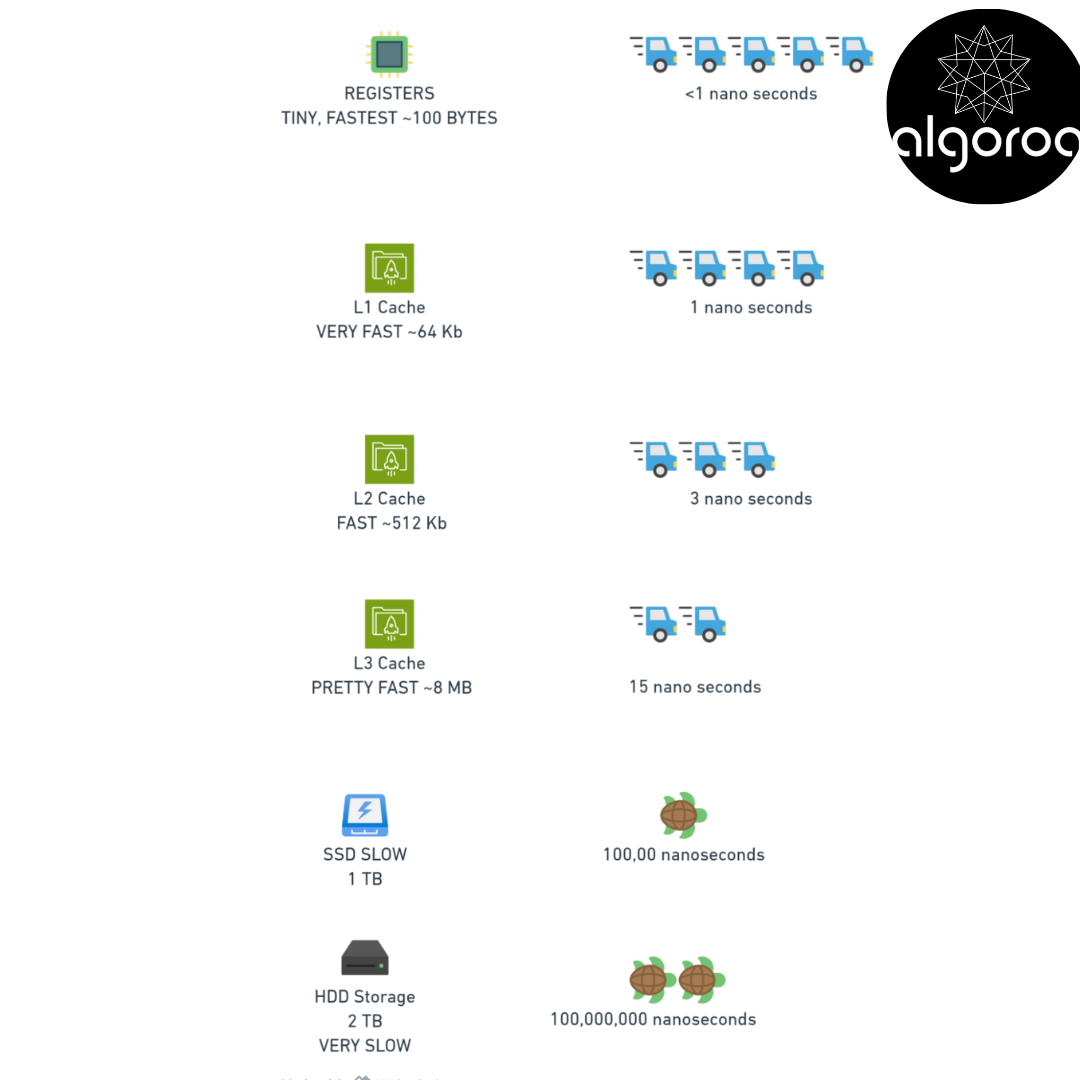
🏃 Understanding the Speed Difference
Let's make these time scales relatable:
LATENCY HUMANIZED:
If accessing a CPU register took 1 second:
L1 Cache: 3 seconds (walk to next room)
L2 Cache: 14 seconds (walk outside)
L3 Cache: 75 seconds (drive to corner store)
RAM: 5 minutes (drive across town)
SSD: 4 days (fly to Europe)
HDD: 1 year (travel to Saturn)
The difference is MASSIVE!
📚 Detailed Look at Each Level
Level 1: CPU Registers
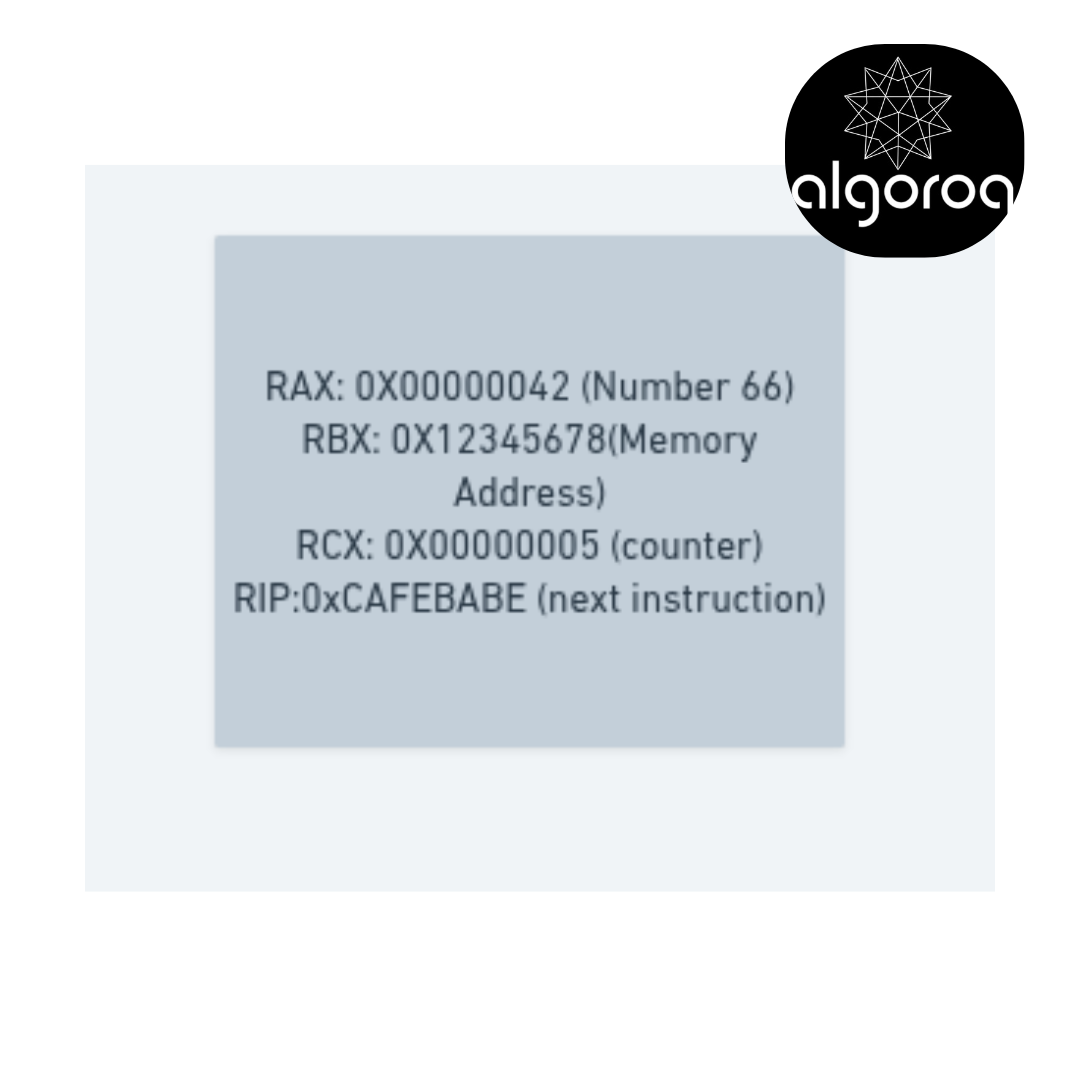
🎯 REGISTERS - The Brain's Scratchpad
Location: Inside the CPU itself
Size: ~16-32 registers × 64 bits = 100-200 bytes
Speed: 0.3 nanoseconds (one CPU cycle)
What they hold:
├─ Currently executing instruction
├─ Temporary calculation results
├─ Memory addresses being accessed
└─ Program counter (what to do next
Think of it as: Calculator display showing current number
Level 2: L1 Cache
🚀 L1 CACHE - The CPU's Immediate Memory
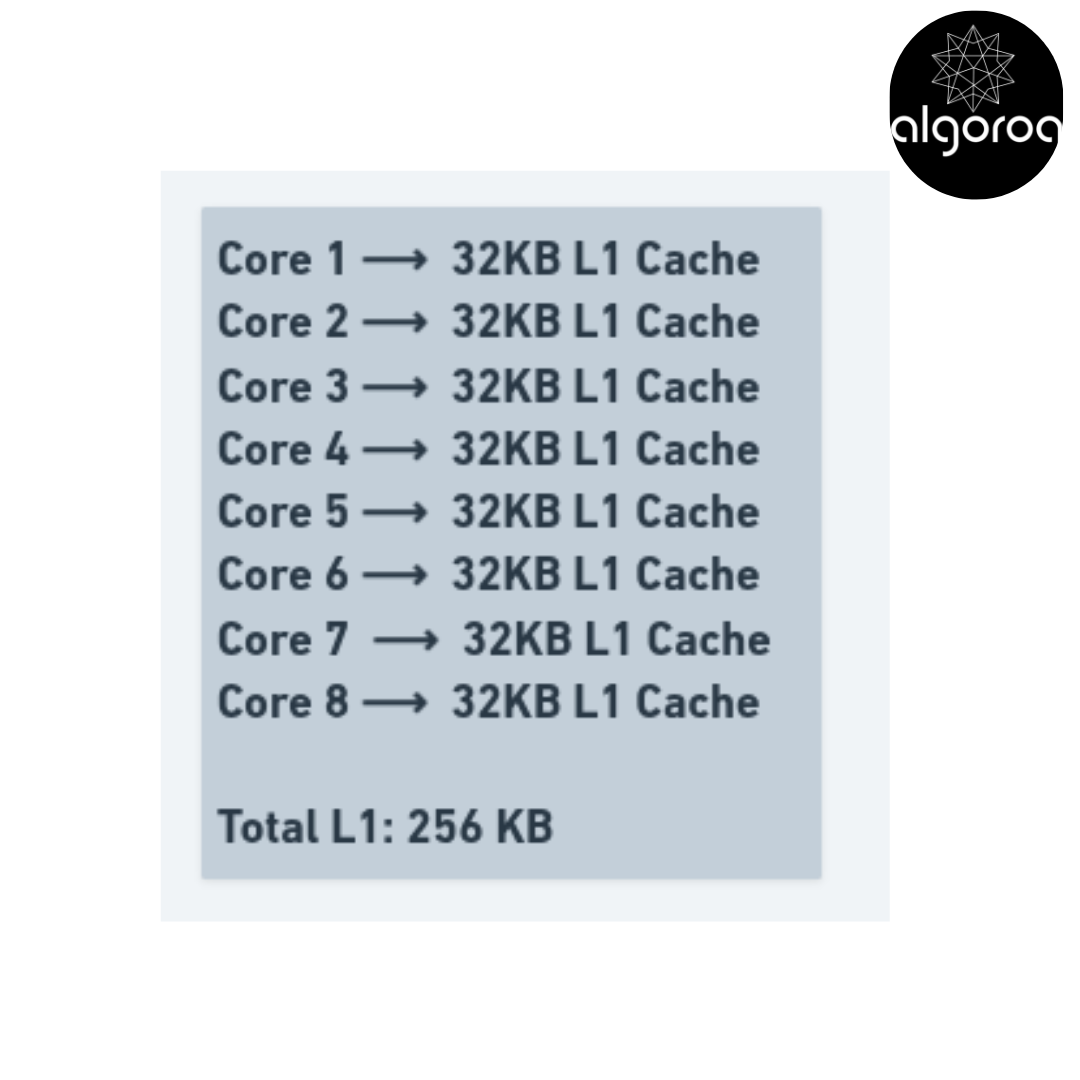
Location: On the CPU chip, closest to cores Size: 32-64 KB per core Speed: 4 cycles (~1 nanosecond)
Split into two parts:
├─ L1 Instruction Cache (code being executed)
└─ L1 Data Cache (data being processed)
Modern CPU (8 cores):
Think of it as: Items on your desk within arm's reach
Level 3: L2 Cache
💨 L2 CACHE - The CPU's Short-term Memory
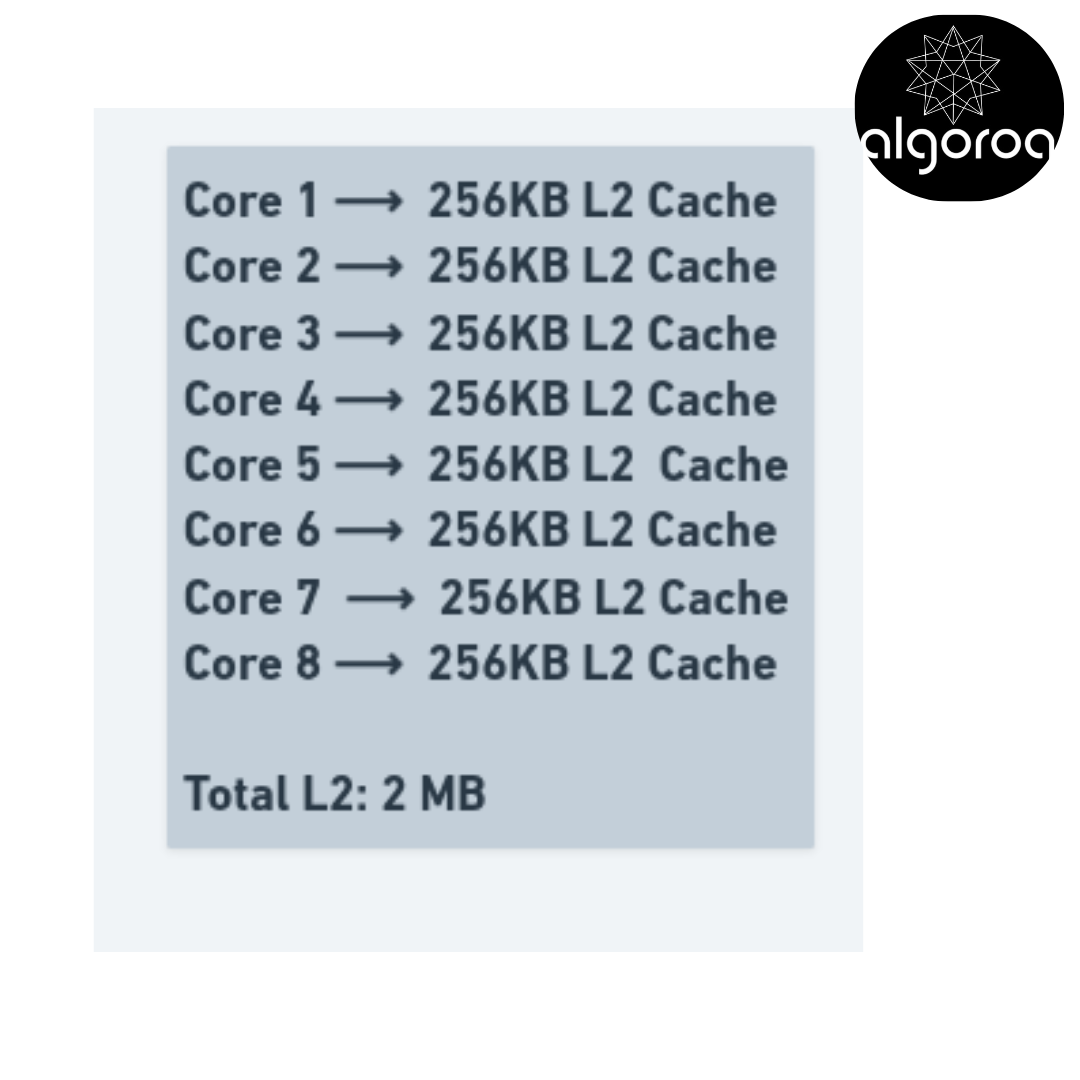
Location: On CPU chip, still very close Size: 256-512 KB per core Speed: 12 cycles (~3 nanoseconds)
Holds:
├─ Recently used instructions and data
├─ Data predicted to be used soon
└─ Overflow from L1 cache
Modern CPU (8 cores):
Think of it as: Drawer under your desk
Level 4: L3 Cache
⚡ L3 CACHE - Shared CPU Memory
Location: On CPU chip, shared by all cores Size: 8-64 MB (entire chip) Speed: 40 cycles (~15 nanoseconds)
Shared resource:
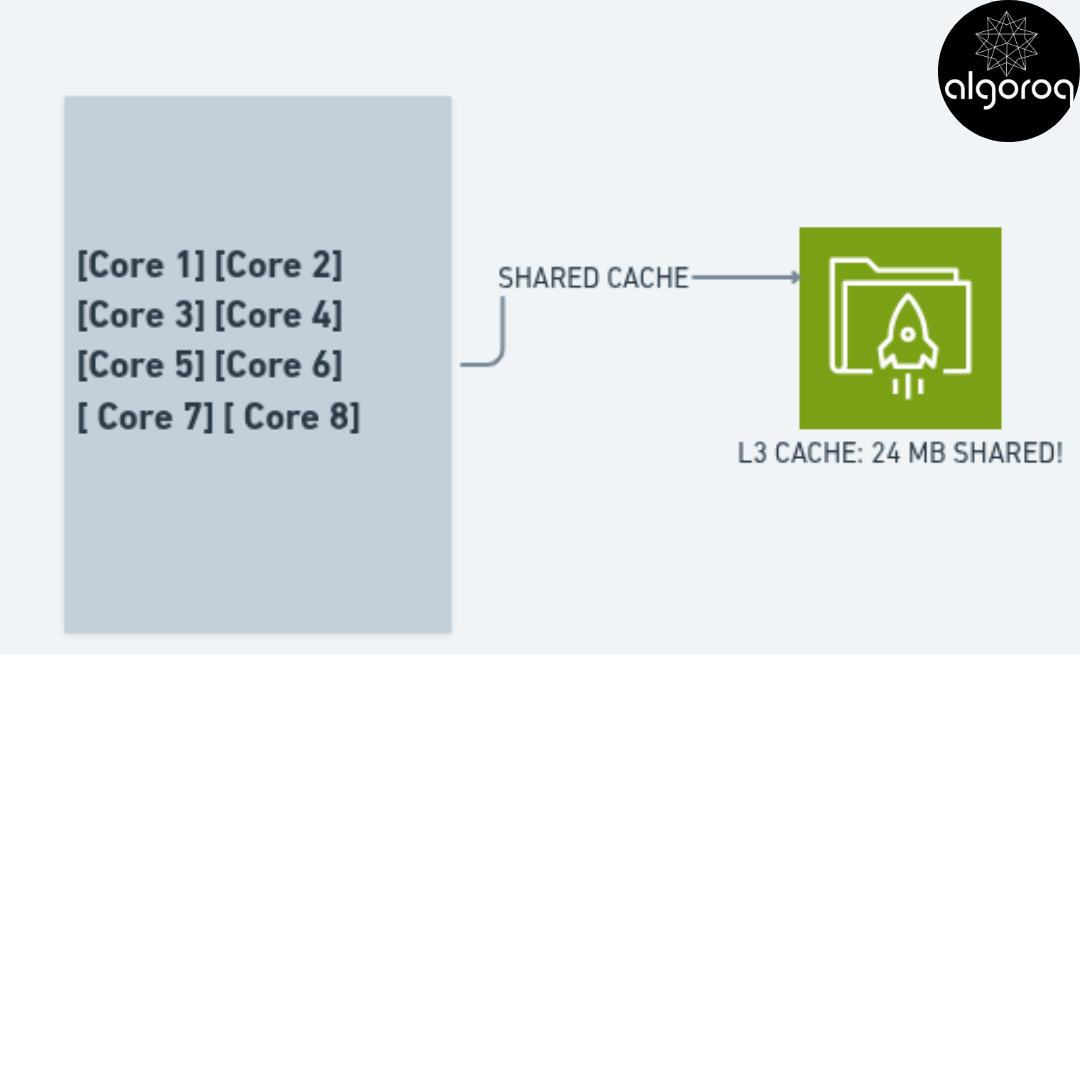
Benefits:
✓ Cores can share data efficiently
✓ Larger capacity
✓ Still much faster than RAM
Think of it as: Bookshelf in your office (shared)
Level 5: RAM (Random Access Memory)
💾 RAM - Main System Memory
Location: Separate chips on motherboard Size: 8-128 GB (typical systems) Speed: 100 nanoseconds
What it holds:
├─ Running applications
├─ Operating system
├─ Open documents
├─ Browser tabs
└─ Game data
Example system with 16GB RAM:
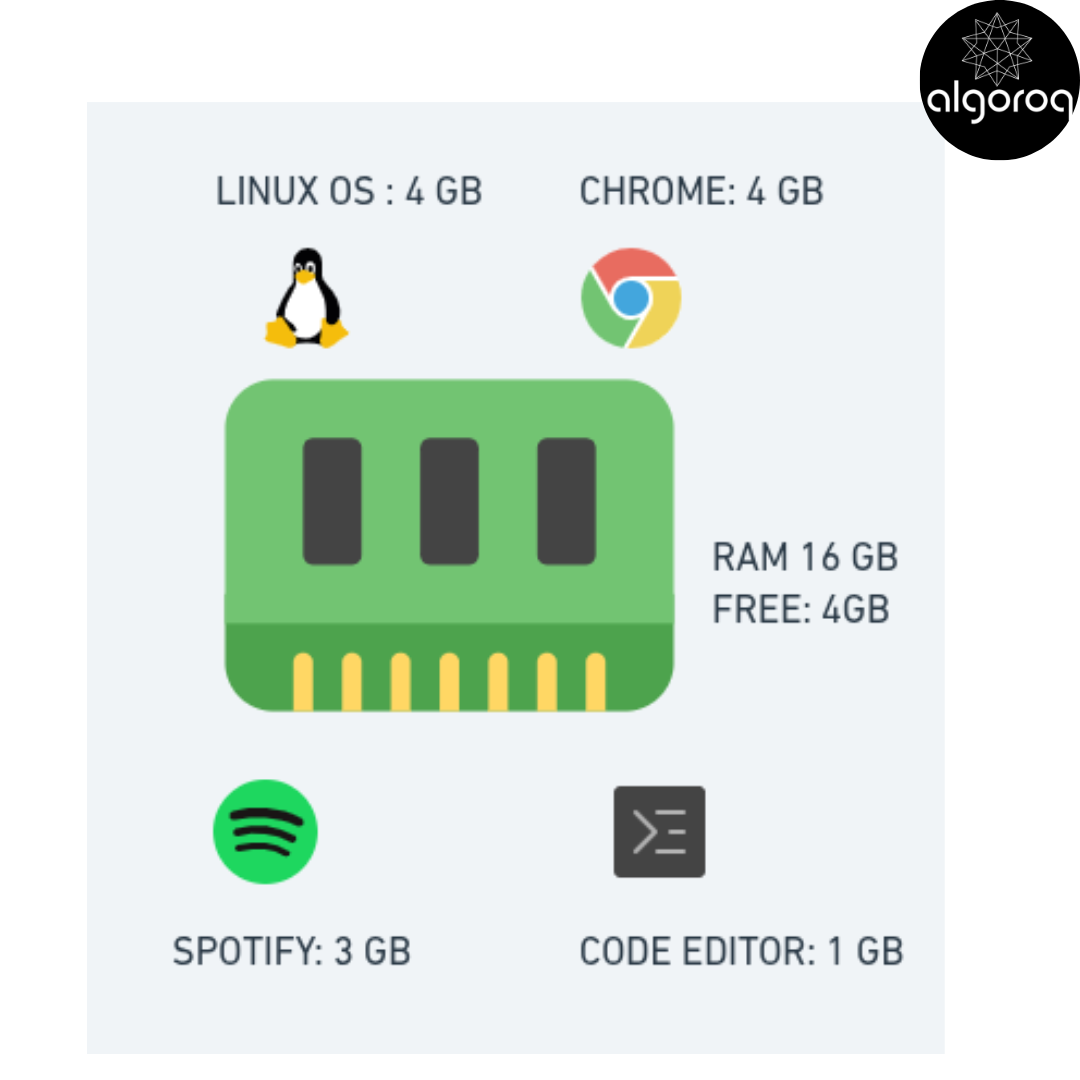
Characteristics:
✓ Volatile (loses data when powered off)
✓ Much larger than cache
✓ 100x slower than L3 cache
✓ 1,000,000x faster than HDD
Think of it as: Your desk workspace
Level 6: SSD (Solid State Drive)
💿 SSD - Fast Persistent Storage
Location: Connected via SATA/NVMe
Size: 256 GB - 4 TB
Speed: 100 microseconds (100,000 nanoseconds)
What it holds:
├─ Operating system files
├─ Programs and applications
├─ Documents, photos, videos
└─ Game installations
Characteristics:
✓ Persistent (keeps data when off)
✓ 1000x slower than RAM
✓ No moving parts (silent, durable)
✓ More expensive per GB
Speed comparison to HDD:
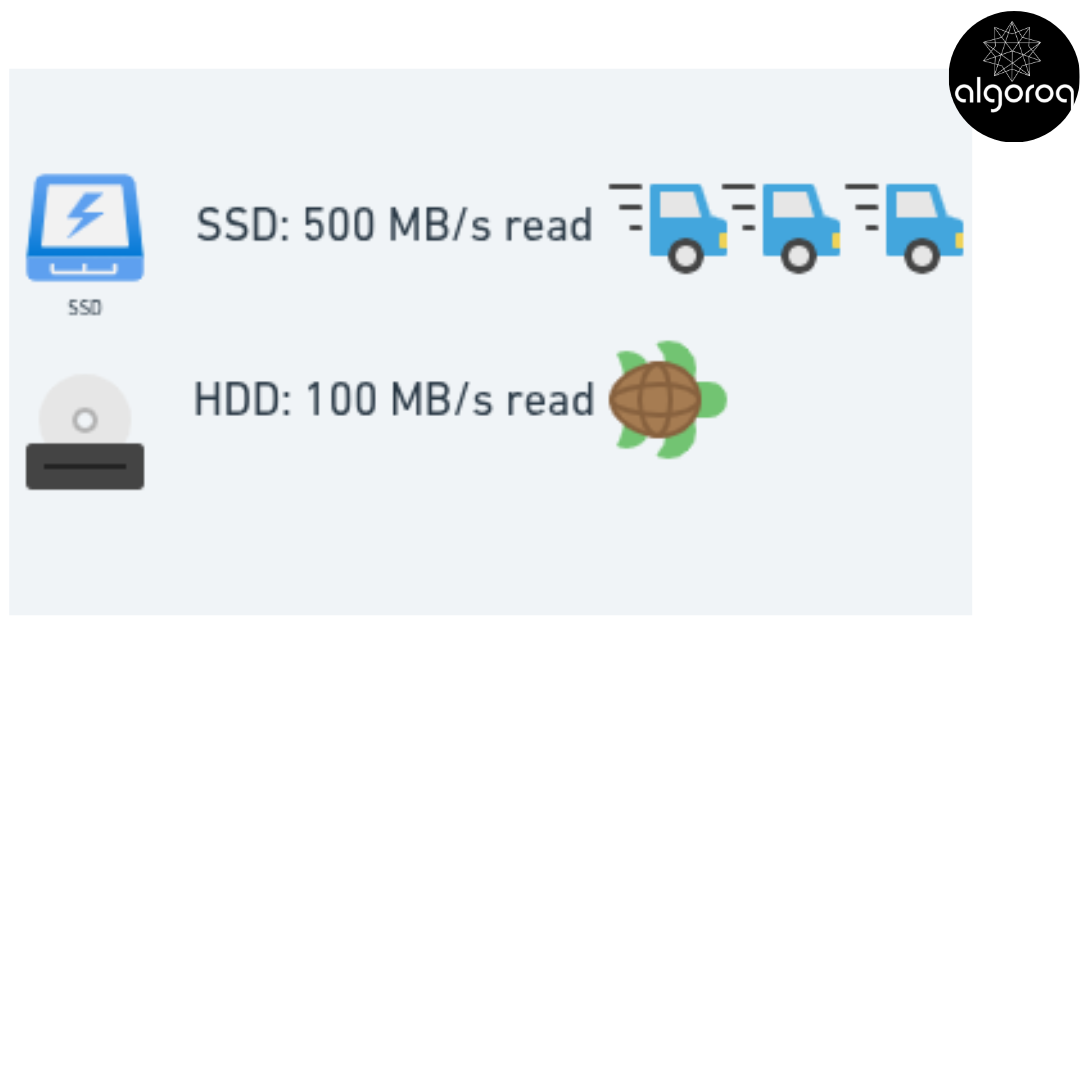
Think of it as: Filing cabinet with instant-access drawers
Level 7: HDD (Hard Disk Drive)
💽 HDD - Slow Mechanical Storage
Location: Connected via SATA Size: 1-20 TB Speed: 10 milliseconds (10,000,000 nanoseconds)
Physical structure:
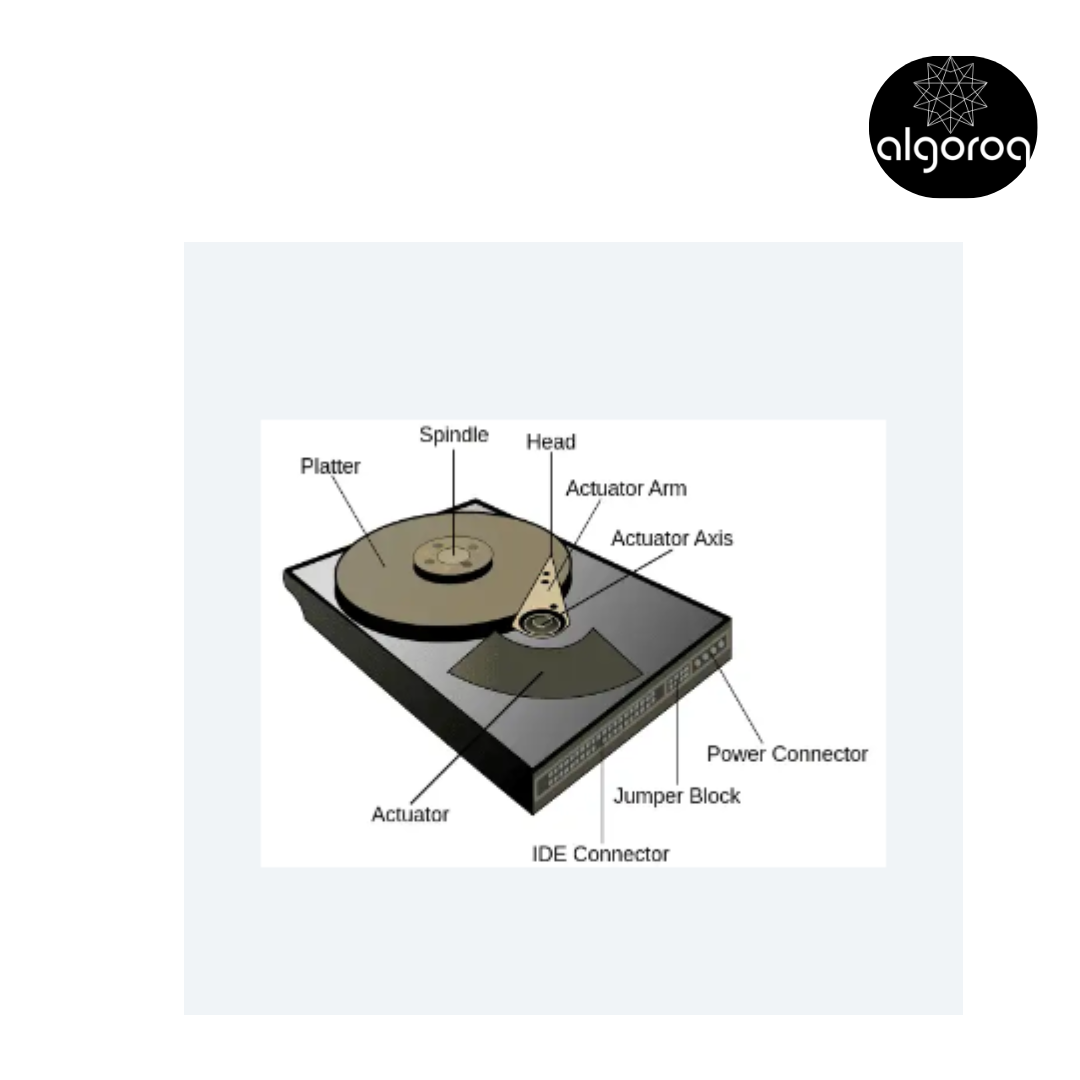
Characteristics:
✓ Persistent
✓ Very slow (moving parts!)
✓ 100,000x slower than RAM
✓ Cheap per GB
✓ Large capacity
✓ Makes noise, uses power
✓ Fragile (hates drops!)
Think of it as: Warehouse storage (takes time to retrieve)
🎮 Interactive Journey: The Cache Hunt
Let's follow what happens when the CPU needs data:
THE DATA RETRIEVAL JOURNEY
CPU needs value at memory address 0x1234:
Step 1: Check L1 Cache ──────────────────────── CPU: "Is address 0x1234 in L1?" L1: "Checking... NO!" ❌ Time wasted: 1 nanosecond Status: L1 CACHE MISS
Step 2: Check L2 Cache ──────────────────────── CPU: "Is address 0x1234 in L2?" L2: "Checking... NO!" ❌ Time wasted: 3 nanoseconds (total: 4ns) Status: L2 CACHE MISS
Step 3: Check L3 Cache ──────────────────────── CPU: "Is address 0x1234 in L3?" L3: "Checking... NO!" ❌ Time wasted: 15 nanoseconds (total: 19ns) Status: L3 CACHE MISS
Step 4: Check RAM ──────────────────────── CPU: "Is address 0x1234 in RAM?" RAM: "Found it! Here's the value: 42" ✓ Time taken: 100 nanoseconds (total: 119ns) Status: RAM HIT
Step 5: Update Caches (for next time) ──────────────────────── Copy value to L3: Address 0x1234 = 42 Copy value to L2: Address 0x1234 = 42 Copy value to L1: Address 0x1234 = 42
Next time CPU needs 0x1234: ──────────────────────── CPU: "Is address 0x1234 in L1?" L1: "YES! Value = 42" ✓ Time taken: 1 nanosecond
119x faster the second time! 🚀
📊 Cache Hit Rates: Why They Matter
CACHE PERFORMANCE
Typical cache hit rates: L1 Cache: 95% hit rate L2 Cache: 80% hit rate (of L1 misses) L3 Cache: 70% hit rate (of L2 misses)
Example with 1000 memory accesses:
950 found in L1 (1 ns each) = 950 ns
40 found in L2 (3 ns each) = 120 ns
21 found in L3 (15 ns each) = 315 ns
10 found in RAM (100 ns each) = 1000 ns
Total: 2,385 ns for 1000 accesses Average: 2.4 ns per access!
Without caches (all from RAM): 1000 × 100 ns = 100,000 ns
CACHE MAKES IT 42x FASTER! 🚀
🚨 Common Misconception: "More Cache Always Better"
You might think: "I want 1GB of L1 cache!"
The Reality: Cache size is a careful balance!
❌ WHY YOU CAN'T HAVE HUGE CACHES:
Problem 1: PHYSICAL SPACE
├─ Caches are on the CPU disk
├─ Disc size is limited
└─ Larger cache = less room for cores
Problem 2: SPEED TRADEOFF
├─ Larger cache = more area to search
├─ More area = longer wires
└─ Longer wires = SLOWER access!
Problem 3: COST ├─ Cache memory is extremely expensive ├─ L1 cache: $1000+ per MB! └─ RAM: $5 per GB (200,000x cheaper!)
━━━━━━━━━━━━━━━━━━━━━━━━━━━━━━━━━━━━━
✅ ACTUAL DESIGN:
Modern CPUs use optimal sizes:
L1: 32-64 KB (tiny but INSTANT)
L2: 256-512 KB (small but very fast)
L3: 8-64 MB (larger, shared, still fast)
RAM: 8-128 GB (huge, slower)
Each level is the sweet spot for its purpose!
The Engineering Tradeoff:
Hypothetical 1MB L1 Cache:
✓ More hits
✓ More data stored
✗ 10x slower access (defeats the purpose!)
✗ Takes up space for 2 CPU cores
✗ Costs thousands of dollars
Actual 32KB L1 Cache:
✓ Lightning fast (0.3ns)
✓ Affordable
✓ Small enough to keep close to core
✓ High enough hit rate (95%)
Result: Small but fast beats large but slow!
🎯 Memory Hierarchy Summary
THE COMPLETE PICTURE:
Why this hierarchy exists:
🏃 FAST + SMALL + EXPENSIVE
↕️ Registers: Instant but microscopic
↕️ L1 Cache: Nearly instant, tiny
↕️ L2 Cache: Very fast, small
↕️ L3 Cache: Fast, medium
🐢 SLOW + LARGE + CHEAP
↕️ RAM: Decent, large
↕️ SSD: Slow, huge
↕️ HDD: Very slow, massive
The Principle: Keep frequently used data close!
LOCALITY OF REFERENCE:
Temporal locality:
"If I accessed this data, I'll likely access it again soon" → Keep recent data in cache
Spatial locality:
"If I accessed this data, I'll likely access nearby data"
→ Load whole cache lines (64 bytes at a time)
This is why caches work so well!
Key Takeaways
- Memory forms a hierarchy trading speed for capacity — registers > L1 cache > L2 cache > L3 cache > RAM > SSD > HDD
- RAM is volatile — data is lost when power is off — this is why databases need write-ahead logs and checkpointing
- Cache locality matters for performance — accessing data sequentially (spatial locality) or repeatedly (temporal locality) is dramatically faster
- Memory management is fundamental to system design — understanding how memory works helps you reason about caching, buffering, and scaling